

MythicBotany Mod pre Minecraft 1.20.1, 1.16.5
Dive deeper into the world of botania
- stiahnutí
- 10 stiahnutí
- zobrazení
- 58 zobrazení
- Aktualizované
- Aktualizované 27.10.2026
- 1.16.3 — 1.20.1
 Forge
Forge
O mode MythicBotany
MythicBotany is a mod that expands botania a little bit. Some of its features are listed below:
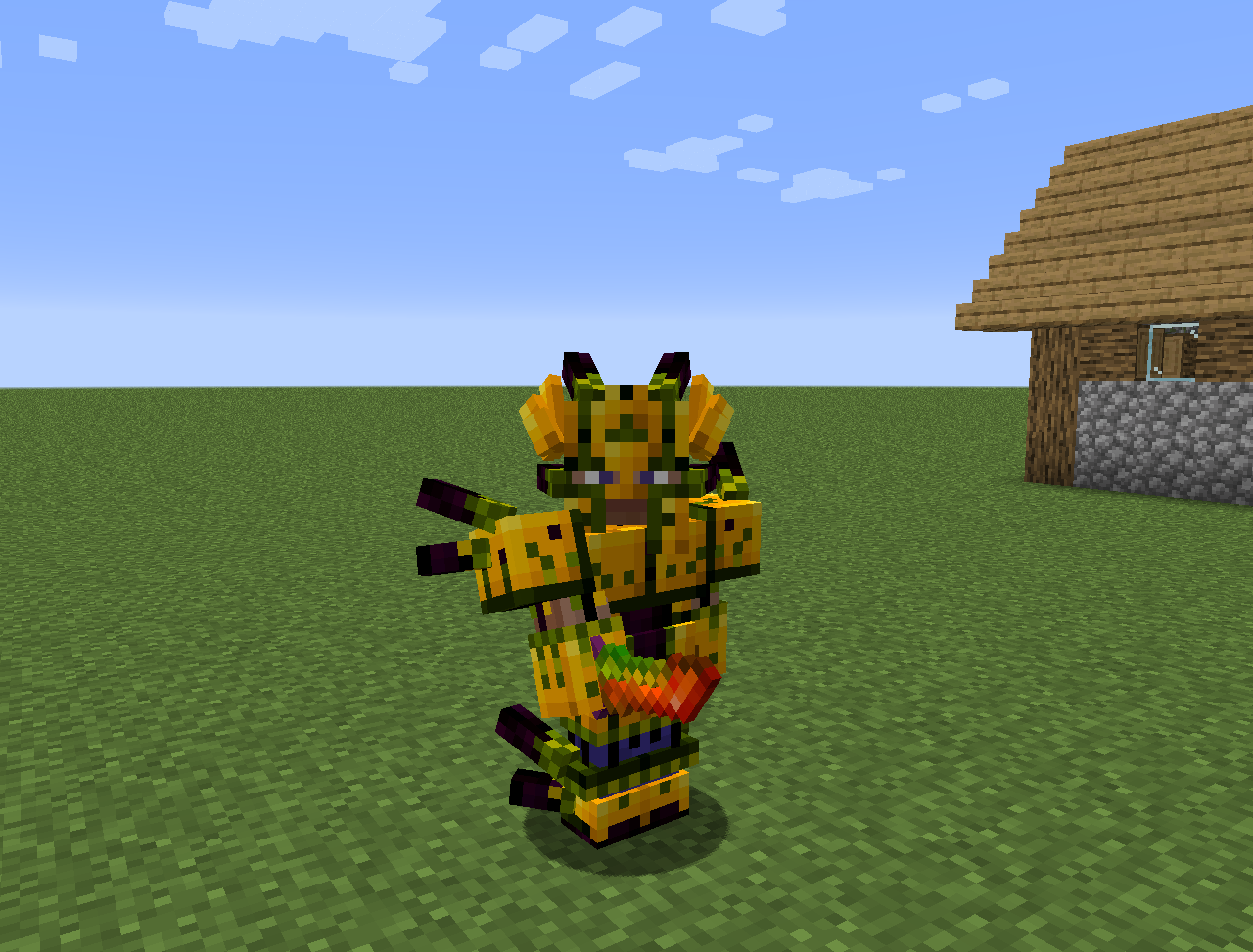
- The mana infuser: An upgrade to the terrestrial agglommeration plate that requires gold an shimmerrock underneath and besides Terrasteel allows to create Alfsteel.
- Alfsteel: Made like Terrasteel but with alfheim resources. Can be used to create a better armor, pylons and other things.
- Some new flowers:
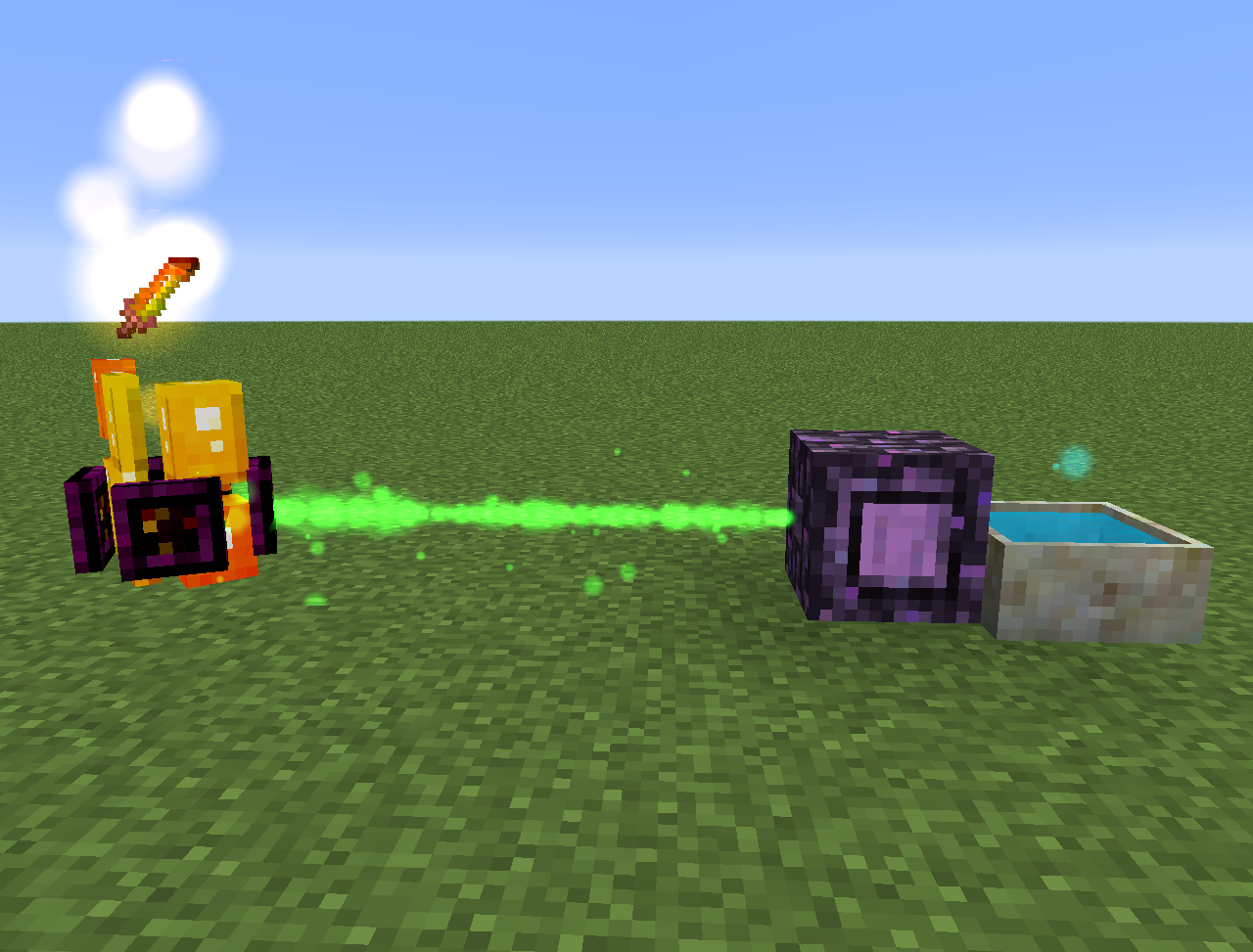
- Wither Aconite: Creates Mana from nether stars
- Exoblaze: Fills the fuel of brewing stands with mana
- Hellebore: Stops piglins and hoglins from zombifying in the overworld
- Aquapanthus: Fills petal apothecaries and cauldrons nearby.
- Raindeletia: Creates mana when it's raining. Must have a clear view to the sky. Place it on vivid grass or enchanted soil to make it produce more mana.
- It also adds an alfheim dimension and some content from the norse mythology
Everything can also be found in the lexica botania.
Ako nainštalovať MythicBotany
With Millida Launcher
Install Millida Launcher
The launcher is free: download it at millida.net/launcher and sign in with any nickname.
Click “Install” on this page
The launcher opens and installs the mod for Minecraft 1.16.3–1.20.1 on Forge automatically.
Launch the game
A profile with it appears in the launcher: click “Play”.
Manually
Install Forge
The loader must match the game version of the mod file, for example Minecraft 1.20.1. After installing it, a separate profile appears in your launcher.
Download the file for your version
In the version list above, pick the file MythicBotany-1.20.1-4.0.4.jar (2.1 MB) for your game version.
Put it in the mods folder
The folder is inside .minecraft (Windows: %appdata%\.minecraft\mods). If it does not exist, create it.
Launch the loader profile
Open “Mods” in the main menu: MythicBotany should be in the list.
Minecraft 1.20.1 runs on Java 17: with a different Java version the game may close right after launch.
Verzie
So závislosťami
| Minecraft | Loader | Súbor | Dátum | Akcie |
|---|---|---|---|---|
| 1.20.1 | Forge | MythicBotany-1.20.1-4.0.4.jar2.1 MB 8 | ||
| 1.18.1 | Forge | MythicBotany-1.18.1-2.0.2.jar2 MB | ||
| 1.16.5 | Forge | MythicBotany-1.16.4-1.3.7.jar2 MB 2 | ||
| 1.16.3 | — | MythicBotany-1.16.3-1.0.0.jar403 KB |
FAQ
Which Minecraft versions does MythicBotany work on?
There are files for 1.20.1, 1.18.1, 1.16.5, 1.16.4, 1.16.3. The newest is 1.20.1.
Is MythicBotany for Forge or Fabric?
Only for Forge: 1.16.4–1.20.1. There are no files for Fabric or NeoForge: a mod for another loader will not start.
Does MythicBotany need other mods?
The author lists no required dependencies: the Forge loader is enough.
Which Java does MythicBotany need?
Minecraft 1.20.1 runs on Java 17. If the game closes right after launch, the usual cause is the wrong Java version in the profile settings.
Where can I download MythicBotany safely?
On this page: the file MythicBotany-1.20.1-4.0.4.jar (2.1 MB) is stored on Millida’s server, with no link shorteners. SHA-1 checksum: b616c118d611459a0711931c51c9c4d41408abb4.
Recenzie
Buď prvý, kto ohodnotí MythicBotany


