
About
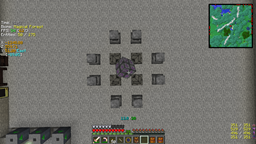
The mod allows you to display a very customizable "F3 screen". It ships with a default config (in XML), which can be replaced/changed by your own. It supports XML, JSON and the text format (slightly modified version of bspkrs' format).
Community config files ("new")
You can find a list of community submitted config files here.
If you'd like to contribute your own config file, feel free to submit a pull request (PR) or send the config file to me and I'll add it for you.
Spotlights
Requirements
- Minecraft Forge
- LunatriusCore (1.7.2+ only)
Installation
- Just drop the file into your mods folder. That's it.
Usage (customization)
- /igi - show all available subcommands (all commands can be auto-completed by pressing)
- /igi save <TAB> - save the currently loaded configuration
- /igi taglist - show a list of all available tags
Crash Reports, Translations, Suggestions
- Crash Reports
- Translations
- Suggestions
Modpacks: you can freely include any of the mods in your mod pack if the modpack is free (public or private). Mentioning me as the author is appreciated but not required. Youtube/Streaming: you can monetize any videos you produce with the mod.
Ako nainštalovať InGame Info XML
With Millida Launcher
Install Millida Launcher
The launcher is free: download it at millida.net/launcher and sign in with any nickname.
Click “Install” on this page
The launcher opens and installs the mod for Minecraft 1.12.2 automatically.
Launch the game
A profile with it appears in the launcher: click “Play”.
Manually
Download the file for your version
In the version list above, pick the file InGameInfoXML-1.12.2-2.8.2.94-universal.jar (308 KB) for your game version.
Put it in the mods folder
The folder is inside .minecraft (Windows: %appdata%\.minecraft\mods). If it does not exist, create it.
Launch the loader profile
Open “Mods” in the main menu: InGame Info XML should be in the list.
Minecraft 1.12.2 runs on Java 8: with a different Java version the game may close right after launch.
Verzie
So závislosťami
| Minecraft | Loader | Súbor | Dátum | Akcie |
|---|---|---|---|---|
| 1.12.2 | — | InGameInfoXML-1.12.2-2.8.2.94-universal.jar308 KB |
FAQ
Which Minecraft versions does InGame Info XML work on?
Only Minecraft 1.12.2: there are no files for other versions.
Which Java does InGame Info XML need?
Minecraft 1.12.2 runs on Java 8. If the game closes right after launch, the usual cause is the wrong Java version in the profile settings.
Where can I download InGame Info XML safely?
On this page: the file InGameInfoXML-1.12.2-2.8.2.94-universal.jar (308 KB) is stored on Millida’s server, with no link shorteners. SHA-1 checksum: 25740e4cffa45a47d13881656ec7ec7e5d02db8a.
Recenzie
Buď prvý, kto ohodnotí InGame Info XML


