

Gamma Utils (Fullbright) Mod pre Minecraft 1.20.1, 1.21.1
Gamma / Brightness / Night Vision mod, making it easy to see in the dark. Basically Fullbright for Fabric and NeoForge.
 Fabric
 NeoForge
 Quilt
QuiltO mode Gamma Utils (Fullbright)
 

Gamma Utils
This is a fully configurable and client side gamma utility mod, making it much easier to see in the dark. It's a really basic mod that allows you to change the gamma value in game way higher than the in game brightness setting allows. Nights will look like day and caves will look like they're fully lit up. Basically Fullbright but for Fabric and NeoForge.
Press G to toggle between 100% and 1500% gamma
Press H to toggle client side Night Vision on or off This works better in combination with shaders than gamma

Fully adjustable to your liking
To see everything that can be done and adjusted open the function and configuration spoilers below. Here are some examples of what's possible though:
Mod overview video from BlackNinja745
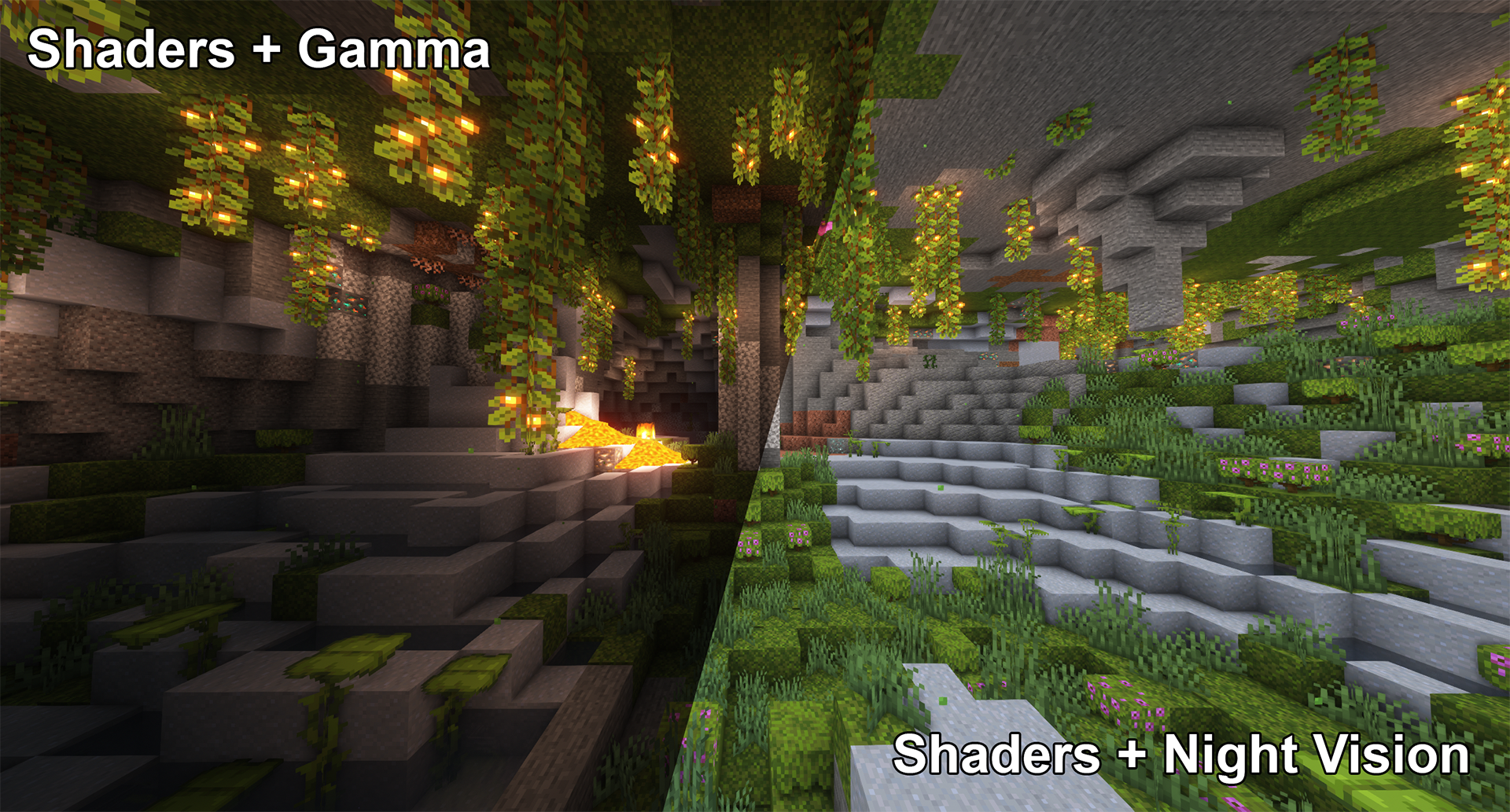
Toggle Night Vision High gamma won't work in combination with shaders, however, night vision will work with at least some shaders:
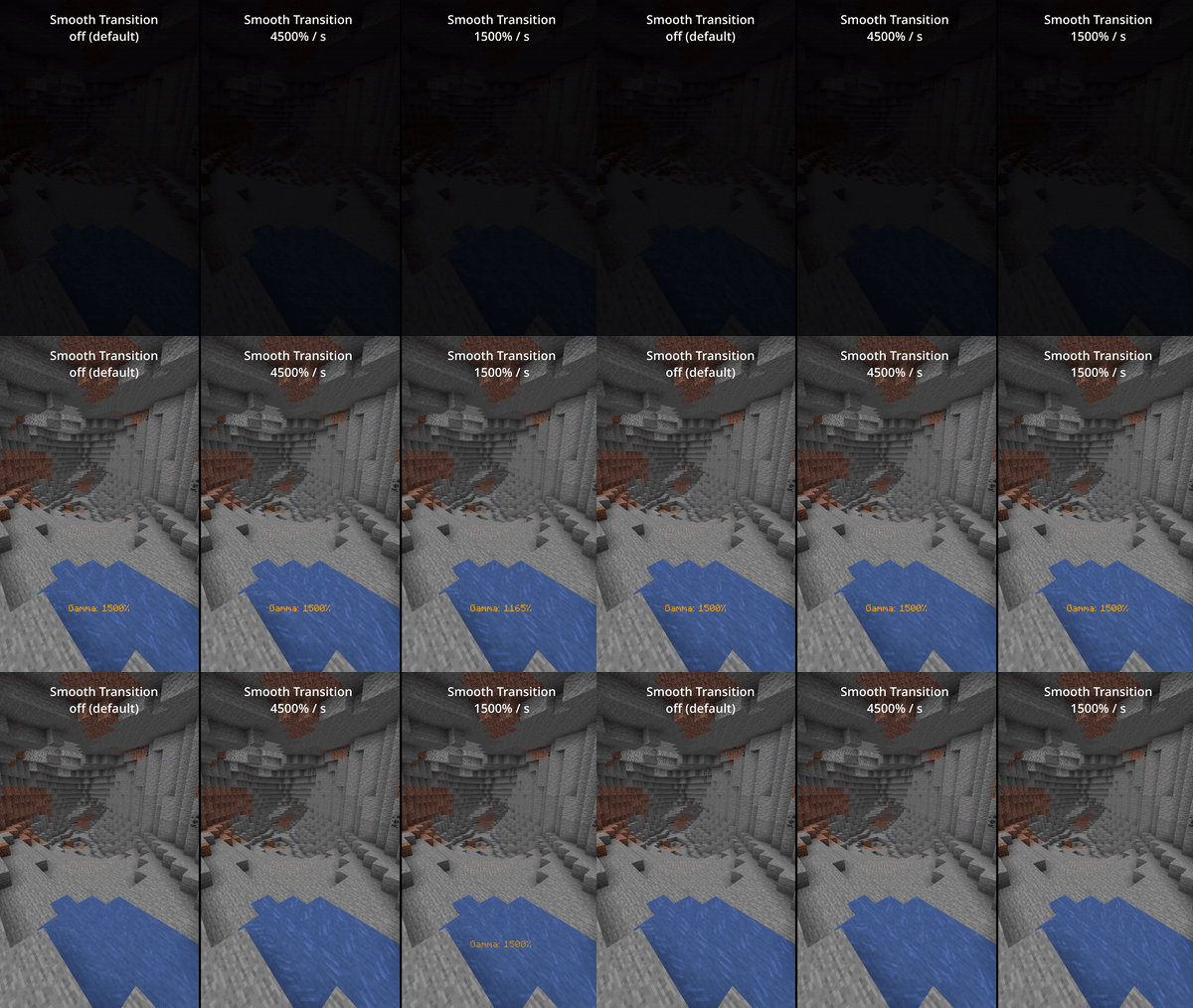
Smooth Transition Enable smooth transition (off by default) for a less intense transition when toggling gamma:
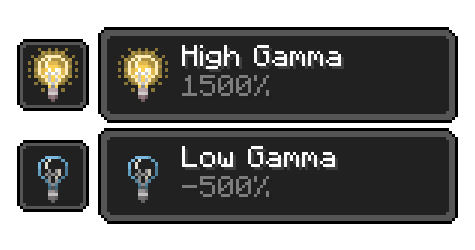
Status Effects Enable fully client side status effects (off by default) To keep you reminded that you've enabled gamma outside normal values:
All Functions
All functions and commands
Toggle Gamma Usage: Keybind (default: G) or /gamma toggle Toggle between the default gamma percentage and the configured toggled percentage.
Increase Gamma Usage: Keybind (default: arrow up) or /gamma increase \ (value is optional) Increase the gamma percentage by the configured step percentage or the given value.
Decrease Gamma Usage: Keybind (default: arrow down) or /gamma decrease \ (value is optional) Decrease the gamma percentage by the configured step percentage or the given value.
Set Gamma Usage: /gamma set \ Set the gamma to a specific percentage.
Min Gamma Usage: Keybind or /gamma min Sets the gamma to the configured minimum limit.
Max Gamma Usage: Keybind or /gamma max Sets the gamma to the configured maximum limit.
Toggle Night Vision Usage: Keybind (default: H) or /gamma nightvision Toggle night vision on or off.
Configuration (File / Mod Menu)
All configuration options
Default Gamma Percentage Default: 100% Gamma percentage for when the mod is toggled off.
Toggled Gamma Percentage Default: 1500% Gamma percentage for when the mod is toggled on.
Update Toggle Value Default: false Enabling this will make the toggle value remember the last non default value you've used.
Smooth Transition Default: false Make the transition when toggling gamma smoother.
Transition Speed Default: 4500 Speed in gamma percentage per second.
Show Status Effect Default: false Show a client side status effect when the gamma percentage is outside normal range. ("Low Gamma" below 0% and "High Gamma" above 100%)
Limit Check Default: true Should the mod enforce the minimum and maximum gamma limits.
Minimum Gamma Limit Default: -750% Minimum gamma percentage the mod will allow if the Limit Check is enabled.
Maximum Gamma Limit Default: 1500% Maximum gamma percentage the mod will allow if the Limit Check is enabled.
Gamma Percentage Step Default: 10% Gamma percentage change for every increase or decrease.
Show Gamma Message Default: true Show a message with the new gamma value.
Reset on Close Default: false Reset the gamma value to default when Minecraft closes.
Versions & Dependencies
1.19+
Required: Fabric API Cloth Config API (Is needed to make the config work)
Optional: Mod Menu (This mod allows you to edit the configs in game)
1.16 - 1.18
Required: Fabric API (0.31.0 or later)
Optional: Mod Menu (This mod allows you to edit the configs in game)
Already included/embedded: Cloth Config API (Is needed to make the config work)
1.14 - 1.15
Required: Fabric API (0.14.0 or later)
Optional: Mod Menu (This mod allows you to edit the configs in game)
Already included/embedded: Auto Config Updated API (Is needed to make the config work) Cloth Config API (Required for Auto Config)
Ako nainštalovať Gamma Utils (Fullbright)
With Millida Launcher
Install Millida Launcher
The launcher is free: download it at millida.net/launcher and sign in with any nickname.
Click “Install” on this page
The launcher opens and installs the mod for Minecraft 1.16.5–26.3 on Fabric, NeoForge or Quilt automatically, together with its dependencies: Cloth Config API, Fabric API.
Launch the game
A profile with it appears in the launcher: click “Play”.
Manually
Install Fabric, NeoForge or Quilt
The loader must match the game version of the mod file, for example Minecraft 26.3. After installing it, a separate profile appears in your launcher.
Download the file for your version
In the version list above, pick the file Gamma-Utils-Fabric-3.2.2+mc26.3.jar (101 KB) for your game version and loader.
Put it in the mods folder
The folder is inside .minecraft (Windows: %appdata%\.minecraft\mods). If it does not exist, create it. Required dependencies go there too: Cloth Config API, Fabric API.
Launch the loader profile
Open “Mods” in the main menu: Gamma Utils (Fullbright) should be in the list.
Gamma Utils (Fullbright) works on the player’s side only: there is no need to install it on a server.
Verzie
So závislosťami
| Minecraft | Loader | Súbor | Dátum | Akcie |
|---|---|---|---|---|
| 26.3 | Fabric | 26.3101 KB 148 | ||
| 26.3 | NeoForge | 26.394.7 KB 4 | ||
| 26.2 | Fabric | 26.2101 KB 59 | ||
| 26.2 | NeoForge | 26.294.6 KB 1 | ||
| 26.1.2 | Fabric | 26.1.2101 KB 9 | ||
| 26.1.2 | NeoForge | 26.1.294.6 KB | ||
| 26.3 | Fabric | 26.3101 KB 28 | ||
| 26.3 | NeoForge | 26.394.7 KB |
Čo potrebuje na spustenie
- Cloth Config APIpovinné
- Fabric APIpovinné
- Mod Menunepovinné
Recenzie
Buď prvý, kto ohodnotí Gamma Utils (Fullbright)


