
First Aid Mod pre Minecraft 1.12.2, 1.18.2
A minecraft mod that extends the minecraft health system
- stiahnutí
- 2 stiahnutí
- zobrazení
- 31 zobrazení
- Aktualizované
- Aktualizované 20.10.2026
- 1.12.2 — 1.19.4
 Forge
Forge
O mode First Aid
First Aid is a game changing mod focused around a new health system.
HEALTH SYSTEM:
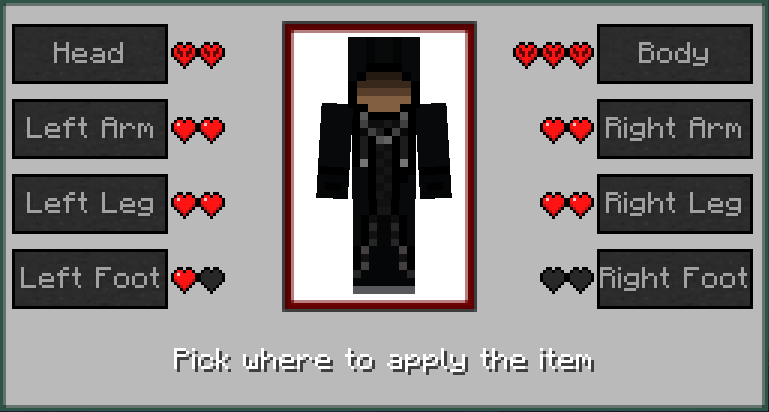
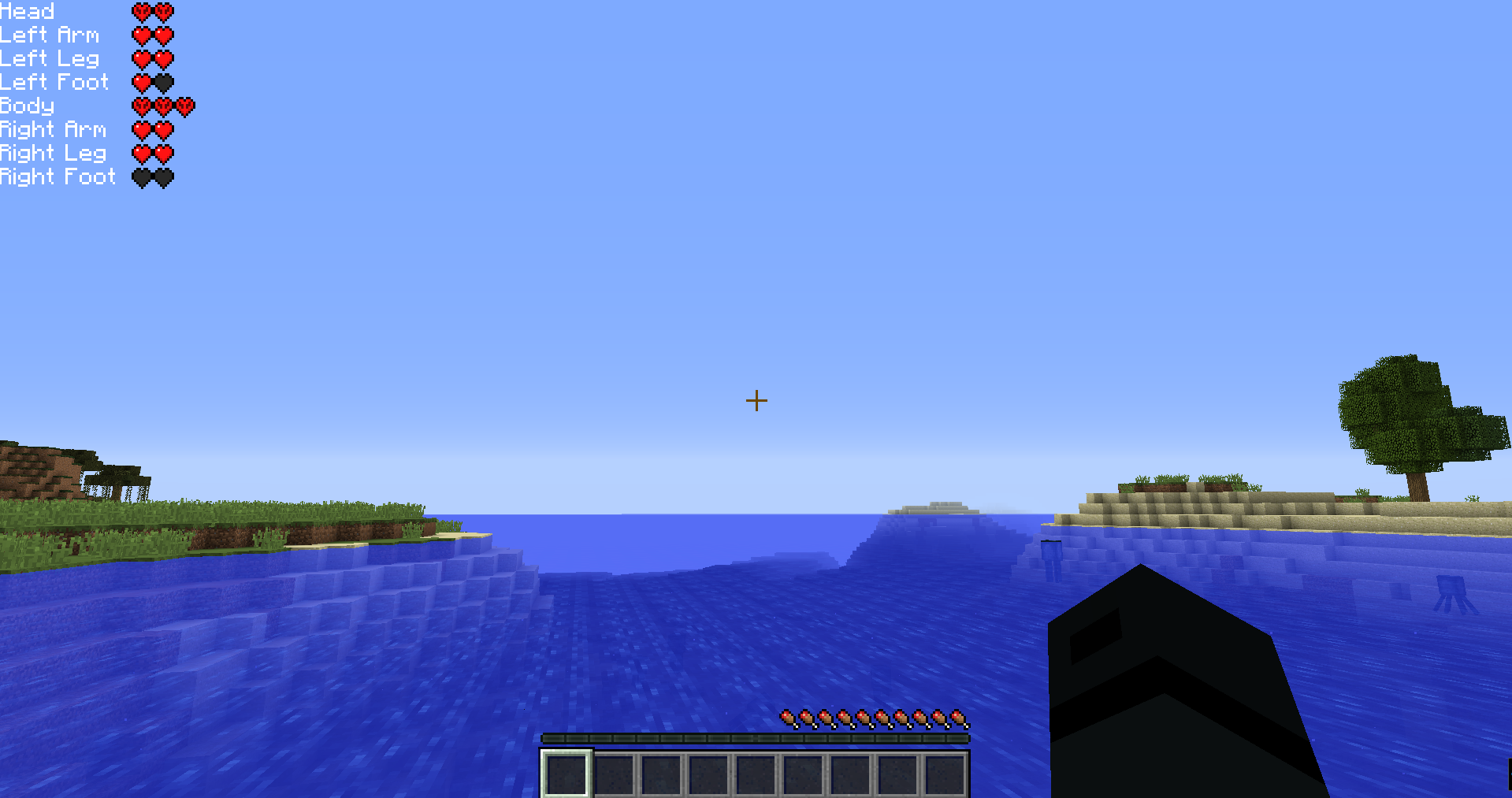
The old health bar got replaced by 8 different health regions, so your Head, Body, Legs and Feet have their own health bar.
This mod disables vanilla health regeneration by default. This effect stays even if you remove the mod. It can be changed in the config or by typing /gamerule naturalRegeneration true. Healing can be done by using bandages or plaster. When you right click them in your inventory, you get a GUI where you can choose where you want to apply it. You will die as soon as your head or body health drop to zero.
DEBUFFS:
Certain debuffs may apply when your limbs get damaged, so when e.g. your feet get damaged, you will get a constant slowness debuff, or when your head gets hit servere enough, blindness and/or nausea will apply for a short time. All debuffs can be supressed by morphine. When you take morphine, no health debuffs will apply while it is active, but as soon as the effect runs out, your constant debuffs will reappear.
ARMOR:
Armor calculation has also been changed: If your legs get hit, only the armor of your legs will be taken into account. But because the armor value of a typical helmet is much lower than a chestplate, these values get multiplied with a factor So armor for your head and body are very important if you want to survive.
Since version 1.3.0, this mod uses a sound from this website. It is licensed under the Attribution 3.0 license.
NOTE
This mod disables vanilla health regeneration by default. This effect stays even if you remove the mod. It can be changed in the config or by typing /gamerule naturalRegeneration true.
Ako nainštalovať First Aid
With Millida Launcher
Install Millida Launcher
The launcher is free: download it at millida.net/launcher and sign in with any nickname.
Click “Install” on this page
The launcher opens and installs the mod for Minecraft 1.12.2–1.19.4 on Forge automatically.
Launch the game
A profile with it appears in the launcher: click “Play”.
Manually
Install Forge
The loader must match the game version of the mod file, for example Minecraft 1.19.4. After installing it, a separate profile appears in your launcher.
Download the file for your version
In the version list above, pick the file firstaid-1.14.0.jar (437 KB) for your game version.
Put it in the mods folder
The folder is inside .minecraft (Windows: %appdata%\.minecraft\mods). If it does not exist, create it.
Launch the loader profile
Open “Mods” in the main menu: First Aid should be in the list.
Minecraft 1.19.4 runs on Java 17: with a different Java version the game may close right after launch.
Verzie
So závislosťami
| Minecraft | Loader | Súbor | Dátum | Akcie |
|---|---|---|---|---|
| 1.18.2 | Forge | FirstAid 1.11.2437 KB | ||
| 1.19.4 | Forge | FirstAid 1.14.0 for MC 1.19.4437 KB 1 | ||
| 1.14.3 | — | FirstAid 1.7.5375 KB | ||
| 1.14.2 | — | FirstAid 1.7.4372 KB | ||
| 1.12.2 | — | FirstAid 1.6.6415 KB 1 |
FAQ
Which Minecraft versions does First Aid work on?
There are files for 1.19.4, 1.18.2, 1.14.3, 1.14.2, 1.12.2. The newest is 1.19.4.
Is First Aid for Forge or Fabric?
Only for Forge: 1.18.2–1.19.4. There are no files for Fabric or NeoForge: a mod for another loader will not start.
Does First Aid need other mods?
The author lists no required dependencies: the Forge loader is enough.
Which Java does First Aid need?
Minecraft 1.19.4 runs on Java 17. If the game closes right after launch, the usual cause is the wrong Java version in the profile settings.
How do I download First Aid?
With Millida Launcher: it installs First Aid into a modpack by itself, for the right game version and loader. The launcher is free.
Recenzie
Buď prvý, kto ohodnotí First Aid


