
 Fabric
O mode FerriteCore (Fabric)
This page is for the Fabric version. If you are looking for the Forge version you can find it here.
This mod reduces the memory usage of Minecraft in a few different ways. A high-level technical description of the changes is available here.
The amount of memory saved will depend on the pack. In version 2.5.9 of All Of Fabric 3 it reduces the RAM usage (heap size) from 1,792 MB to 984 MB. These values were measured after generating a world with a fixed seed and waiting for two minutes. You may notice that the setup is different from the Forge version, where I compared memory usage at the title screen. This is because Forge populates some caches (which are optimized by FC) before the title screen, while Fabric (and vanilla MC) wait until a world is loaded.
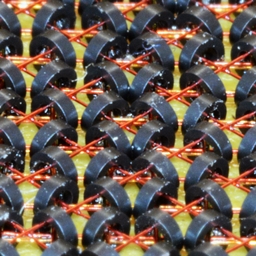
The project picture is a cropped version of this picture.
FAQ
Should I install this on the server or just on the client?
Some optimizations are client-side only, but there are some rather high-impact optimizations that are relevant on the server too. So you should install it on both sides.
Is this compatible with [other mod]?
Most likely yes. The only exception is Hydrogen, which is compatible with all recent FerriteCore versions on Minecraft versions where Hydrogen is officially released. This means that 1.18+ builds are not compatible with Hydrogen, since it has been officially archived and won't receive any releases on these versions.
Ako nainštalovať FerriteCore (Fabric)
With Millida Launcher
Install Millida Launcher
The launcher is free: download it at millida.net/launcher and sign in with any nickname.
Click “Install” on this page
The launcher opens and installs the mod for Minecraft 1.20.5–26.3 on Fabric automatically.
Launch the game
A profile with it appears in the launcher: click “Play”.
Manually
Install Fabric
The loader must match the game version of the mod file, for example Minecraft 26.3. After installing it, a separate profile appears in your launcher.
Download the file for your version
In the version list above, pick the file ferritecore-9.0.0-fabric.jar (71 KB) for your game version.
Put it in the mods folder
The folder is inside .minecraft (Windows: %appdata%\.minecraft\mods). If it does not exist, create it.
Launch the loader profile
Open “Mods” in the main menu: FerriteCore (Fabric) should be in the list.
Verzie
So závislosťami
| Minecraft | Loader | Súbor | Dátum | Akcie |
|---|---|---|---|---|
| 26.1 | Fabric | ferritecore-9.0.0-fabric71 KB 1 221 | ||
| 1.20.5 | Fabric | ferritecore-6.1.1-fabric.jar115 KB 6 |
FAQ
Which Minecraft versions does FerriteCore (Fabric) work on?
There are files for 1.20.5–26.3, 7 versions in total. The newest is 26.3.
Is FerriteCore (Fabric) for Forge or Fabric?
Only for Fabric: 1.20.5–26.3. There are no files for Forge or NeoForge: a mod for another loader will not start.
Does FerriteCore (Fabric) need other mods?
The author lists no required dependencies: the Fabric loader is enough.
Where can I download FerriteCore (Fabric) safely?
On this page: the file ferritecore-9.0.0-fabric.jar (71 KB) is stored on Millida’s server, with no link shorteners. SHA-1 checksum: eac76ff0f3753422c61b2c44487d0d195d88d4bc.
Recenzie
Buď prvý, kto ohodnotí FerriteCore (Fabric)


