
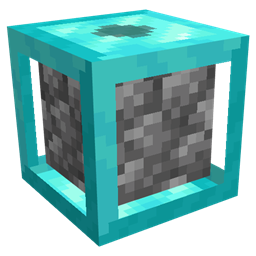
Cobblegen Galore Mod pre Minecraft 1.21.1
This mod lets you automatically generate essential blocks like cobblestone, basalt, and more
- stiahnutí
- 1 stiahnutí
- zobrazení
- 35 zobrazení
- Aktualizované
- Aktualizované 18.10.2026
- 1.21.1
 NeoForge
O mode Cobblegen Galore
Cobblegen Galore takes block generation to the next level by introducing customizable block generators with multiple tiers, from Copper to Netherite, each offering faster generation speeds. This mod lets you automatically generate essential blocks like cobblestone, basalt, and more - making it a must-have for resource SkyBlock packs.
Key Features:
Tiered Block Generators: Progress from Copper to Netherite generators, with each tier generating blocks faster than the last.
Cobblestone Generator: Easily automate cobblestone production using lava and water.
Basalt Generator: Set up automated basalt generation by combining lava and blue ice.
Custom Block Generators: Create generators for any block that forms from the interaction of fluids or blocks. Automation Ready: Boost your resource production with hands-free automation.
Perfect for Skyblock packs, Cobblegen Galore is invaluable for automating resource production where materials are limited. With tiered generators that scale in efficiency, you can progress through your skyblock adventure with ease - keeping your resources flowing while you focus on building, exploring, and thriving!
Ako nainštalovať Cobblegen Galore
With Millida Launcher
Install Millida Launcher
The launcher is free: download it at millida.net/launcher and sign in with any nickname.
Click “Install” on this page
The launcher opens and installs the mod for Minecraft 1.21.1 on NeoForge automatically.
Launch the game
A profile with it appears in the launcher: click “Play”.
Manually
Install NeoForge
The loader must match the game version of the mod file, for example Minecraft 1.21.1. After installing it, a separate profile appears in your launcher.
Download the file for your version
In the version list above, pick the file cobblegengalore-1.21.1-0.2.9.jar (87 KB) for your game version.
Put it in the mods folder
The folder is inside .minecraft (Windows: %appdata%\.minecraft\mods). If it does not exist, create it.
Launch the loader profile
Open “Mods” in the main menu: Cobblegen Galore should be in the list.
Minecraft 1.21.1 runs on Java 21: with a different Java version the game may close right after launch.
Verzie
So závislosťami
| Minecraft | Loader | Súbor | Dátum | Akcie |
|---|---|---|---|---|
| 1.21.1 | NeoForge | cobblegengalore-1.21.1-0.2.9.jar86.8 KB 1 |
FAQ
Which Minecraft versions does Cobblegen Galore work on?
Only Minecraft 1.21.1: there are no files for other versions.
Is Cobblegen Galore for Forge or Fabric?
Only for NeoForge: 1.21.1. There are no files for Forge or Fabric: a mod for another loader will not start.
Does Cobblegen Galore need other mods?
The author lists no required dependencies: the NeoForge loader is enough.
Which Java does Cobblegen Galore need?
Minecraft 1.21.1 runs on Java 21. If the game closes right after launch, the usual cause is the wrong Java version in the profile settings.
Where can I download Cobblegen Galore safely?
On this page: the file cobblegengalore-1.21.1-0.2.9.jar (87 KB) is stored on Millida’s server, with no link shorteners. SHA-1 checksum: d08c1d93e7918eebed6e405d0680d11d33c80bf6.
Recenzie
Buď prvý, kto ohodnotí Cobblegen Galore


