

Carbon Config Mod pre Minecraft 1.21.1, 1.21
IC2Classics Config Library
 NeoForge
 Fabric
 Forge
ForgeO mode Carbon Config
Carbon Config is a Config Library first Developed for IC2Classic and now made a Open Source implementation.
The idea behind Carbon Config is to have more customizable, simpler, more stable, cleaner and feature rich implementation of a config.
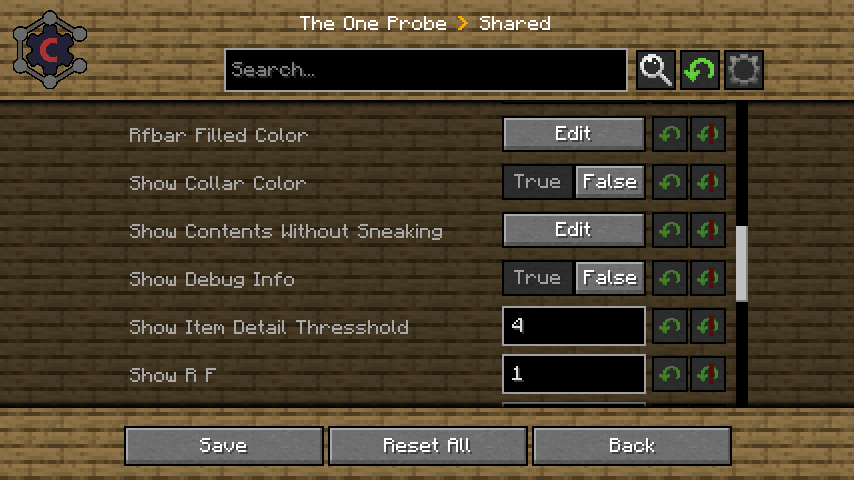
Carbon Config is built out of 2 Modules.
- The Config module, which is a standalone Java Library
- The GUI module, which is a Minecraft mod
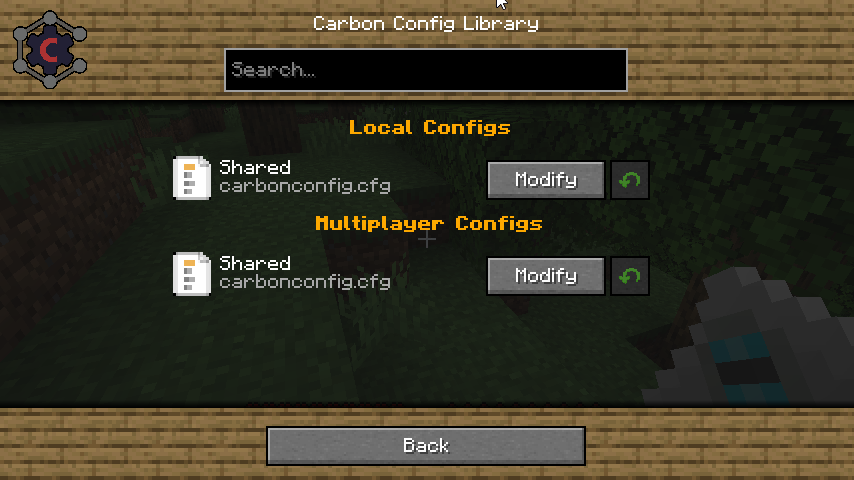
The GUI supports both CarbonConfigs and Forge Configs right out of the gate.
A detailed Feature list can be found here
To list a few of its features:
- Compounds:
Data can be visualized via Compounds instead of raw Strings.
- Suggestions:
Suggestions can be provided to the user in form of "default values" to make the user experience much more smooth.
- Multiplayer Support:
You can edit "Any" Server sided config too, not just "server only configs"
- Client to Server Configs:
Players can have their own settings in a Multiplayer instance and they can be easily distinguished.
- Late Loading Configs:
If the config loads early but entries are "registered" late, that isn't a problem since the configs get parsed as they are registered.
- Registry Visualization:
If it is Items/Block/Fluids/Potions/Enchantments/Colors get all visualized specially in the GUI.
- Background Skin System: If you don't like the current background? Simply change it to one of the curated choices provided. There should be something for everyone!
- Minecraft gamerule support: You can edit game rules of your current world/server or existing Worlds without having to open them. Which finally gives a use to the fabric version
Ako nainštalovať Carbon Config
With Millida Launcher
Install Millida Launcher
The launcher is free: download it at millida.net/launcher and sign in with any nickname.
Click “Install” on this page
The launcher opens and installs the mod for Minecraft 1.7.10–1.21.1 on Fabric, Forge or NeoForge automatically.
Launch the game
A profile with it appears in the launcher: click “Play”.
Manually
Install Fabric, Forge or NeoForge
The loader must match the game version of the mod file, for example Minecraft 1.21.1. After installing it, a separate profile appears in your launcher.
Download the file for your version
In the version list above, pick the file CarbonConfig-Neoforge-1.21.1-2.0.2.1.jar (1.2 MB) for your game version and loader.
Put it in the mods folder
The folder is inside .minecraft (Windows: %appdata%\.minecraft\mods). If it does not exist, create it.
Launch the loader profile
Open “Mods” in the main menu: Carbon Config should be in the list.
Minecraft 1.21.1 runs on Java 21: with a different Java version the game may close right after launch.
Verzie
So závislosťami
| Minecraft | Loader | Súbor | Dátum | Akcie |
|---|---|---|---|---|
| 1.7.10 | Forge | CarbonConfig-1.7.10-2.0.2.11.3 MB 4 | ||
| 1.21.1 | NeoForge | CarbonConfig-Neoforge-1.21.1-2.0.2.11.2 MB 7 | ||
| 1.21 | Fabric | CarbonConfig-Fabric-1.21-2.0.21.3 MB 1 | ||
| 1.20.4 | — | CarbonConfig-Neoforge-1.20.4-1.2.31006 KB |
FAQ
Which Minecraft versions does Carbon Config work on?
There are files for 1.21.1, 1.21, 1.20.4, 1.7.10. The newest is 1.21.1.
Is Carbon Config for Forge or Fabric?
There are files for Fabric: 1.21–1.21.1, for Forge: 1.7.10 and for NeoForge: 1.21.1.
Does Carbon Config need other mods?
The author lists no required dependencies: the Fabric, Forge or NeoForge loader is enough.
Which Java does Carbon Config need?
Minecraft 1.21.1 runs on Java 21. If the game closes right after launch, the usual cause is the wrong Java version in the profile settings.
How do I download Carbon Config?
With Millida Launcher: it installs Carbon Config into a modpack by itself, for the right game version and loader. The launcher is free.
Recenzie
Buď prvý, kto ohodnotí Carbon Config


