

- stiahnutí
- 12 stiahnutí
- zobrazení
- 34 zobrazení
- Aktualizované
- Aktualizované 24.10.2026
- 1.16.4 — 26.3
 Fabric
O mode Blockus
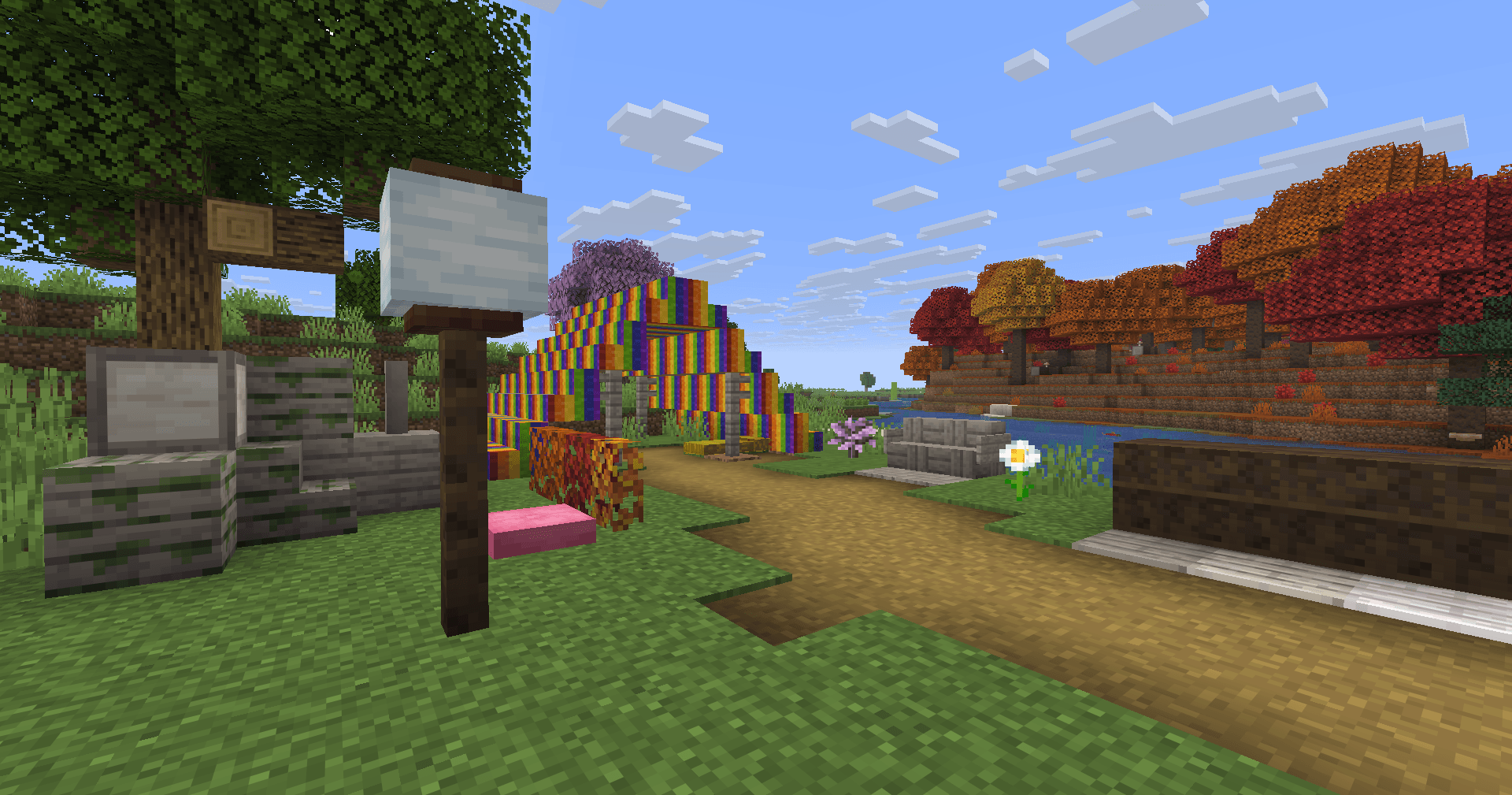
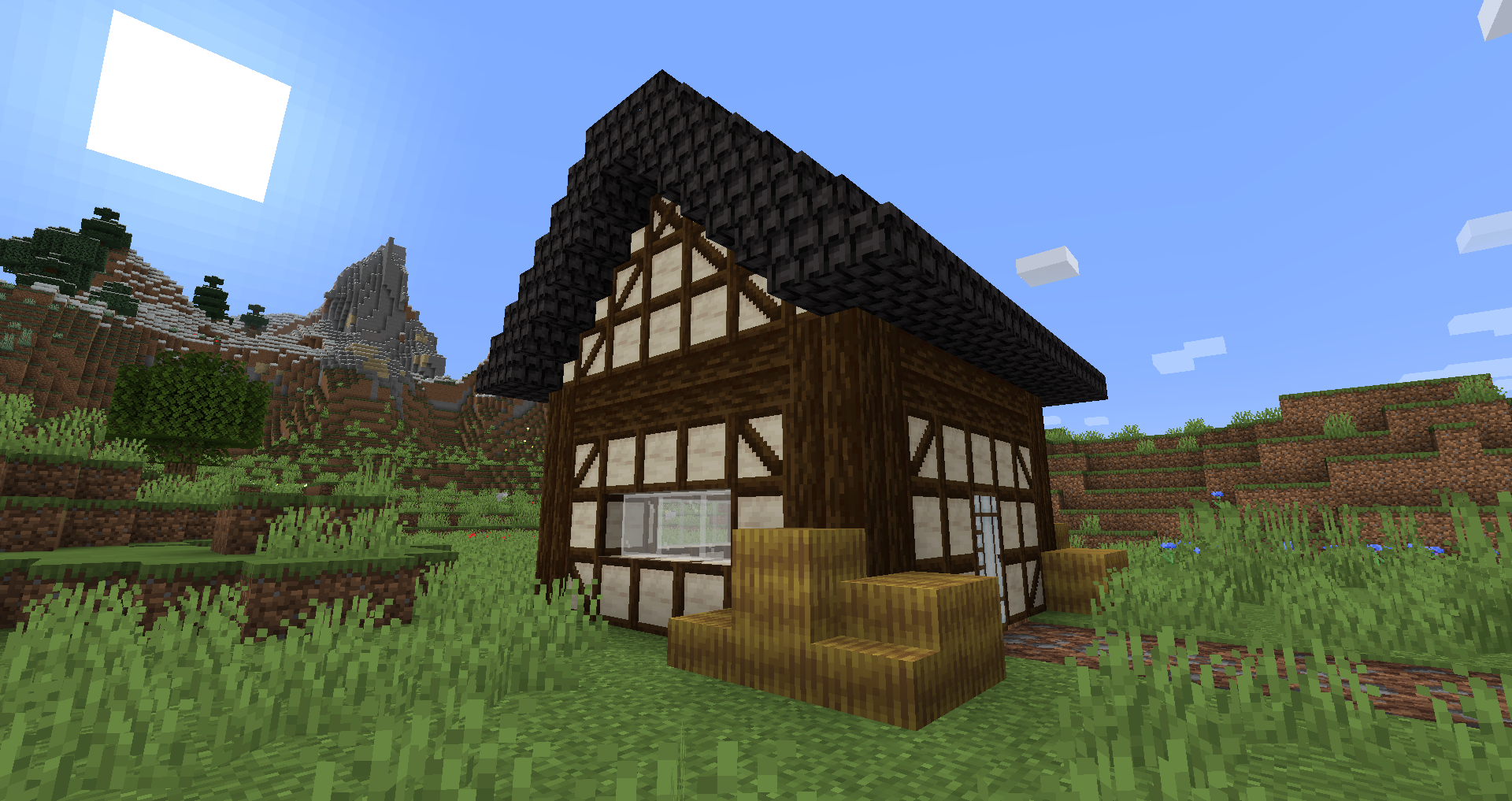
Blockus is a mod made using Fabric API. It adds blocks of several types.
Most of the blocks require a stonecutter to make them. I recommend the use of a mod like Roughly Enough Items (REI) for all recipes.
NeoForge support is currently not planned. You can use Sinytra Connector for NeoForge support.
Some added blocks :
- Marble, Limestone, Bluestone & Viridite
- White Oak, Raw Bamboo & Charred Planks
- Large Flower Pots
- Lava, Magma, Water, Blaze, Soaked Bricks & more
- Soul Sandstone
- Teal & Charred Nether Bricks
- Colored Tiles
- Stained Stone Bricks
- Colored Redstone Lamps
- Beveled Glass
- Patterned Wools
- Futurneo Blocks
- Asphalt that makes you go fast
- Redstone Sand
- Paper Block, Wall and Lamp
- Hedges
- Rainbow Blocks
- Food Crates
- Legacy Blocks
- Columns integration (< 1.19)
Naturally generated things
- Limestone is generated between y = 0 & y = 128 but much less between y = 64 & y = 128
- Marble is generated between y = 0 & y = 64
- Bluestone is generated below y = 0
- Viridite is generated below y = -16 & more frequently in Deep Dark.
- White Oak is generated in Forest, Dark Forest, Flower Forest, Cherry Groves & Plains.
- Fallen White Oak is generated in Forest, Flower Forest & Plains.
- Rainbow Roses spawn in Flower Forests & Meadows
Thanks to :
- Futurenp: Textures
- SynthRose: Teal Nether Bricks and Lantern Blocks (with old texture)
- shedaniel/TelepathicGrunt: new 1.16.2+ worldgen
- YanisBft: Wooden Barrels fix
Mods inspirations:
- "Quark" by Vazkii
- "Chisel" by tterrag1098, Drullkus & Minecreatr
- "Ceramics" by KnightMiner (Rainbow Bricks)
French description/Description française : https://www.minecraft-france.fr/mod-blockus/
Ako nainštalovať Blockus
With Millida Launcher
Install Millida Launcher
The launcher is free: download it at millida.net/launcher and sign in with any nickname.
Click “Install” on this page
The launcher opens and installs the mod for Minecraft 1.16.4–26.3 on Fabric automatically.
Launch the game
A profile with it appears in the launcher: click “Play”.
Manually
Install Fabric
The loader must match the game version of the mod file, for example Minecraft 26.3. After installing it, a separate profile appears in your launcher.
Download the file for your version
In the version list above, pick the file blockus-2.18.1+26.3.jar (7.0 MB) for your game version.
Put it in the mods folder
The folder is inside .minecraft (Windows: %appdata%\.minecraft\mods). If it does not exist, create it.
Launch the loader profile
Open “Mods” in the main menu: Blockus should be in the list.
Verzie
So závislosťami
| Minecraft | Loader | Súbor | Dátum | Akcie |
|---|---|---|---|---|
| 26.3 | Fabric | (26.3) Blockus 2.18.1+26.37 MB 11 | ||
| — | Fabric | (1.18-pre5) blockus-2.3.1+1.18-pre53.9 MB 1 | ||
| 1.16.4 | — | (1.16.4) blockus - 2.0.1+1.16.42.6 MB | ||
| — | — | (1.14-pre4) blockus - 1.1.61 MB |
FAQ
Which Minecraft versions does Blockus work on?
There are files for 26.3, 1.16.4. The newest is 26.3.
Is Blockus for Forge or Fabric?
Only for Fabric: 26.3. There are no files for Forge or NeoForge: a mod for another loader will not start.
Does Blockus need other mods?
The author lists no required dependencies: the Fabric loader is enough.
Where can I download Blockus safely?
On this page: the file blockus-2.18.1+26.3.jar (7.0 MB) is stored on Millida’s server, with no link shorteners. SHA-1 checksum: c1224f3cf99055107d695f6690b0871cc9f6dd47.
Recenzie
Buď prvý, kto ohodnotí Blockus


