
BiomeTweaker Mod pre Minecraft 1.12.2, 1.19.2
Used to tweak properties of, add, and remove biomes.
- zobrazení
- 29 zobrazení
- Aktualizované
- Aktualizované 17.10.2026
- 1.8 — 1.19.2
 Forge
Forge
O mode BiomeTweaker
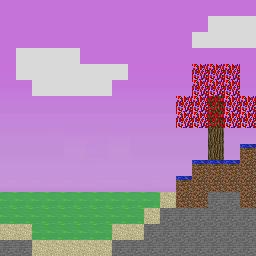
BiomeTweaker allows nearly every aspect of a biome to be changed. Inspired by MineTweaker, this is done by writing scripts that BiomeTweaker will interpret. Information on how to write these scripts and interact with BiomeTweaker can be found on the wiki. From simply setting the temperature to creating new and completely custom biomes, the long term goal of this mod is to allow pack creators to bring a whole new level of customization to their mod packs.
Since BiomeTweaker only modifies the world during generation, it can be installed on the server side only. However, if you wish to apply color overrides, it will need to be installed on the client side. Some features are disabled by default, and require BiomeTweakerCore to be enabled.
I do not guarantee the mod will work with modded biomes (although it should!), and I certainly do not guarantee it will be bug free.
Supported builds will be posted here. You can find experimental builds on my Jenkins server.
Here is brief list of a few things BiomeTweaker makes possible:
- Changing basic properties of biomes (name, colors, temperature, blocks, etc.)
- Creating new biomes from a blank slate or as a copy of an existing biome
- Removing existing biomes from generation
- Tweaking or completely removing existing decorations and features (grass, flowers, tress, caves, dungeons, etc.)
- Adding new and completely custom decorations to biomes and worlds
- Removing and adding mob spawns to biomes
- Replacing virtually any block placed during generation on a per biome per world basis.
- Applying potion effects to mobs and players in selected biomes
Check the wiki for the full list of available features. The possibilities are endless!
Ako nainštalovať BiomeTweaker
With Millida Launcher
Install Millida Launcher
The launcher is free: download it at millida.net/launcher and sign in with any nickname.
Click “Install” on this page
The launcher opens and installs the mod for Minecraft 1.8–1.19.2 on Forge automatically.
Launch the game
A profile with it appears in the launcher: click “Play”.
Manually
Install Forge
The loader must match the game version of the mod file, for example Minecraft 1.19.2. After installing it, a separate profile appears in your launcher.
Download the file for your version
In the version list above, pick the file biometweaker-1.19.2-4.1.8.jar (248 KB) for your game version.
Put it in the mods folder
The folder is inside .minecraft (Windows: %appdata%\.minecraft\mods). If it does not exist, create it.
Launch the loader profile
Open “Mods” in the main menu: BiomeTweaker should be in the list.
Minecraft 1.19.2 runs on Java 17: with a different Java version the game may close right after launch.
Verzie
So závislosťami
| Minecraft | Loader | Súbor | Dátum | Akcie |
|---|---|---|---|---|
| 1.19.2 | Forge | BiomeTweaker-1.19.2 4.1.8248 KB | ||
| 1.18.2 | Forge | BiomeTweaker-1.18.2 4.0.21235 KB | ||
| 1.12.2 | — | BiomeTweaker-1.12.2 3.2.354557 KB | ||
| 1.12.2 | — | BiomeTweaker-1.12.2 3.1.312531 KB | ||
| 1.8 | — | BiomeTweaker-1.8 2.0.161260 KB |
FAQ
Which Minecraft versions does BiomeTweaker work on?
There are files for 1.19.2, 1.18.2, 1.12.2, 1.8. The newest is 1.19.2.
Is BiomeTweaker for Forge or Fabric?
Only for Forge: 1.18.2–1.19.2. There are no files for Fabric or NeoForge: a mod for another loader will not start.
Does BiomeTweaker need other mods?
The author lists no required dependencies: the Forge loader is enough.
Which Java does BiomeTweaker need?
Minecraft 1.19.2 runs on Java 17. If the game closes right after launch, the usual cause is the wrong Java version in the profile settings.
Where can I download BiomeTweaker safely?
On this page: the file biometweaker-1.19.2-4.1.8.jar (248 KB) is stored on Millida’s server, with no link shorteners. SHA-1 checksum: 3fbb6cce4d2652d68f87c6a599d695c10a0076a8.
Recenzie
Buď prvý, kto ohodnotí BiomeTweaker


