
Alternate Origin GUI Mod pre Minecraft 1.20.1, 1.21.1
Overhauls the origin selection screen to show multiple in a grid for selection.
 Fabric
 Quilt
 Forge
Alternate Origin GUI
This overhauls the Origin Selection GUI to instead show multiple origins.
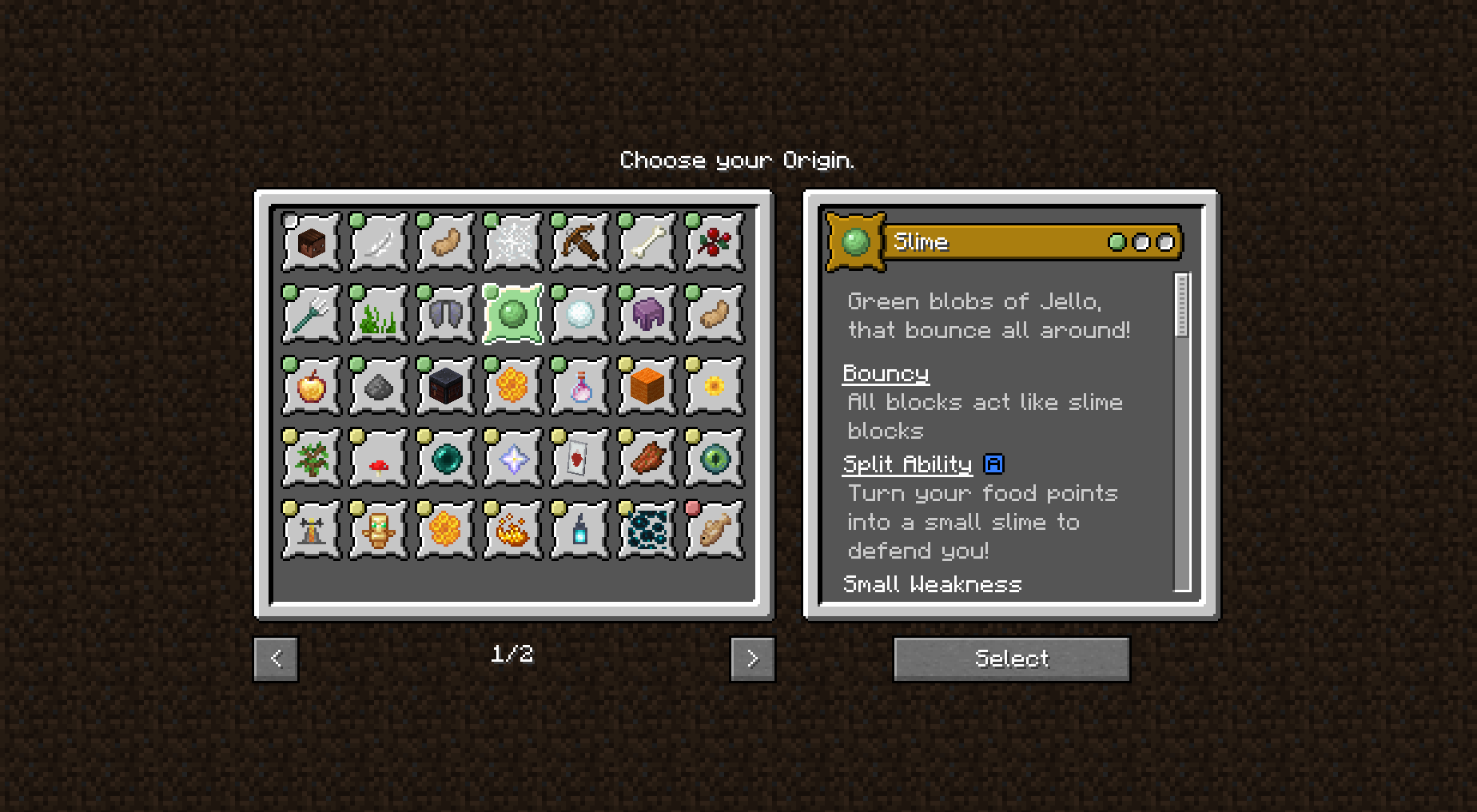
This shows the new Origin Selection GUI, with two pages, with various origin addons installed.
Just clicking on the icon will let you view the typical origin display on the right.
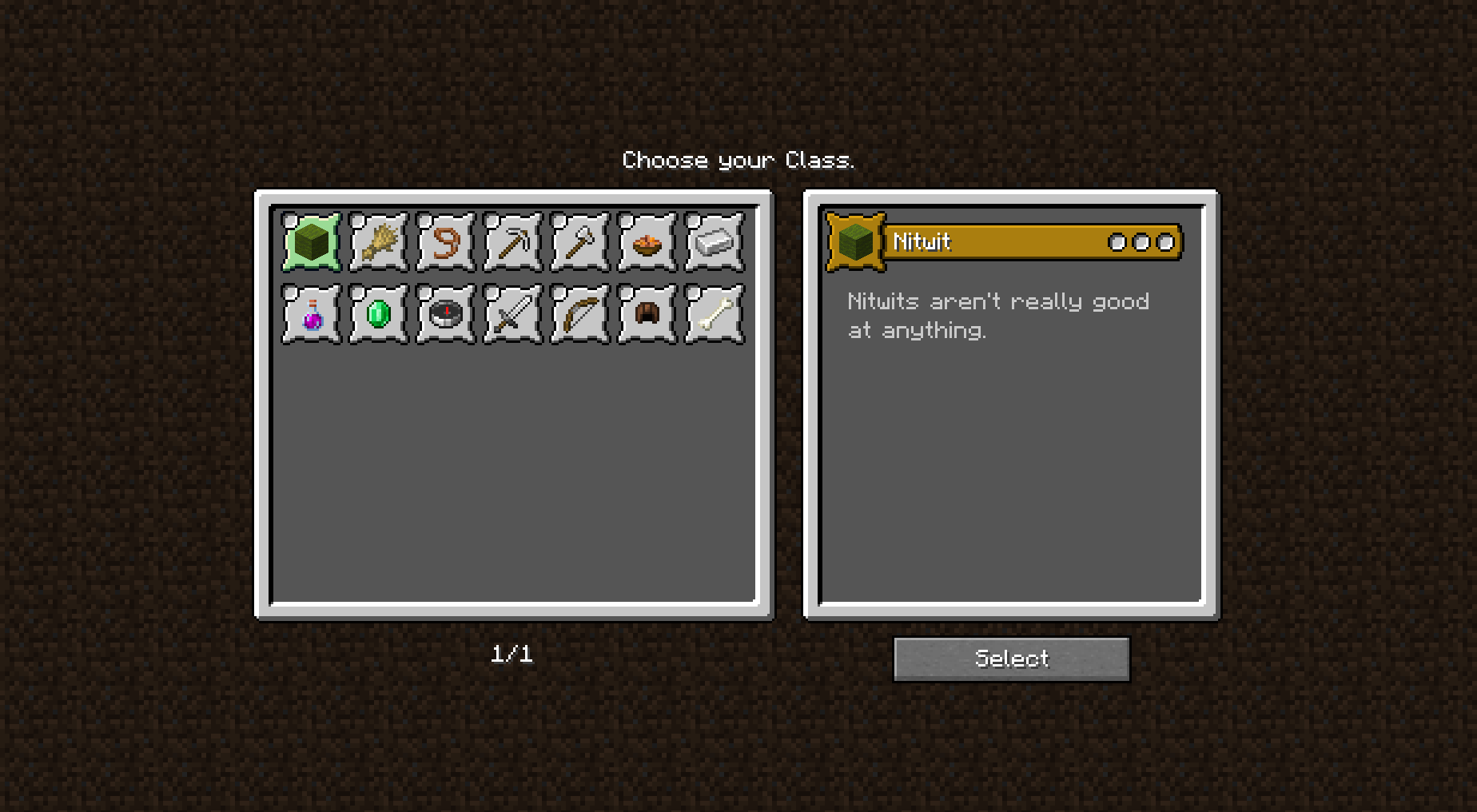
This shows the class selection screen.
Ako nainštalovať Alternate Origin GUI
With Millida Launcher
Install Millida Launcher
The launcher is free: download it at millida.net/launcher and sign in with any nickname.
Click “Install” on this page
The launcher opens and installs the mod for Minecraft 1.20.1–1.21.1 on Fabric, Forge or Quilt automatically.
Launch the game
A profile with it appears in the launcher: click “Play”.
Manually
Install Fabric, Forge or Quilt
The loader must match the game version of the mod file, for example Minecraft 1.21.1. After installing it, a separate profile appears in your launcher.
Download the file for your version
In the version list above, pick the file altorigingui-1.1.5.jar (51 KB) for your game version and loader.
Put it in the mods folder
The folder is inside .minecraft (Windows: %appdata%\.minecraft\mods). If it does not exist, create it.
Launch the loader profile
Open “Mods” in the main menu: Alternate Origin GUI should be in the list.
Minecraft 1.21.1 runs on Java 21: with a different Java version the game may close right after launch.
Verzie
So závislosťami
| Minecraft | Loader | Súbor | Dátum | Akcie |
|---|---|---|---|---|
| 1.21.1 | Fabric, Quilt | Alternate Origin UI v1.1.5+1.21.151.4 KB 5 | ||
| 1.20.1 | Forge | Alt Origin GUI v1.1.2+1.20.1 Forge199 KB 12 | ||
| 1.20.1 | Fabric, Quilt | Alt Origin GUI v1.1.1+1.20.1 Fabric20.7 KB 6 |
Recenzie
Buď prvý, kto ohodnotí Alternate Origin GUI


