

Alchemistry Mod pre Minecraft 1.20.1, 1.12.2
Manipulation of chemical elements, inspired by Minechem
 NeoForge
 Forge
ForgeO mode Alchemistry
Alchemistry is a tech mod, inspired by the classic Minechem, that allows you to decompose items into their constituent elements, then recombine them to create new items.
Professor Warren stared at the shiny amber metal in his hand. His smile was brighter than the gold he held. He looked around the table at the various equipment and tools lying around. Just moments ago he had used those tools to create this perfect piece of 24 karat gold out of atoms collected from simple earth. It was the dream of alchemists of old, but now, with science, it was possible. And that scared him.
He wrapped the piece of gold into a small cloth and set it in a wooden box next to the diamond he had created from coal just a few days ago.
"I can't let this get into anyone else's hands," he thought to himself. "People will abuse it and end up destroying the value of gold, diamonds, and likely try to make explosives out of garden vegetables."
He continued packing up his research and decided to lock it up for good in his safe back home. Three days later, his home was broken into and the safe was empty.
Hi! Welcome to Alchemistry Labs! We have all of the tools, equipment, and instructions you will need to make your own gold and diamonds out of much cheaper materials. Need to make explosives from garden vegetables? We've got you covered on that one also. Our scientists have worked around the clock to bring this technology to you. ("No we did not steal from Professor Warren. That man is absolutely insane!")
We have a variety of machines available to you, including:
- Dissolver: Break down everything around you into the raw elements that make them up!
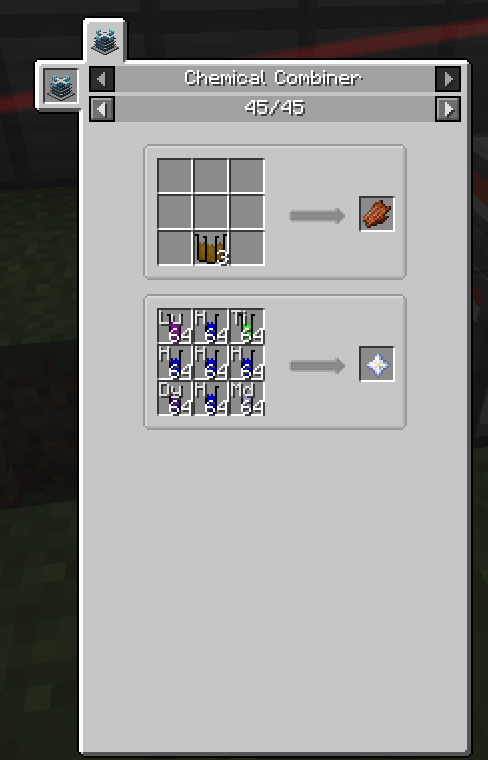
- Combiner: Build new items from the elements & compounds you've collected!
- Atomizer: Convert liquids into atoms! Why use bottles and buckets when you can use state-of-the-art phials?
- Liquifier: Turn your new compounds back into liquids! Cover your friends in sulfuric acid, they'll think it's hilarious! (The legal team has advised me to tell you that this is a joke.)
- Fission and Fusion reactor: Manipulate the atoms themselves, to create new atoms! Lead into gold, silver into platinum
The possibilities are endless in a world of Science and Fun!
All versions require JEI and some sort of power generation mod.
1.18.2+
Requires Chem Lib, Patchouli, and AlchemyLib.
CTM is strongly recommend.
1.14.4+
Requires both A Lib and Chem Lib
Patchouli is HIGHLY recommended. The Alchemistry Guidebook provided when Patchouli is installed describes the basic function of all machines and shows how to build the multiblocks.
1.12.2
- Requires both Forgelin and "A Lib
- Patchouli is HIGHLY recommended. The Alchemistry Guidebook provided when Patchouli is installed describes the basic function of all machines and shows how to build the multiblocks.
- CraftTweaker integration is available (including new elements & compounds!)
- Currently Game Stage support is available for the Chemical Combiner. See the wiki for CraftTweaker syntax
Ako nainštalovať Alchemistry
With Millida Launcher
Install Millida Launcher
The launcher is free: download it at millida.net/launcher and sign in with any nickname.
Click “Install” on this page
The launcher opens and installs the mod for Minecraft 1.12.2–1.21.5 on Forge or NeoForge automatically.
Launch the game
A profile with it appears in the launcher: click “Play”.
Manually
Install Forge or NeoForge
The loader must match the game version of the mod file, for example Minecraft 1.21.5. After installing it, a separate profile appears in your launcher.
Download the file for your version
In the version list above, pick the file alchemistry-1.21.5-2.4.9.jar (3.6 MB) for your game version and loader.
Put it in the mods folder
The folder is inside .minecraft (Windows: %appdata%\.minecraft\mods). If it does not exist, create it.
Launch the loader profile
Open “Mods” in the main menu: Alchemistry should be in the list.
Minecraft 1.21.5 runs on Java 21: with a different Java version the game may close right after launch.
Verzie
So závislosťami
| Minecraft | Loader | Súbor | Dátum | Akcie |
|---|---|---|---|---|
| 1.21.5 | NeoForge | Alchemistry 1.21.5-2.4.93.6 MB | ||
| 1.20.1 | Forge | Alchemistry - 1.20.1-2.3.43.5 MB 3 | ||
| 1.18.2 | Forge | Alchemistry - 1.18.2-2.2.43.4 MB | ||
| 1.19.2 | Forge | Alchemistry - 1.19.2-2.2.23.4 MB | ||
| 1.12.2 | — | alchemistry-1.0.35.jar1.3 MB | ||
| 1.12.2 | — | alchemistry-1.0.29.jar880 KB | ||
| 1.12.2 | — | alchemistry-1.0.18.jar757 KB |
FAQ
Which Minecraft versions does Alchemistry work on?
There are files for 1.21.5, 1.20.1, 1.19.2, 1.18.2, 1.12.2. The newest is 1.21.5.
Is Alchemistry for Forge or Fabric?
There are files for Forge: 1.18.2–1.20.1 and for NeoForge: 1.21.5. There are no files for Fabric: a mod for another loader will not start.
Does Alchemistry need other mods?
The author lists no required dependencies: the Forge or NeoForge loader is enough.
Which Java does Alchemistry need?
Minecraft 1.21.5 runs on Java 21. If the game closes right after launch, the usual cause is the wrong Java version in the profile settings.
Where can I download Alchemistry safely?
On this page: the file alchemistry-1.21.5-2.4.9.jar (3.6 MB) is stored on Millida’s server, with no link shorteners. SHA-1 checksum: 551ba5473d8cdcb02826cc19bd5e1666a48290af.
Recenzie
Buď prvý, kto ohodnotí Alchemistry


