
Mody pre Minecraft PE — strana 81
1 933 addonyDoplnky: zoznam


Vibrance Shader | Vibrant Visuals Shader | High saturation & Contrast
Where high contrast and saturation meets high taste. The Vibrance works on the proven strategies but with added risk and takes it to extreme. But at the End it all looks amazing! to the level where's it's one of the best out there.Stiahnuť
The Faye Garden Decorations Pack
Get 29 new decorative items with the Faye Garden Decorations pack for Minecraft Bedrock Edition!Stiahnuť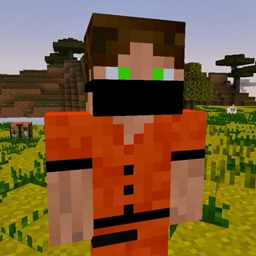
NPC Instant Farm [Achievement Friendly]
Tired of spending hours building basic farms? This addon lets you create instant, ready-to-use farms with the help of a friendly NPC farm MasterStiahnuť
Nearby Mobs
display the mobs that are around you! (does not affect achievements!)Stiahnuť
Mo' Zombies [Achievement]
Tired of those slow, easy-to-beat zombies? It’s time to face real danger! The Mo' Zombie Addon brings 14 new powerful zombie types — faster, smarter, and deadlier than ever. ⚔️Stiahnuť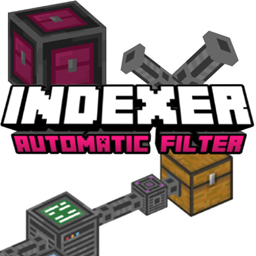
indexer
The Indexer Add-on allows you to organize your chests effortlessly and locate any item instantly without the need for complex Redstone circuits or hoppers.Stiahnuť
Auto Cook & Smelt - Achievement Friendly
Auto Cook & Smelt makes mobs drop cooked food and ores drop smelted ingots instantly — no furnace, no fuel, no waiting. Iron, gold, copper and food come ready to use, and Looting & Fortune still boost your drops. Achievement friendly.Stiahnuť
Auto Inventory Addon
Do you want to get the dropped item instantly whenever you break a block or kill a mob? Well this addon is suited for you, this addon functions just like that.Stiahnuť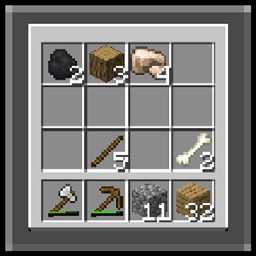
Shared Inventory
A modScript/Addon that allows you to have the same inventory as the rest of the players in your world, if a player dies and loses inventory you will also lose inventory, if a player gets diamonds you will also have those diamonds.Stiahnuť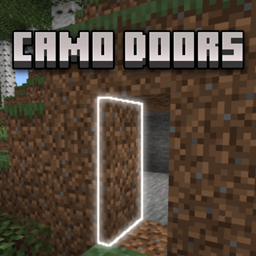
Camo Doors
Camo Doors are universal doors that perfectly mimic the appearance of any block, allowing you to hide entrances in plain sight for secret bases, traps, or ultra-clean builds.Stiahnuť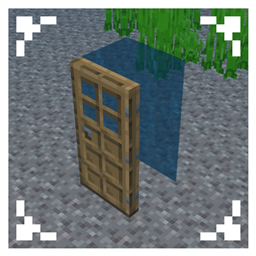
Door Air Pockets
use the door to create an air pocket in the water like in Java edition!Stiahnuť
VDX: Legacy Bottom Chat UI v3.2.2 [v1.21.50]
Standalone version of Bottom Chat for Bedrock Edition.StiahnuťMody pre Minecraft PE
Add‑on je spôsob, akým meníš Minecraft na Bedrock Edition: telefóny, tablety, konzoly a Windows verziu. Mody v bežnom zmysle tam neexistujú, ale existuje oficiálny formát add‑onov — behavior packy a resource packy, ktoré pridávajú moby, zbrane a mechaniky a menia vzhľad hry. Pre Pocket Edition je to najbližšie k modom na PC a inštaluje sa oveľa ľahšie.
Zistiť viacZbaliť
Súbor add‑onu (.mcaddon alebo .mcpack) sa otvorí priamo v hre: klikni na súbor, aby sa importoval, potom pack zapni v nastaveniach sveta. Nič netreba ručne rozbaľovať. Každý add‑on v katalógu uvádza svoju Bedrock verziu, typ (behavior, resources alebo oboje) a kompatibilitu so svetom. Niektoré add‑ony vyžadujú zapnutie experimentálnych funkcií sveta — je to uvedené v popise, aby mechaniky určite fungovali.
FAQ
Čím sa add‑on líši od modu?
Add‑on je oficiálny formát pre Bedrock Edition (Pocket Edition, konzoly, Windows). Mody v tradičnom zmysle existujú len na Java Edition pre PC. Add‑on sa inštaluje ľahšie a pri aktualizáciách sa tak často nepokazí.
Ako nainštalujem add‑on na telefón?
Stiahni súbor .mcaddon alebo .mcpack a otvor ho — Minecraft pack naimportuje sám. Potom ho zapni v nastaveniach sveta v častiach „Behavior Packs“ a „Resource Packs“.
Prečo mi add‑on nefunguje?
Najčastejšie nie sú v svete zapnuté experimentálne funkcie alebo sa nezhoduje verzia hry. Skontroluj požiadavky v popise doplnku a nastavenia svojho sveta.