

Ultramarine Mod do Minecraft 1.21.1
Mod dodający bloki budowlane i dekoracje w starożytnym chińskim stylu.
- wyświetleń
- 2 wyświetleń
- Zaktualizowano
- Zaktualizowano 02.10.2026
- 1.21.1
 NeoForge
- Klient i serwer
群青 Ultramarine
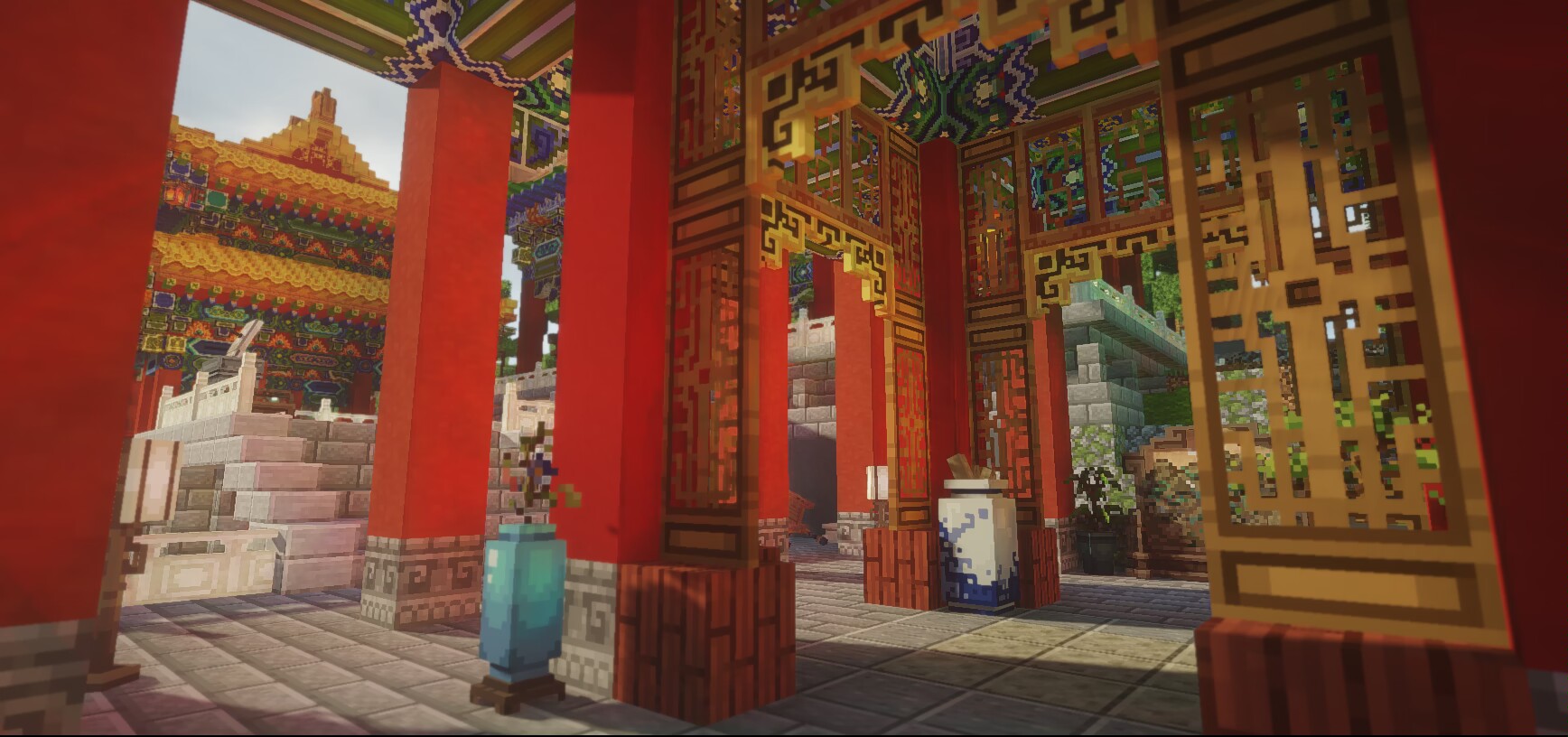
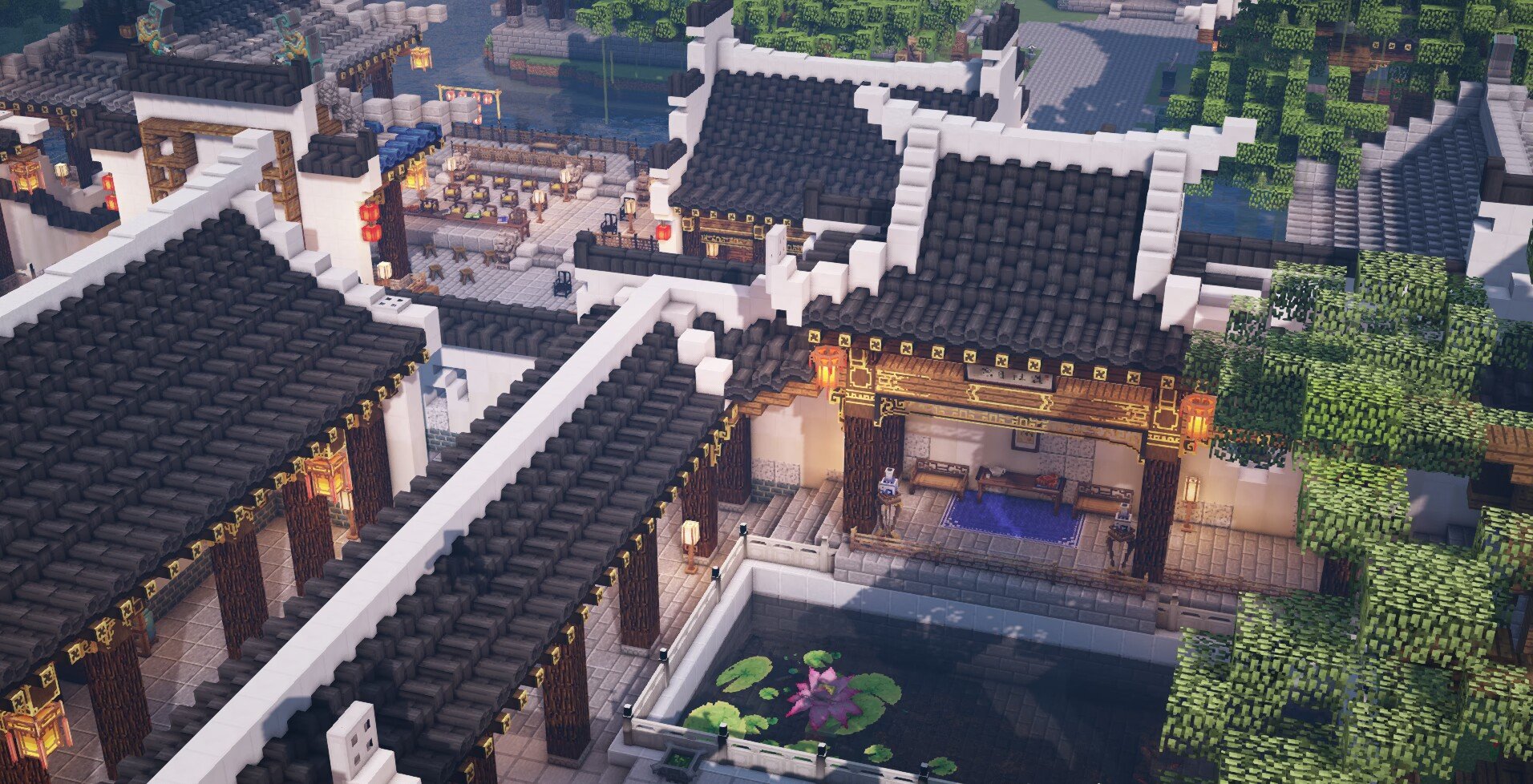
Ultramarine is a cosmetic mod taking inspiration from Ancient Chinese wooden architeture and interior design.

Features
- Hundereds of new building and decorative blocks, including:
- Elements of Ancient Chinese wooden architeture, such as roof tiles, wooden brackets and caihua blocks.
- General building blocks, such as floor tiles, stone blocks of various material and brick blocks.
- Decorations taking inspiration from Chinese culture such as palace lanterns, vases, bonsai plants and censers.
- Chinese style furniture blocks with actual functions such as chest-like cabinats and sittable chairs.
- Vanilla-like texture: all the textures are 16x16 based and can blend well with vanilla blocks.
- Survival mode support:
- Various materials and intermediate items for crafting, obtainable in Survival.
- Crafting recipes and other means for obtaining (almost) all the blocks.
- Three new recipe types for making specific types of blocks and items.

Integrations
- Patchouli: This mod uses Patchouli for guide book support, we strongly recommend using it.
- JEI: Integrations for recipe types added by the mod.
- Jade: Additional information in HUD for some blocks with features.
Screenshots

Jak zainstalować Ultramarine
With Millida Launcher
Install Millida Launcher
The launcher is free: download it at millida.net/launcher and sign in with any nickname.
Click “Install” on this page
The launcher opens and installs the mod for Minecraft 1.21.1 on NeoForge automatically.
Launch the game
A profile with it appears in the launcher: click “Play”.
Manually
Install NeoForge
The loader must match the game version of the mod file, for example Minecraft 1.21.1. After installing it, a separate profile appears in your launcher.
Download the file for your version
In the version list above, pick the file ultramarine-1.21.1-0.7.jar (4.7 MB) for your game version.
Put it in the mods folder
The folder is inside .minecraft (Windows: %appdata%\.minecraft\mods). If it does not exist, create it.
Launch the loader profile
Open “Mods” in the main menu: Ultramarine should be in the list.
On a server
A server on NeoForge
The mod only works on a server with the same loader and game version, for example 1.21.1.
File goes into the server’s mods folder
Stop the server, put the mod file into the mods folder and start the server again.
Or use the “To hosting” button
On Millida Hosting, the button at the top of the page uploads the file to your server and restarts it for you.
Minecraft 1.21.1 runs on Java 21: with a different Java version the game may close right after launch.
Wersje
Z zależnościami
| Minecraft | Loader | Plik | Data | Akcje |
|---|---|---|---|---|
| 1.21.1 | NeoForge | 1.21.14.7 MB | ||
| 1.21.1 | NeoForge | 1.21.14.5 MB | ||
| 1.21.1 | NeoForge | 1.21.14.5 MB | ||
| 1.21.1 | NeoForge | 1.21.14.4 MB | ||
| 1.21.1 | NeoForge | 1.21.14.5 MB | ||
| 1.21.1 | NeoForge | 1.21.14.5 MB | ||
| 1.21.1 | NeoForge | 1.21.14.3 MB | ||
| 1.21.1 | NeoForge | 1.21.14.3 MB |
Co jest potrzebne do działania
- Patchouliopcjonalne
- Jade 🔍opcjonalne
- Just Enough Items (JEI)opcjonalne
Opinie
Oceń Ultramarine jako pierwszy


