

Jade 🔍 Mod do Minecraft 1.20.1, 1.21.1
Pokazuje informacje o tym, na co patrzysz. (fork Hwyla/Waila dla Minecraft 1.16+)
 NeoForge
 Fabric
 Quilt
 Forge
Jade 🔍
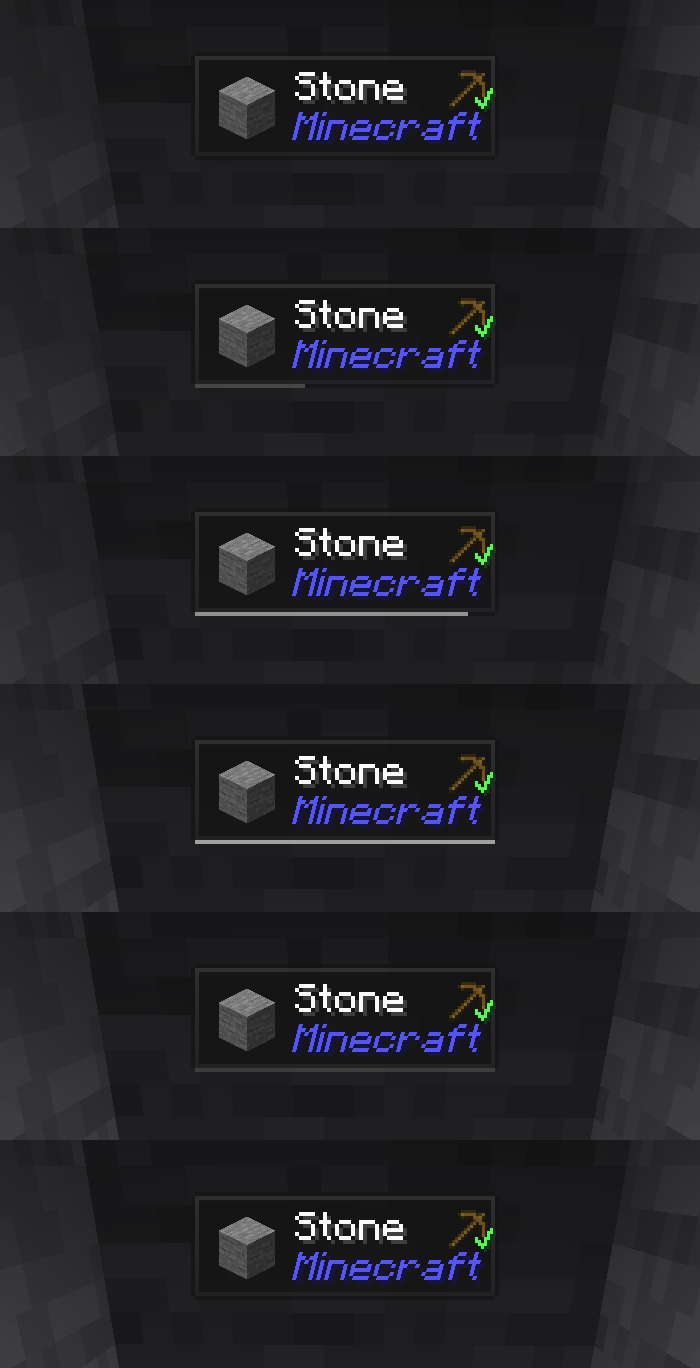
Jade to mod wyświetlający informacje w interfejsie HUD - Hwyla/Waila dla nowoczesnych wersji Minecrafta. Zaprojektowany z myślą o lepszej wrażeniach użytkownika i API.
Jade można zainstalować tylko po stronie klienta. Wiele funkcji wymaga jednak Jade po stronie serwera. (przechowywanie przedmiotów, ilość paliwa w warzelniku, pszczoły w ulu...)
Aby zintegrować mody, wypróbuj Jade Addons: NeoForge Fabric

Klawisze (domyślnie):
- Keypad 0: Otwórz ekran konfiguracji
- Keypad 1: Przełącz nakładkę
- Keypad 2: Przełącz wyświetlanie cieczy
- Keypad 3: Pokaż przepisy (wymaga JEI)
- Keypad 4: Pokaż zastosowania (wymaga JEI)
- Keypad 5: Opisz obiekt

Istotne zmiany w porównaniu do Hwyla:
- Przeprojektowane API
- Więcej dodatków do wanilii
- Większa konfigurowalność
- Lepsza dostępność
Zgodnie z wymogami oryginalnego projektu Hwyla, Jade korzysta z licencji Creative Commons Attribution-NonCommercial-ShareAlike 4.0 International (CC BY-NC-SA 4.0).
Jak zainstalować Jade 🔍
With Millida Launcher
Install Millida Launcher
The launcher is free: download it at millida.net/launcher and sign in with any nickname.
Click “Install” on this page
The launcher opens and installs the mod for Minecraft 1.16–26.3 on Fabric, Forge, NeoForge or Quilt automatically, together with its dependencies: Fabric API.
Launch the game
A profile with it appears in the launcher: click “Play”.
Manually
Install Fabric, Forge, NeoForge or Quilt
The loader must match the game version of the mod file, for example Minecraft 26.3. After installing it, a separate profile appears in your launcher.
Download the file for your version
In the version list above, pick the file Jade-mc26.3-NeoForge-26.3.5.jar (1.0 MB) for your game version and loader.
Put it in the mods folder
The folder is inside .minecraft (Windows: %appdata%\.minecraft\mods). If it does not exist, create it. Required dependencies go there too: Fabric API.
Launch the loader profile
Open “Mods” in the main menu: Jade 🔍 should be in the list.
On a server
A server on Fabric, Forge, NeoForge or Quilt
The mod only works on a server with the same loader and game version, for example 26.3.
File goes into the server’s mods folder
Stop the server, put the mod file into the mods folder and start the server again.
Use the “To server” button
On Millida Hosting, the button at the top of the page uploads the file to your server and restarts it for you.
Wersje
Z zależnościami
| Minecraft | Loader | Plik | Data | Akcje |
|---|---|---|---|---|
| 26.1.2 | NeoForge | 26.1.21005 KB 7 | ||
| 26.3 | NeoForge | 26.31 MB 22 | ||
| 26.3 | Fabric, Quilt | 26.31 MB 673 | ||
| 26.3 | NeoForge | 26.31 MB 1 | ||
| 26.3 | Fabric, Quilt | 26.31 MB | ||
| 26.3 | Fabric, Quilt | 26.31 MB | ||
| 26.3 | Fabric, Quilt | 26.31 MB | ||
| 26.3 | NeoForge | 26.31007 KB |
Co jest potrzebne do działania
- Fabric APIwymagane
- Just Enough Items (JEI)opcjonalne
Materiały, które tego wymagają
Opinie
Oceń Jade 🔍 jako pierwszy


