
Plugins for Minecraft 1.7.2
160 आइटमप्लगिन: लिस्ट


NoCheatPlus
Detect and fight the exploitation of various flaws/bugs in Minecraft!सर्वर पर

Bow Spleef
BowSpleef - Shoot at TNT with a flame bow and knock out the the ground under your opponents!सर्वर परAutoSaveWorld
Provides essential server managment tools: World autosave, Backups, Auto restart, Plugin data purging, Plugin management and more.सर्वर पर

Health Bar
[UNMAINTAINED] Display an RPG-style health bar above mobs and players.सर्वर पर

Grim Anticheat
Fully async, multithreaded, predictive, open source, 3.01 reach, 1.005 timer, 0.01% speed, 99.99% antikb, "bypassable" 1.8-1.21 anticheatसर्वर पर

CrackShot (Guns)
Replicate first-person shooters with advanced gun-mechanics and a vast number of exciting and fully customisable features.सर्वर पर
Colored Tags
[UNMAINTAINED] Display colors and text on name tags above the head.सर्वर पर

NoSwear
Control your chat.सर्वर पर
ClickWarp
Teleports you by clicking in an inventoryसर्वर पर
Timber Plugin
With this plugin you can cut down an entire tree by breaking the bottom part!सर्वर परSpectate
Watch what other players are doing in first personसर्वर पर
Timeismoney
Timeismoney allows you to earn money per minute of connectionसर्वर पर

Island World (SkyBlock replacement)
IslandWorld - Survive on small isleसर्वर परWarpSigns
I plugin allowing you to create signs that when right clicked takes a player to a warpसर्वर परSkillz
Skillzसर्वर पर

ArenaSpleef
1v1 Spleef, or Team vs Team Spleef.सर्वर परAdminShop
AdminShopसर्वर पर
Herochat
The best chat channel plugin in Minecraft!सर्वर पर

VaultUnlocked
A modern drop-in Vault fork, with Folia support, and enhanced APIs.सर्वर पर

Lightning Grim Anticheat
Anticheat Perfected | 3.0005 reach | 99.999% antikb. Fork of GrimAC that's faster, with better reach checks, interact checks, and numerous bug fixes.सर्वर पर
AmazingSpawnPlugin
Sets spawn and teleports to spawn!सर्वर परAbsolute Welcome
Absolute Welcomeसर्वर पर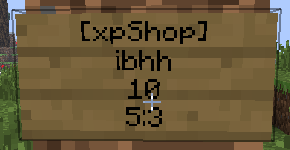
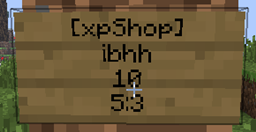
xpShop
Player can buy and sell and send EXP (Register, iConomy5, iConomy6, Vault)सर्वर परFAQ
प्लगइन मॉड से कैसे अलग है?
प्लगइन सिर्फ़ सर्वर पर चलता है और खिलाड़ियों से कुछ नहीं माँगता: क्लाइंट वनीला रहता है। मॉड सबको इंस्टॉल करना पड़ता है, और वह गेम को खुद बदलता है।
प्लगइन कहाँ रखें?
.jar फ़ाइल को सर्वर के plugins फ़ोल्डर में रखें, फिर सर्वर रीस्टार्ट करें। प्लगइन पहली बार चलने पर अपनी कॉन्फ़िग बनाएगा।
क्या Spigot प्लगइन Paper पर चलेगा?
आमतौर पर हाँ: Paper और Purpur Spigot पर बने हैं और उसके प्लगइन से कम्पैटिबल हैं। उल्टा सच नहीं है — Paper फ़ीचर इस्तेमाल करने वाला प्लगइन सादे Spigot पर नहीं चलेगा।
Aternos पर प्लगइन कैसे इंस्टॉल करें?
Aternos पर प्लगइन सिर्फ़ पैनल के “Plugins” सेक्शन की बिल्ट-इन लिस्ट से इंस्टॉल हो सकते हैं। अपनी .jar फ़ाइल अपलोड नहीं कर सकते, इसलिए पेड और दुर्लभ प्लगइन Aternos पर इंस्टॉल नहीं हो सकते। अगर ज़रूरी प्लगइन लिस्ट में नहीं है, तो आपको plugins फ़ोल्डर तक पहुँच वाली होस्टिंग चाहिए: फ़ाइल वहाँ रखें और सर्वर रीस्टार्ट करें।
सर्वर पर सबसे पहले कौन से प्लगइन इंस्टॉल करें?
लोग आमतौर पर चार से शुरू करते हैं: EssentialsX (homes, warps, kits, टेलीपोर्ट), LuckPerms (ग्रुप और परमिशन), WorldGuard के साथ WorldEdit (स्पॉन और रीजन प्रोटेक्शन) और ViaVersion (दूसरे गेम वर्शन से जॉइन करना)। निकनेम लॉगिन वाले सर्वर पर पासवर्ड के लिए AuthMe और स्किन के लिए SkinsRestorer जोड़ें।
दोस्तों के साथ खेलने के लिए सर्वर पर कौन से प्लगइन इंस्टॉल करें?
दोस्तों के छोटे सर्वर को बस कुछ ही चाहिए: EssentialsX (home, दोस्त के पास टेलीपोर्ट, warps), CoreProtect (ग्रीफ़िंग रोलबैक और किसने ब्लॉक तोड़ा यह पता लगाना) और वॉइस चैट के लिए Simple Voice Chat, जिसके लिए खिलाड़ियों की तरफ़ उसी नाम का मॉड चाहिए। ऐसे सर्वर पर परमिशन और रीजन प्रोटेक्शन आमतौर पर ज़रूरी नहीं।
Paper पर प्लगइन कैसे इंस्टॉल करें?
अपने Paper वर्शन के लिए प्लगइन फ़ाइल डाउनलोड करें, .jar को plugins फ़ोल्डर में रखें और सर्वर रीस्टार्ट करें — /plugins कमांड उसे लिस्ट में दिखाएगा। Millida Hosting पर प्लगइन पेज का On a server बटन यही करता है।
Plugins for Minecraft 1.7.2
Plugins for Minecraft 1.7.2: प्लगिन सेक्शन में 160 आइटम। कम्पैटिबिलिटी फ़ाइलों से जाँची जाती है, डिस्क्रिप्शन से नहीं: सूची में सिर्फ़ वही आइटम रहते हैं जिनका बिल्ड ठीक इन्हीं शर्तों के लिए है।
सर्वर पर पर्दे के पीछे लगभग सब कुछ प्लगइन संभालते हैं: रैंक और परमिशन, ज़मीन की सुरक्षा, अर्थव्यवस्था और शॉप, एंटी-चीट, मैप रोटेशन, मेन्यू और वोटिंग। इन्हें .jar फ़ाइल को plugins फ़ोल्डर में कॉपी करके और सर्वर रीस्टार्ट करके इंस्टॉल करें; ज़्यादातर पहली बार चलने पर अपनी कॉन्फ़िग बनाते हैं, जिसे फिर आप एडिट करते हैं। कार्ड पर सपोर्टेड कोर और गेम वर्शन, लेखक और लाइसेंस लिखे हैं, और सभी रिलीज़ एक पेज पर हैं — वहीं से प्लगइन अपडेट कर सकते हैं।