
Plugins for Minecraft 1.4.7
35 आइटमप्लगिन: लिस्ट


AutoSaveWorld
Provides essential server managment tools: World autosave, Backups, Auto restart, Plugin data purging, Plugin management and more.सर्वर पर
Timber Plugin
With this plugin you can cut down an entire tree by breaking the bottom part!सर्वर पर

VaultUnlocked
A modern drop-in Vault fork, with Folia support, and enhanced APIs.सर्वर पर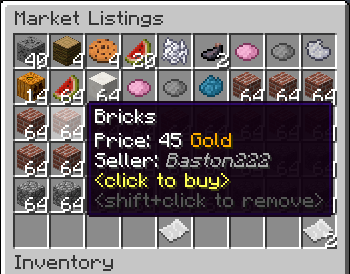
GlobalMarket
A global trading systemसर्वर पर

BattleArena
A complete match and event framework for creating arenas and minigames in Minecraft. Supports creating modes through config files, or fully custom modes through plugins.सर्वर पर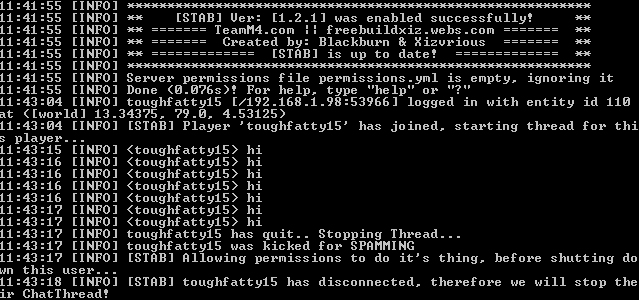

StopTalkingAutoBan
Spam Detection System with AutoBan/AutoKickसर्वर पर

Make your own Commands
Create your own Commands with this plugin!सर्वर पर

MyHungerGames
A feature-filled Hunger Games/Survival Games pluginसर्वर परDrugs
A plugin which allows you to have drugs on Minecraft!सर्वर पर
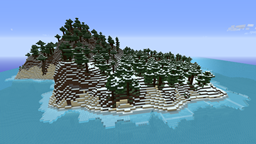
IslandCraft
IslandCraft modifies the terrain generation to create an ocean with many islands; each island is a single biome.सर्वर पर

Tebex
Tebex allows you to sell items, subscriptions, and more from an in-game customized shop. Featuring over 120 payment methods, chargeback protection, fraud protection, and 3-day payouts.सर्वर परRideThaMob
RideThaMobसर्वर पर

Realistic Backpacks
Backpacks contained within items, with realistic features that a backpack should come with.सर्वर पर
MaintenanceMode
MaintenanceModeसर्वर पर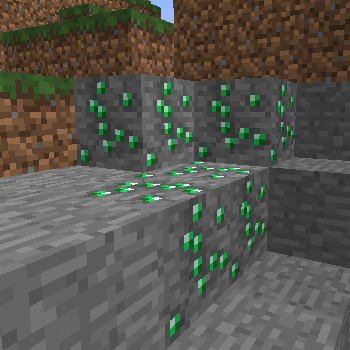
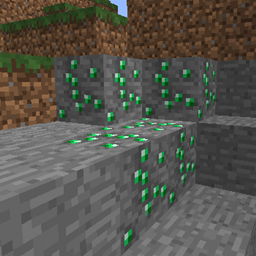
OrePlus
OrePlusसर्वर पर

Creativity
Creativity - creative - infinite items, disable drops - time settings (always day or night) - no explosions - disable fireसर्वर पर
vEnchant
The Best enchanter for bukkit!!सर्वर पर

FoxGate AntiVPN
Your #1 AntiVPN Plugin - Powerful AntiVPN & AntiProxy for your server for Free! (Hytale Support)सर्वर परTemplecraft
Create templeworlds that can be instanced and played by your players. Perfect for Adventure maps!सर्वर पर

HUB
This Velocity plugin adds a '/hub' command for quick teleportation to the hub server. It supports customizable messages, configurable hub servers, custom aliases and smart load balancing.सर्वर पर

McMmo Auto-Promote
McMmo Auto-Promoteसर्वर पर

InstaEat
InstaEatसर्वर परLokiBlocker
LokiBlockerसर्वर परFAQ
प्लगइन मॉड से कैसे अलग है?
प्लगइन सिर्फ़ सर्वर पर चलता है और खिलाड़ियों से कुछ नहीं माँगता: क्लाइंट वनीला रहता है। मॉड सबको इंस्टॉल करना पड़ता है, और वह गेम को खुद बदलता है।
प्लगइन कहाँ रखें?
.jar फ़ाइल को सर्वर के plugins फ़ोल्डर में रखें, फिर सर्वर रीस्टार्ट करें। प्लगइन पहली बार चलने पर अपनी कॉन्फ़िग बनाएगा।
क्या Spigot प्लगइन Paper पर चलेगा?
आमतौर पर हाँ: Paper और Purpur Spigot पर बने हैं और उसके प्लगइन से कम्पैटिबल हैं। उल्टा सच नहीं है — Paper फ़ीचर इस्तेमाल करने वाला प्लगइन सादे Spigot पर नहीं चलेगा।
Aternos पर प्लगइन कैसे इंस्टॉल करें?
Aternos पर प्लगइन सिर्फ़ पैनल के “Plugins” सेक्शन की बिल्ट-इन लिस्ट से इंस्टॉल हो सकते हैं। अपनी .jar फ़ाइल अपलोड नहीं कर सकते, इसलिए पेड और दुर्लभ प्लगइन Aternos पर इंस्टॉल नहीं हो सकते। अगर ज़रूरी प्लगइन लिस्ट में नहीं है, तो आपको plugins फ़ोल्डर तक पहुँच वाली होस्टिंग चाहिए: फ़ाइल वहाँ रखें और सर्वर रीस्टार्ट करें।
सर्वर पर सबसे पहले कौन से प्लगइन इंस्टॉल करें?
लोग आमतौर पर चार से शुरू करते हैं: EssentialsX (homes, warps, kits, टेलीपोर्ट), LuckPerms (ग्रुप और परमिशन), WorldGuard के साथ WorldEdit (स्पॉन और रीजन प्रोटेक्शन) और ViaVersion (दूसरे गेम वर्शन से जॉइन करना)। निकनेम लॉगिन वाले सर्वर पर पासवर्ड के लिए AuthMe और स्किन के लिए SkinsRestorer जोड़ें।
दोस्तों के साथ खेलने के लिए सर्वर पर कौन से प्लगइन इंस्टॉल करें?
दोस्तों के छोटे सर्वर को बस कुछ ही चाहिए: EssentialsX (home, दोस्त के पास टेलीपोर्ट, warps), CoreProtect (ग्रीफ़िंग रोलबैक और किसने ब्लॉक तोड़ा यह पता लगाना) और वॉइस चैट के लिए Simple Voice Chat, जिसके लिए खिलाड़ियों की तरफ़ उसी नाम का मॉड चाहिए। ऐसे सर्वर पर परमिशन और रीजन प्रोटेक्शन आमतौर पर ज़रूरी नहीं।
Paper पर प्लगइन कैसे इंस्टॉल करें?
अपने Paper वर्शन के लिए प्लगइन फ़ाइल डाउनलोड करें, .jar को plugins फ़ोल्डर में रखें और सर्वर रीस्टार्ट करें — /plugins कमांड उसे लिस्ट में दिखाएगा। Millida Hosting पर प्लगइन पेज का On a server बटन यही करता है।
Plugins for Minecraft 1.4.7
Plugins for Minecraft 1.4.7: प्लगिन सेक्शन में 35 आइटम। कम्पैटिबिलिटी फ़ाइलों से जाँची जाती है, डिस्क्रिप्शन से नहीं: सूची में सिर्फ़ वही आइटम रहते हैं जिनका बिल्ड ठीक इन्हीं शर्तों के लिए है।
सर्वर पर पर्दे के पीछे लगभग सब कुछ प्लगइन संभालते हैं: रैंक और परमिशन, ज़मीन की सुरक्षा, अर्थव्यवस्था और शॉप, एंटी-चीट, मैप रोटेशन, मेन्यू और वोटिंग। इन्हें .jar फ़ाइल को plugins फ़ोल्डर में कॉपी करके और सर्वर रीस्टार्ट करके इंस्टॉल करें; ज़्यादातर पहली बार चलने पर अपनी कॉन्फ़िग बनाते हैं, जिसे फिर आप एडिट करते हैं। कार्ड पर सपोर्टेड कोर और गेम वर्शन, लेखक और लाइसेंस लिखे हैं, और सभी रिलीज़ एक पेज पर हैं — वहीं से प्लगइन अपडेट कर सकते हैं।