

Realism Beyond Build pour Minecraft 1.20.1, 1.21.4
Realism Beyond est un incroyable modpack fait main qui rend simplement le jeu plus réaliste, avec beaucoup de choses à explorer
- téléchargements
- 2 téléchargements
- vues
- 37 vues
- Mis à jour
- Mis à jour 30.09.2026
- 1.20.1 — 1.21.4
 Fabric
- Client et serveur
À propos du modpack Realism Beyond
Welcome to the Realism Beyond experience! This modpack is packed with goodies, including Distant Horizons 2.0, multiple Shaderpacks and various texturepacks like Fresh Animations or Fresh Moves. This pack also has optimization mods to use high performance shaders such as Rethinking Voxels. This Modpack has many mods that make the game more realistic, including the most realistic sounds, perfect word generation, heat/cold, realistic trees and even more! Feel free to customize your experience by adjusting settings or disabling mods as you see fit. Have a lot of Fun using this and have a great day!

My Tip for better FPS:
- turn off VSync immediately (from 60 to 113 FPS)
- Render distance to 10 Chunks and
Simulation Distance to 8 Chunks (from 113 to 123 FPS)
- go to video settings, then to performance, turn off Use Entity Culling (+5 FPS)
- change the shader or/and the settings of the shader however you like
- Please set the RAM to a higher value than the default, about half the RAM your PC has!

For better Gameplay:
- Please change the FOV to 90 or higher
Important!!!
You might want change some Keybinds!!!
When you create a new world type this in the chat:
/function vanilla_refresh:other/actions/other/biome_disable
Type this aswell in Chat:
/function vanilla_refresh:other/actions/other/subtitle_disable
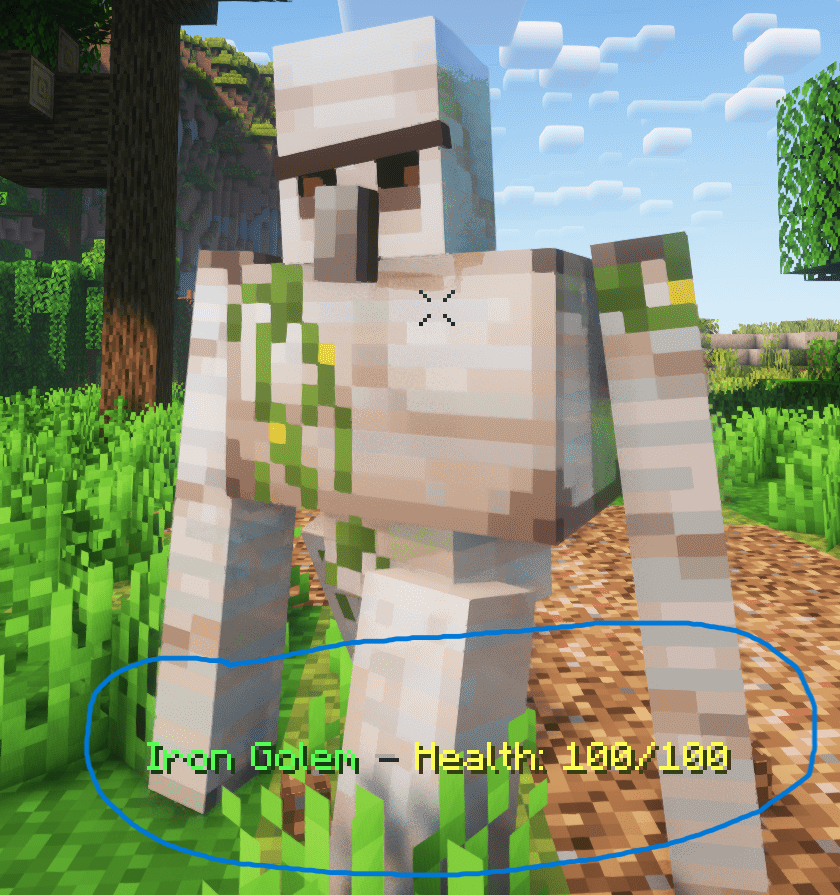
If you want you can disable that health display (see below) by typing this in chat
/function vanilla_refresh:other/actions/mob/mob_health_disable
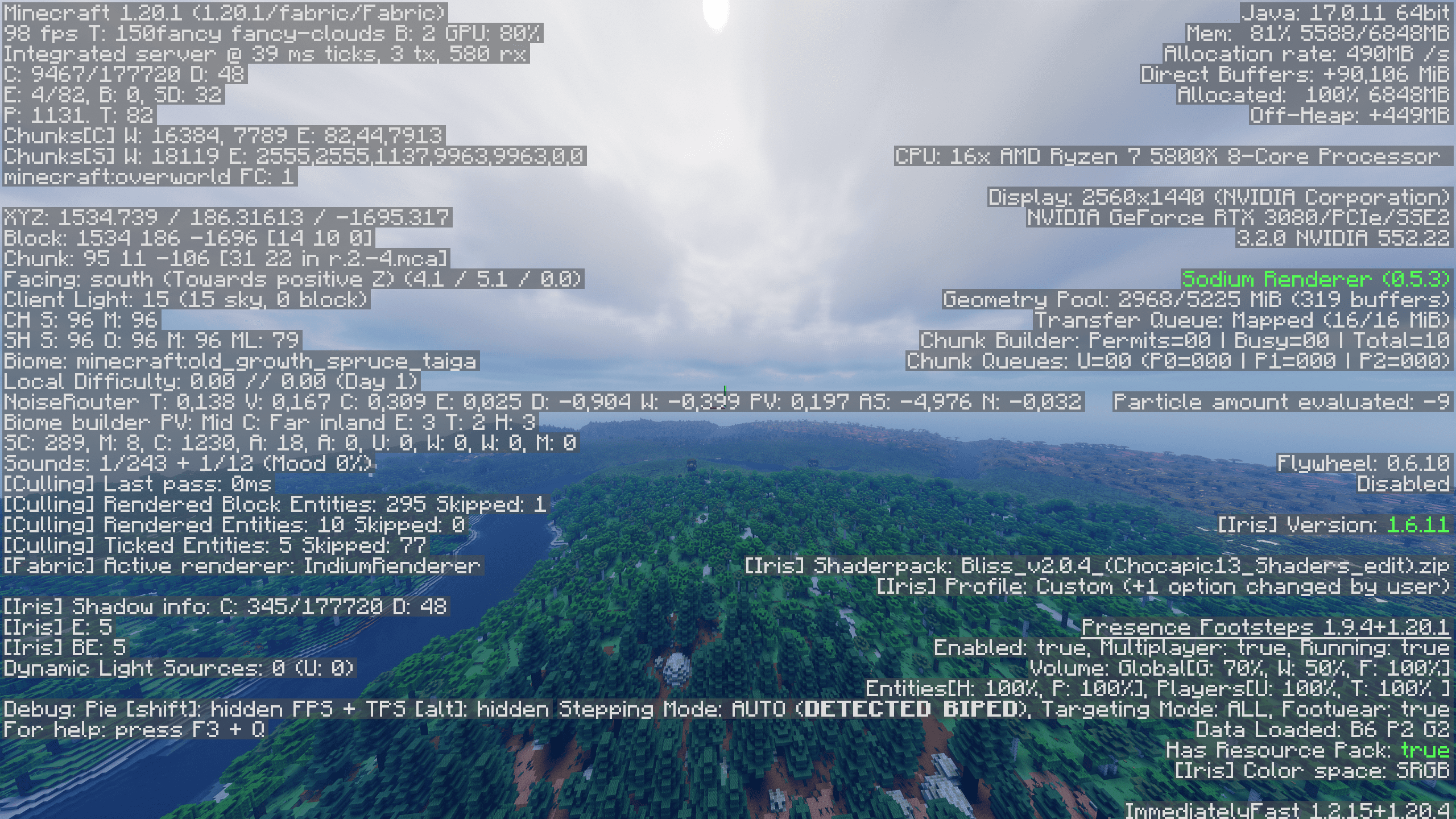
- I get around 98 FPS (48 Chunks Render Distance, 32 Chunks Simulation Distance, using Bliss Shader)
Comment installer Realism Beyond
With Millida Launcher
Install Millida Launcher
The launcher is free: download it at millida.net/launcher and sign in with any nickname.
Click “Install” on this page
The launcher opens and installs the modpack for Minecraft 1.20.1–1.21.4 on Fabric automatically.
Launch the game
A profile with it appears in the launcher: click “Play”.
Manually
Download the modpack archive
In the version list above, pick the file Realism Beyond 1.21.4 1.1.1.mrpack (5.1 MB).
Import it into a launcher
A launcher that supports modpacks (Millida Launcher, Prism) takes the archive via “Add modpack”, then “From file”. No need to unpack it yourself.
Allocate memory
Modpacks need more memory than the plain game: set 4–6 GB in the profile settings.
On a server
Use the “To server” button
On Millida Hosting, the button at the top of the page uploads the file to your server and restarts it for you.
Invite friends: they install the same modpack
To join the server, every player needs the same modpack version.
Minecraft 1.21.4 runs on Java 21: with a different Java version the game may close right after launch.
Versions
Avec dépendances
| Minecraft | Loader | Fichier | Date | Actions |
|---|---|---|---|---|
| 1.21.4 | Fabric | 1.21.45.1 Mo 2 | ||
| 1.21.4 | Fabric | 1.21.42.2 Mo | ||
| 1.20.1 | Fabric | 1.20.11 Mo | ||
| 1.20.1 | Fabric | 1.20.11 Mo |
Ce qu'il faut pour l'exécuter
- Continuitydéjà inclus
- YetAnotherConfigLib (YACL)déjà inclus
- Dependencydéjà inclus
- Fresh Animationsdéjà inclus
- Trinketsdéjà inclus
- Icebergdéjà inclus
- Better Combatdéjà inclus
- Universal Bone Mealdéjà inclus
- No Resource Pack Warningsdéjà inclus
- Geckolibdéjà inclus
- AutoTagdéjà inclus
- Easy Magicdéjà inclus
- RightClickHarvestdéjà inclus
- Towns and Towersdéjà inclus
- Fabric Language Kotlindéjà inclus
- YUNG's Bridgesdéjà inclus
- Diagonal Fencesdéjà inclus
- JamLibdéjà inclus
- Konkretedéjà inclus
- SuperMartijn642's Config Libdéjà inclus
- Bobbydéjà inclus
- Blur+déjà inclus
- Better Advancementsdéjà inclus
- Drip Soundsdéjà inclus
- Clumpsdéjà inclus
- Dependencydéjà inclus
- Incendium Legacydéjà inclus
- Bliss Shadersdéjà inclus
- Mouse Tweaksdéjà inclus
- InmisAddondéjà inclus
- Crops Love Raindéjà inclus
- Cristel Libdéjà inclus
- Dependencydéjà inclus
- Leave My Bars Alonedéjà inclus
- Make Bubbles Popdéjà inclus
- Dependencydéjà inclus
- Rethinking Voxelsdéjà inclus
- Tectonicdéjà inclus
- Better Statistics Screendéjà inclus
- Dependencydéjà inclus
- ModernFixdéjà inclus
- Dependencydéjà inclus
- Fresh Movesdéjà inclus
FAQ
Which Minecraft versions does Realism Beyond work on?
There are files for 1.21.4, 1.20.1. The newest is 1.21.4.
Is Realism Beyond for Forge or Fabric?
Only for Fabric: 1.20.1–1.21.4.
Which mods are in the Realism Beyond modpack?
Mods in the modpack include Continuity, YetAnotherConfigLib (YACL), Dependency, Fresh Animations, Trinkets, Iceberg, Better Combat, Universal Bone Meal and 30 more.
Which Java does Realism Beyond need?
Minecraft 1.21.4 runs on Java 21. If the game closes right after launch, the usual cause is the wrong Java version in the profile settings.
Where can I download Realism Beyond safely?
On this page: the file Realism Beyond 1.21.4 1.1.1.mrpack (5.1 MB) is stored on Millida’s server, with no link shorteners. SHA-1 checksum: af35c8fd2aec667b2beb72a84c33491dcc4664cb.
Avis
Soyez le premier à noter Realism Beyond


