

Ink Shader para Minecraft 1.20.1, 1.21.1
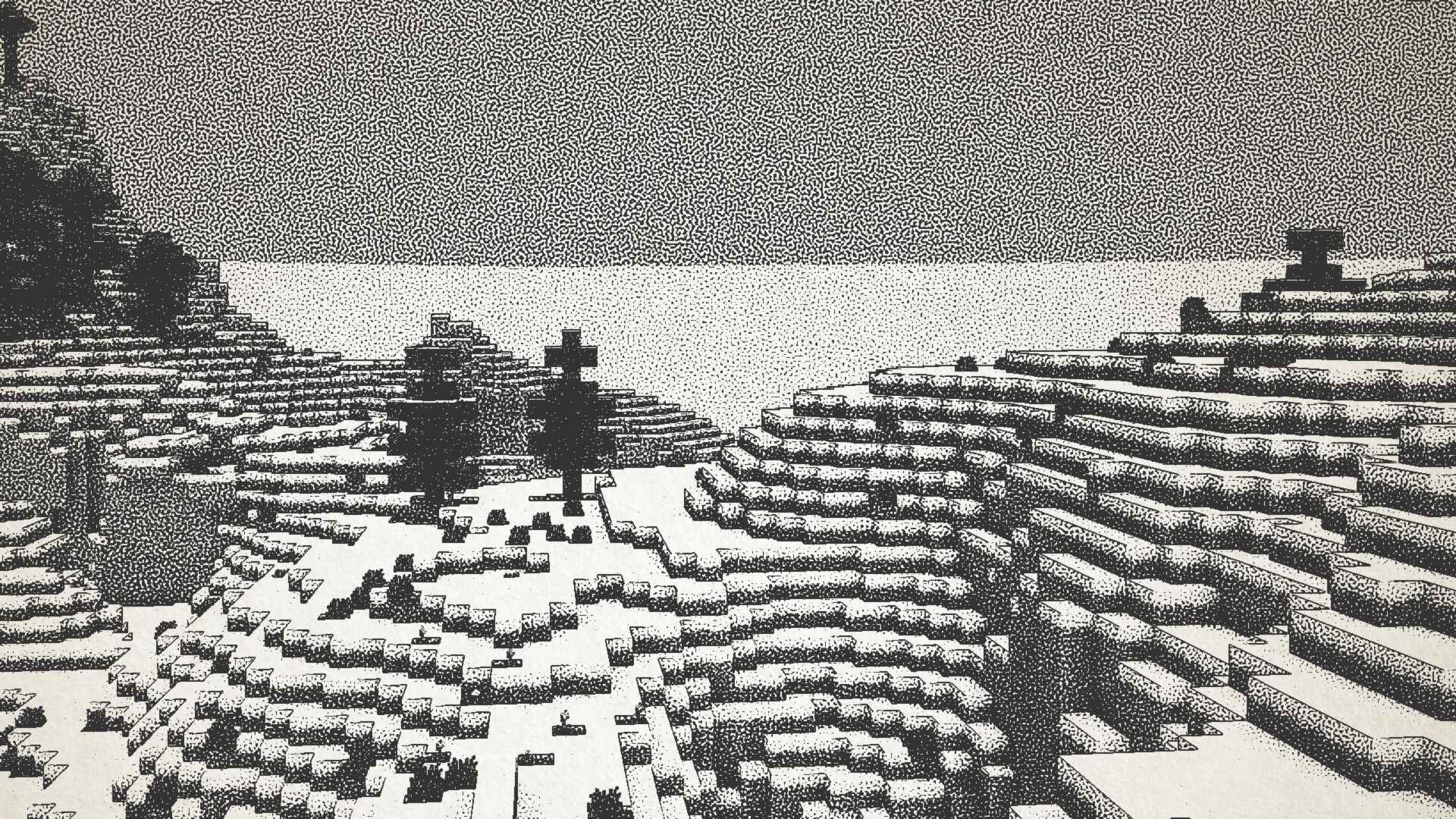
¡Visualiza Minecraft como si estuviera impreso con tinta!
 Fabric
 OptiFine
Ink Shader tries to visualise Minecraft as if it was printed with ink!
Current features include:
- Color Customisation
- Blur Effect
- Stippling
- Edge Detection
- and more!
This shader was heavily inspired on Acerolas video and uses the paper asset that he uses

I mostly tested on Iris 1.21, other versions might not work. If you find any bugs or incompatibilities, you can always report them, it helps me and others out :D
Installation
- First you need to install either OptiFine or the Iris mod to be able to load shaderpacks. (Choose Iris if you are unsure)
- Then you need to launch the game, and get to the Shaderpacks/Shaders menu in Video Settings.
- Open the shaderpacks folder by clicking the button in the menu.
- Download the Ink Shader and put it in the shaderpacks folder.
- Get back in the game, and choose Ink_Shader in the shaderpacks menu. (Refresh the menu if it doesn't appear)

Cómo instalar Ink Shader
With Millida Launcher
Install Millida Launcher
The launcher is free: download it at millida.net/launcher and sign in with any nickname.
Click “Install” on this page
The launcher opens and installs the shaders for Minecraft 1.16–1.21.4 automatically.
Launch the game
A profile with it appears in the launcher: click “Play”.
Manually
Install Iris or OptiFine
Without a shader mod the game cannot see shaders. Install it for the same Minecraft version.
Download the shader archive
Pick the file Ink_Shader_V1.1.zip (8.2 MB) and do not unpack it.
Put it in the shaderpacks folder
“Options”, then “Video Settings”, then “Shader Packs”, then “Open Shader Pack Folder”, and drag the archive there.
Select the shaders
In the same window, click the pack name and “Apply”.
Versiones
Con dependencias
| Minecraft | Cargador | Archivo | Fecha | Acciones |
|---|---|---|---|---|
| 1.17.1 | Iris, OptiFine | 1.17.18.2 MB | ||
| 1.21 | Iris, OptiFine | 1.218.2 MB | — | |
| 1.20.1 | Iris, OptiFine | 1.20.18.2 MB | — | |
| 1.19.2 | Iris, OptiFine | 1.19.28.2 MB | — | |
| 1.18.2 | Iris, OptiFine | 1.18.28.2 MB | — | |
| 1.16.5 | Iris, OptiFine | 1.16.58.2 MB | — |
Qué necesita para funcionar
- Iris Shadersopcional
FAQ
Which Minecraft versions does Ink Shader work on?
There are files for 1.16–1.21.4, 28 versions in total. The newest is 1.21.4.
What do I need to run Ink Shader?
Shaders are loaded through Iris or OptiFine: without one of them the game cannot see them.
Where can I download Ink Shader safely?
On this page: the file Ink_Shader_V1.1.zip (8.2 MB) is stored on Millida’s server, with no link shorteners. SHA-1 checksum: 6de665c4ce87534f5328a59072d6b5a818a7fb6c.
Reseñas
Sé el primero en valorar Ink Shader


