NeoForge
 Fabric
 Quilt

Enlaces
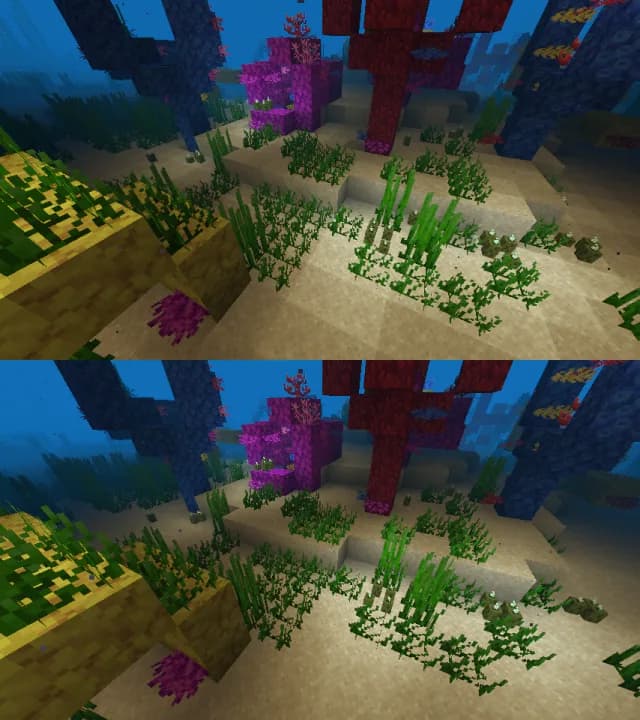
- ¡Visita nuestro sitio web para descargas y bonitas capturas de pantalla!
- ¡Visita la sección de shaders para encontrar paquetes de shaders!
- ¡Visita nuestro servidor de Discord para hablar sobre el mod y obtener soporte! También es un gran lugar para recibir novedades de desarrollo en el momento en que ocurren.
- ¡Visita la documentación para desarrolladores para obtener información sobre cómo desarrollar, compilar y contribuir a Iris!

Instalación
Puedes encontrar una guía de instalación aquí.

Preguntas frecuentes
- Encuentra respuestas a las preguntas frecuentes en nuestra página de FAQ.
- Iris es compatible con casi todos los paquetes de shaders, pero aquí hay disponible una lista de los paquetes de shaders no compatibles.
- Aquí hay disponible una lista de las limitaciones que no se pueden solucionar en Iris.
Más información
Puedes encontrar más información en nuestro README.
Cómo instalar Iris Shaders
With Millida Launcher
Install Millida Launcher
The launcher is free: download it at millida.net/launcher and sign in with any nickname.
Click “Install” on this page
The launcher opens and installs the mod for Minecraft 1.16–26.3 on Fabric, NeoForge or Quilt automatically, together with its dependencies: Sodium.
Launch the game
A profile with it appears in the launcher: click “Play”.
Manually
Install Fabric, NeoForge or Quilt
The loader must match the game version of the mod file, for example Minecraft 26.3. After installing it, a separate profile appears in your launcher.
Download the file for your version
In the version list above, pick the file iris-neoforge-1.11.7+mc26.3.jar (2.7 MB) for your game version and loader.
Put it in the mods folder
The folder is inside .minecraft (Windows: %appdata%\.minecraft\mods). If it does not exist, create it. Required dependencies go there too: Sodium.
Launch the loader profile
Open “Mods” in the main menu: Iris Shaders should be in the list.
Iris Shaders works on the player’s side only: there is no need to install it on a server.
Versiones
Con dependencias
| Minecraft | Cargador | Archivo | Fecha | Acciones |
|---|---|---|---|---|
| 26.3 | NeoForge | 26.32.7 MB 294 | ||
| 26.3 | Fabric | 26.32.7 MB 3561 | ||
| 1.21.11 | NeoForge | 1.21.112.6 MB 326 | ||
| 1.21.11 | Fabric | 1.21.112.7 MB 4576 | ||
| 26.3 | Fabric | 26.32.7 MB 16 | ||
| 26.3 | Fabric | 26.32.7 MB 3 | ||
| 26.2 | NeoForge | 26.22.6 MB 155 | ||
| 26.2 | Fabric | 26.22.7 MB 1526 |
Qué necesita para funcionar
- Sodiumobligatorio
FAQ
Which Minecraft versions does Iris Shaders work on?
There are files for 1.16–26.3, 20 versions in total. The newest is 26.3.
Is Iris Shaders for Forge or Fabric?
There are files for Fabric: 1.16–26.3, for NeoForge: 1.21–26.3 and for Quilt: 1.16–1.21. There are no files for Forge: a mod for another loader will not start.
What does Iris Shaders need to work?
Required: Sodium. Without it the mod will not start: dependencies go into the same mods folder.
Where can I download Iris Shaders safely?
On this page: the file iris-neoforge-1.11.7+mc26.3.jar (2.7 MB) is stored on Millida’s server, with no link shorteners. SHA-1 checksum: 57cbbd1f58b6226c633520541c1a3ae57c019373.
Reseñas
Sé el primero en valorar Iris Shaders