
XyCraft: World Mod para Minecraft 1.20.1, 26.1.2
Generación del mundo para XyCraft
 NeoForge
 Forge
Acerca del mod XyCraft: World
¡La generación del mundo y los minerales están aquí! A lo largo del mundo hay misterios por descubrir, uno de los cuales es el luminiscente Xychorium.
Resumen:
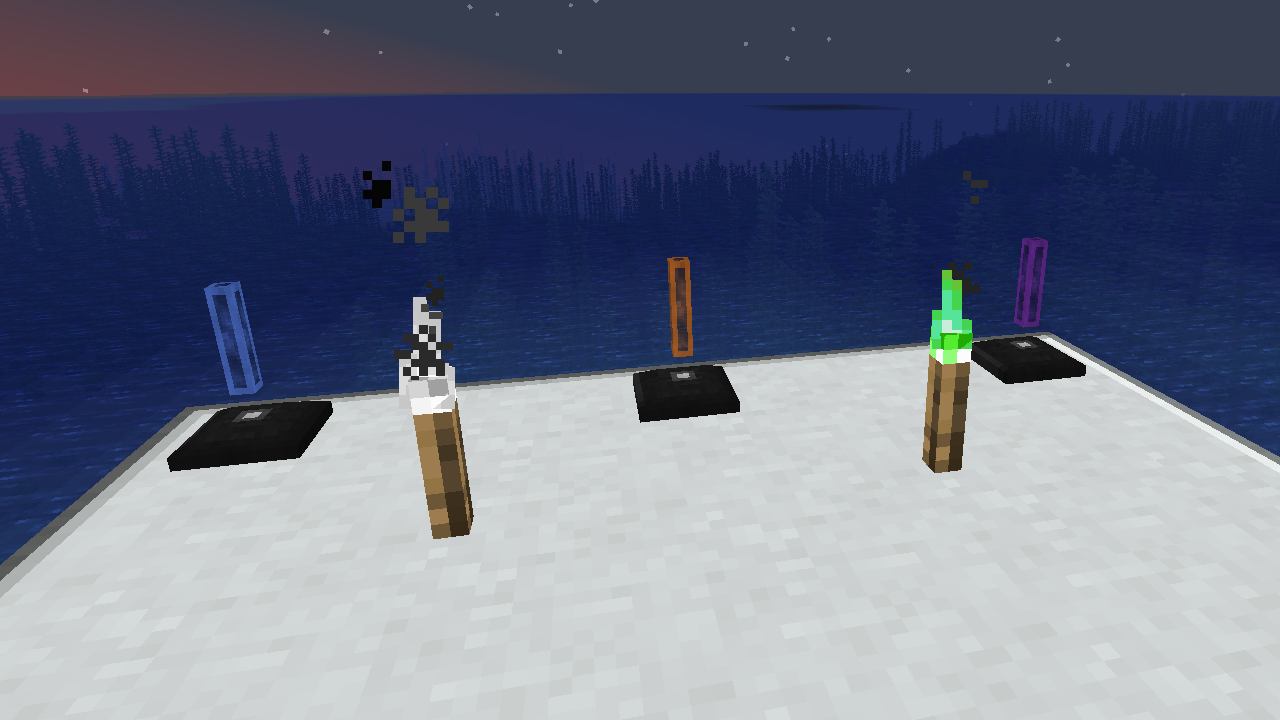
XyCraft World es un componente requerido por la mayoría de los mods, y aunque probablemente podría haberse empaquetado en Core, hubo cierto debate sobre proporcionar herramientas a desarrolladores externos sin requerir el aspecto de generación del mundo. Por esa misma razón se separó. Toda la generación del mundo o exploración residirá en este módulo.
Características:
- Proporciona la generación del mundo para todos los módulos de XyCraft
- Materiales como Xychorium y Aluminum con las etiquetas adecuadas
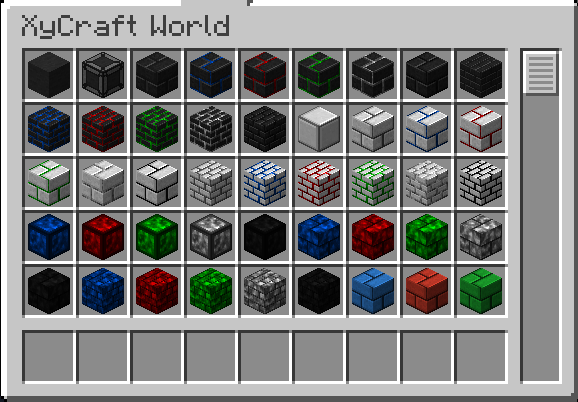
- Añade bloques decorativos usando el icónico efecto de nube y brillo de XyCraft
Planeado:
- Nodos de minerales al estilo Satisfactory en algún concepto.
- Más recompensas de exploración para el jugador
- Guía en el juego sobre dónde encontrar materiales y qué hacer con ellos.
- Objetos de comida/plantas como maíz y tomates.
- Posiblemente una dimensión, pero eso no está en la hoja de ruta actual si llega a suceder.
- Experiencia soltada al minar los minerales.
- Más variaciones y opciones de bloques.
Cómo instalar XyCraft: World
With Millida Launcher
Install Millida Launcher
The launcher is free: download it at millida.net/launcher and sign in with any nickname.
Click “Install” on this page
The launcher opens and installs the mod for Minecraft 1.20.1–26.1.2 on Forge or NeoForge automatically.
Launch the game
A profile with it appears in the launcher: click “Play”.
Manually
Install Forge or NeoForge
The loader must match the game version of the mod file, for example Minecraft 26.1.2. After installing it, a separate profile appears in your launcher.
Download the file for your version
In the version list above, pick the file xycraft-world-0.9.2.jar (1.8 MB) for your game version and loader.
Put it in the mods folder
The folder is inside .minecraft (Windows: %appdata%\.minecraft\mods). If it does not exist, create it.
Launch the loader profile
Open “Mods” in the main menu: XyCraft: World should be in the list.
Versiones
Con dependencias
| Minecraft | Cargador | Archivo | Fecha | Acciones |
|---|---|---|---|---|
| 26.1.2 | NeoForge | XyCraft World 0.9.21.8 MB | ||
| 26.1.2 | NeoForge | XyCraft World 0.9.0-beta.211.8 MB | ||
| 1.20.1 | NeoForge, Forge | XyCraft World v0.6.222.7 MB |
FAQ
Which Minecraft versions does XyCraft: World work on?
There are files for 26.1.2, 1.20.1. The newest is 26.1.2.
Is XyCraft: World for Forge or Fabric?
There are files for Forge: 1.20.1 and for NeoForge: 1.20.1–26.1.2. There are no files for Fabric: a mod for another loader will not start.
Does XyCraft: World need other mods?
The author lists no required dependencies: the Forge or NeoForge loader is enough.
Where can I download XyCraft: World safely?
On this page: the file xycraft-world-0.9.2.jar (1.8 MB) is stored on Millida’s server, with no link shorteners. SHA-1 checksum: 7ecf6a0a0efb57e97b1b768e264f444259a325d0.
Reseñas
Sé el primero en valorar XyCraft: World


