
 NeoForge
 Forge
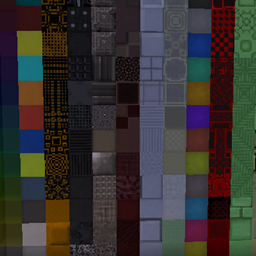
Acerca del mod Xtones Reworked
Actualización del mod descontinuada. Por favor, usa el mod BetterBlockZ de riciJak:
https:/www.curseforge.com/minecraft/mc-mods/betterblockz

Xtones Reworked
Xtones Reworked es un mod para Minecraft 1.19.2 y superiores que añade varios bloques de construcción decorativos de estilo moderno, futurista y fantástico, ¡y una lámpara!
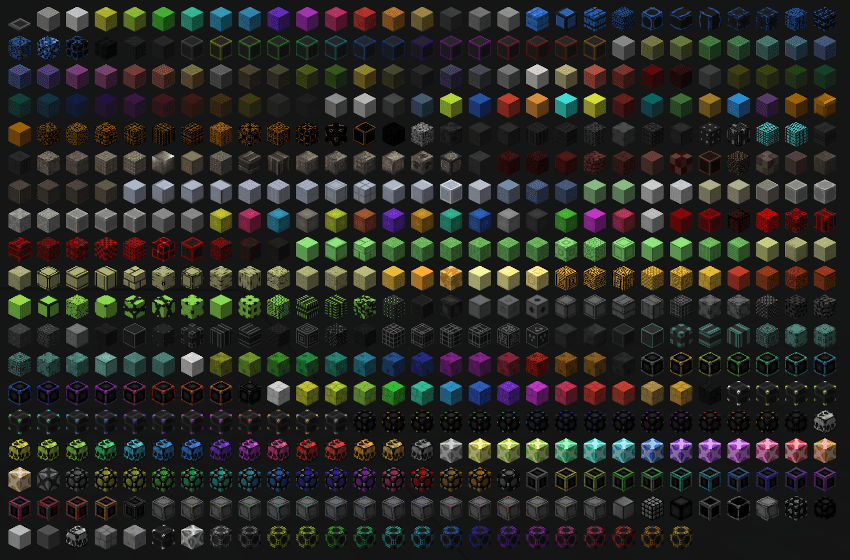
Este mod añadirá 512 bloques de construcción diferentes que se pueden usar para construir y decorar. Encontrarás las 34 variedades originales de bloques con sus 15 subvariedades, que también se encuentran en el mod original Xtones.
Puedes fabricar los bloques base como Agon o Kryp con una receta básica y luego transformarlos en diferentes variantes con recetas de tinte o con el cortapiedras.
Es un port del mod Xtones de TehNut. El código se reescribió desde cero y se mantuvieron las texturas existentes.
Nota
No continuaré con el soporte para Forge y me concentraré en Neoforged, pero empezaré a apoyar un proyecto de Fabric para este mod.
Cómo instalar Xtones Reworked
With Millida Launcher
Install Millida Launcher
The launcher is free: download it at millida.net/launcher and sign in with any nickname.
Click “Install” on this page
The launcher opens and installs the mod for Minecraft 1.19.2–1.21.10 on Forge or NeoForge automatically.
Launch the game
A profile with it appears in the launcher: click “Play”.
Manually
Install Forge or NeoForge
The loader must match the game version of the mod file, for example Minecraft 1.21.10. After installing it, a separate profile appears in your launcher.
Download the file for your version
In the version list above, pick the file xtonesreworked-1.0.0-1.21.9.jar (1.3 MB) for your game version and loader.
Put it in the mods folder
The folder is inside .minecraft (Windows: %appdata%\.minecraft\mods). If it does not exist, create it.
Launch the loader profile
Open “Mods” in the main menu: Xtones Reworked should be in the list.
Minecraft 1.21.10 runs on Java 21: with a different Java version the game may close right after launch.
Versiones
Con dependencias
| Minecraft | Cargador | Archivo | Fecha | Acciones |
|---|---|---|---|---|
| 1.21.9 | NeoForge | xtonesreworked-1.0.0-1.21.9-1.21.x.jar1.3 MB | ||
| 1.20.1 | Forge | xtonesreworked-1.0.4-F_1.20.1-47.2.0.jar1.3 MB | ||
| 1.19.2 | — | xtonesreworked-1.0.1-1.19.2.jar1.3 MB |
Reseñas
Sé el primero en valorar Xtones Reworked


