

Wynntils Mod para Minecraft 1.12.2, 1.21.11
Wynntils es un mod de Wynncraft que busca mejorar la experiencia de juego del usuario con una variedad de opciones y añadidos personalizables, ¡permitiendo al usuario cambiarlo todo como quiera y mejorando la jugabilidad general de Wynncraft!
 NeoForge
 Fabric
 Forge
ForgeAcerca del mod Wynntils
Wynntils is a Wynncraft mod that seeks to enhance the user's gameplay with a variety of customizable options and additions, allowing the user to change everything in the way they want and enhancing the overall Wynncraft gameplay!

Features

Chat
- Chat Coordinates
- Chat Item
- Chat Mentions
- Chat Tabs
- Chat Timestamps
- Death Coordinates
- Dialogue Button Override
- Transcribe Sent Messages
- Message Filter
- Remove Wynncraft Chat Wrap
- Reveal Nicknames
Combat
- Abbreviate Mob Health
- Auto Attack
- Chest Blocker
- Tracked Content
- Custom Lootrun Beacons
- Block Inventory Casting
- Health Potion Blocker
- Hide Labels
- Horse Mounting
- Invert Attack Keybinds
- Low Health Indicator
- Mythic Box Item Scaling
- Prevent Trades & Duels
- Quick Spell Cast
- Major ID Range Visualizer
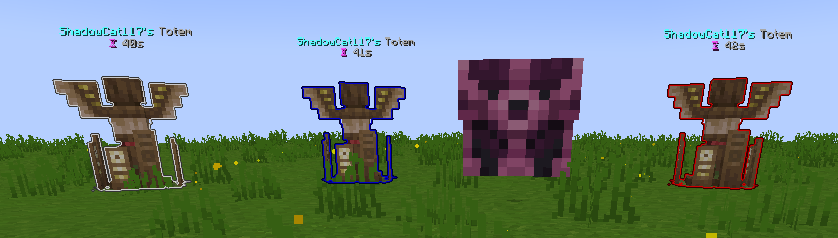
- Shaman Totem Tracking
- Spell Cast Vignette Render
- Token Tracker Bell
Commands
- Add Command Expansion
- Command Aliases
- Custom Command Keybinds
- Filter Admin Commands
Embellishments
- War Horn
- Wybel Sounds
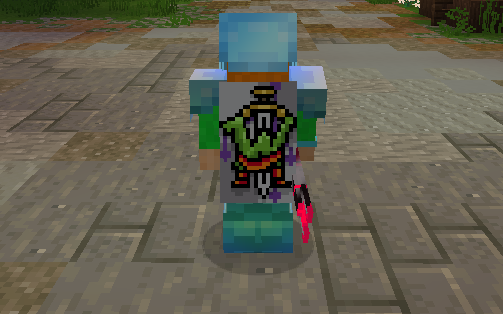
- Wynntils Cosmetics
Inventory
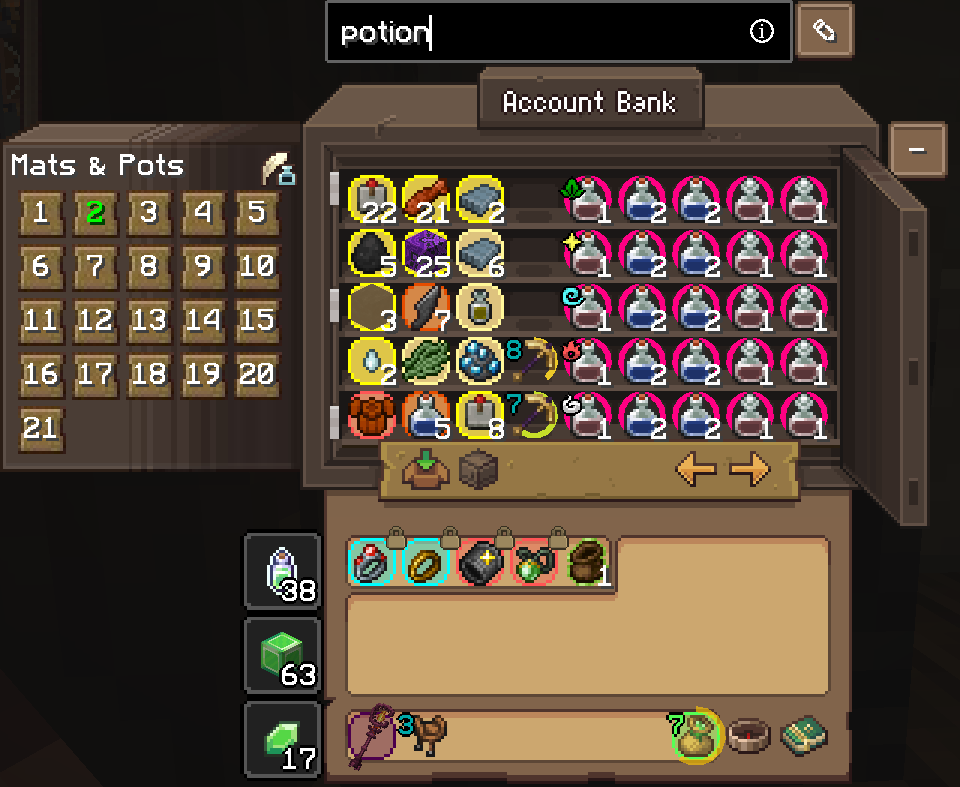
- Container Search Highlight
- Disable Recipe Book
- Durability Overlay
- Emerald Pouch Fill Arc
- Emerald Pouch Hotkey
- Extended Item Count
- Guild Bank Hotkey
- Hide Attack Cooldown
- Ingredient Pouch Keybind
- Inventory Emerald Count
- Favorite Items
- Custom Item Highlights
- Item Lock
- Item Screenshot
- Item Text Overlays
- Lootrun Chest Text
- Personal Storage Utilities
- Unidentified Item Icon
Map
- Beacon Beam
- Guild Map
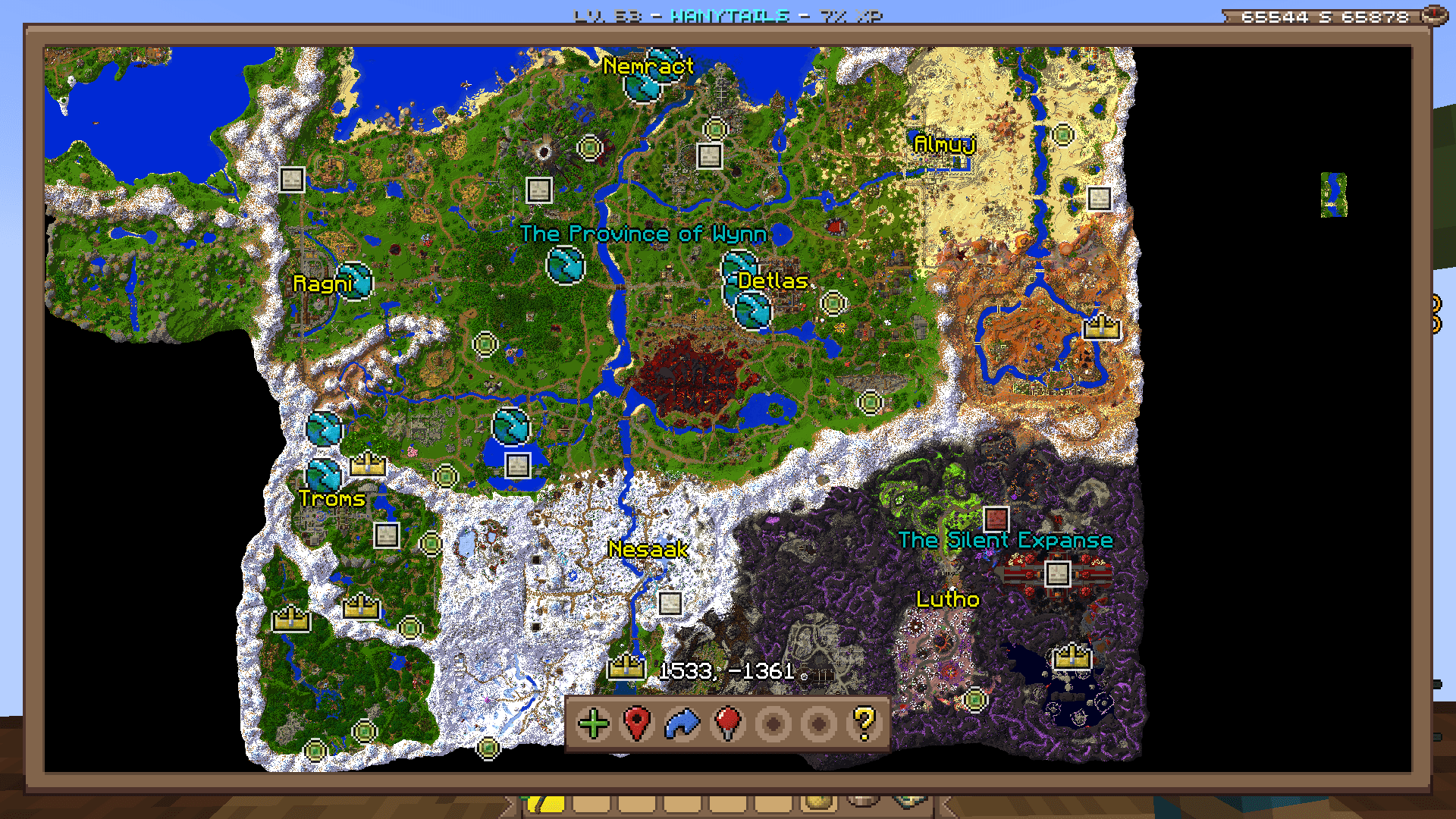
- Map
- Waypoint Distance
- Coordinates
- Territory
- Minimap

Overlays
- Annihilation Sun
- Arrow Shield
- Bomb Bell Overlay
- Gathering Totem Timer
- Mob Totem Timer
- Combat Experience
- Custom Bars
- Custom Player List Overlay
- Awakened Bar
- Blood Pool Bar
- Commander Bar
- Corrupted Bar
- Focus Bar
- Focused Mob Health Bar
- Health Bar
- Holy Power Bar
- Mana Bank Bar
- Mana Bar
- Ophanim Bar
- Game Notifications
- Guardian Angels Tracker
- Party Members
- Held Item Cooldown
- Info Boxes
- Lootrun Beacon Count
- Lootrun Missions
- Lootrun Task Name
- Lootrun Trials
- Mantle Shield Tracker
- NPC Dialogue
- Daily Objective
- Guild Objective
- Powder Special Bar
- Raid Progress
- Server Uptime Info
- Shaman Mask Overlay
- Shaman Totem Timer
- Spell Cast Overlay
- Spell Inputs Overlay
- Status Overlay
- Stopwatch Overlay
- Streamer Overlay
- Token Bars
- Aura Timer
- Volley Timer
- Tower Stats Overlay
- Content Tracker
Players
- Auto Join Parties
- Nametag Rendering
- Hades
- Party Management Screen
- Hide Player Armor
- Transparent Player Ghost
- Player Viewer
Game Notification Redirects
- Ability Refreshes
- Info Message Filter
- Pouch Messages
- Territory Messages
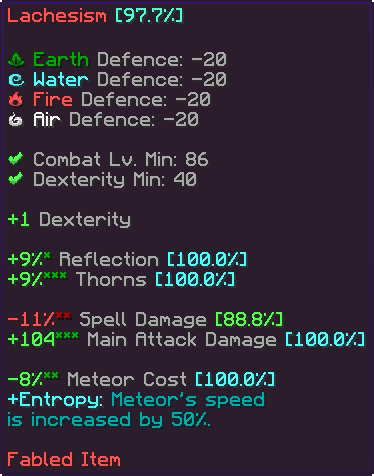
Item Tooltips
- Item Compare
- Item Guess
- Item Statistics Info
- Tooltip Fitting
- Hide Irrelevant Tooltip Info
Trade Market
- Trade Market Bulk Sell Buttons
- Market Price Conversion
- Trade Market Price Match Buttons
- Trade Market Quick Search
UI
- Bulk Buy
- Container Scroll
- Crafting Profession Progress Bar
- Custom Guild Log Screen
- Custom Loading Screen
- Custom Seaskipper Screen
- Custom Territory Management Screen
- Custom Trade Market Result Screen
- Lobby Uptime
- Profession Highlight
- Wynncraft Button
- Wynntils Pause Screen
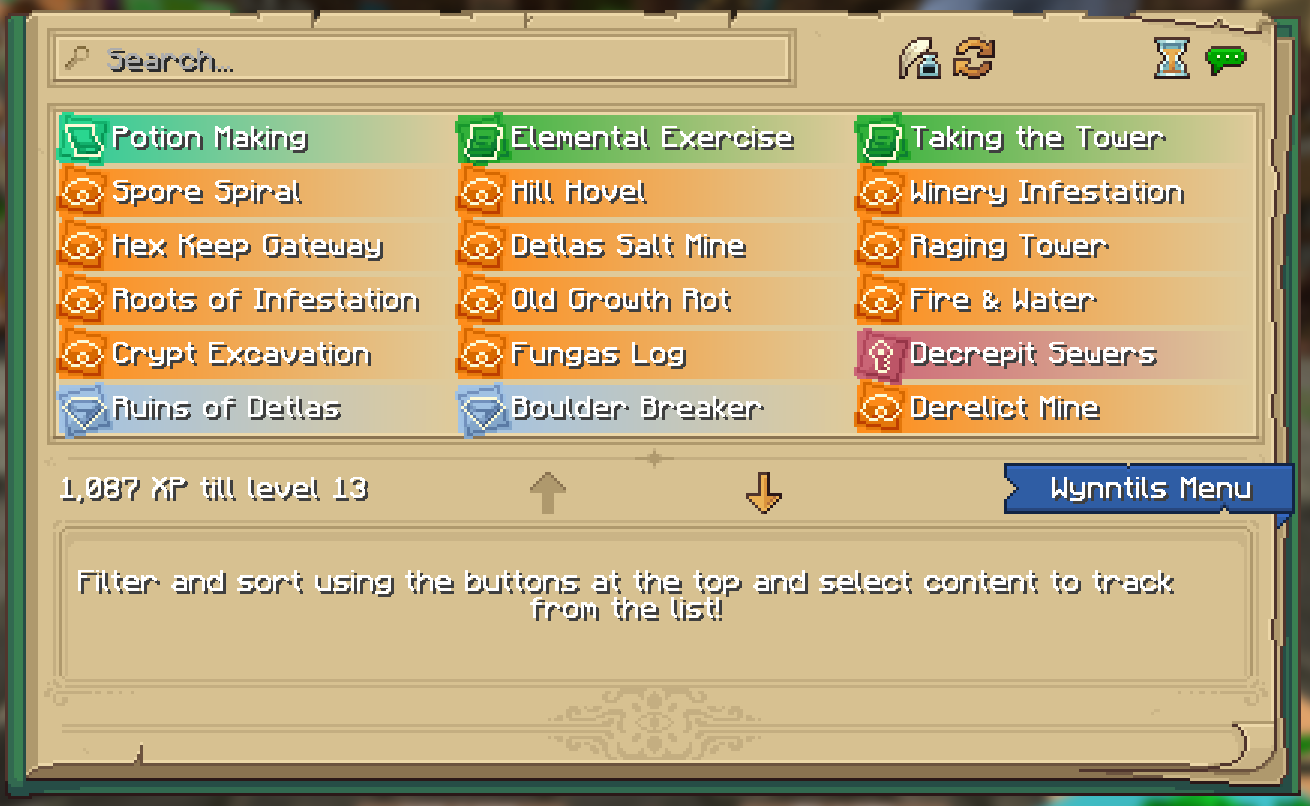
- Wynntils Content Book
Uncategorized
- Lootrun
- Bomb Bell Relay
- Discord Rich Presence
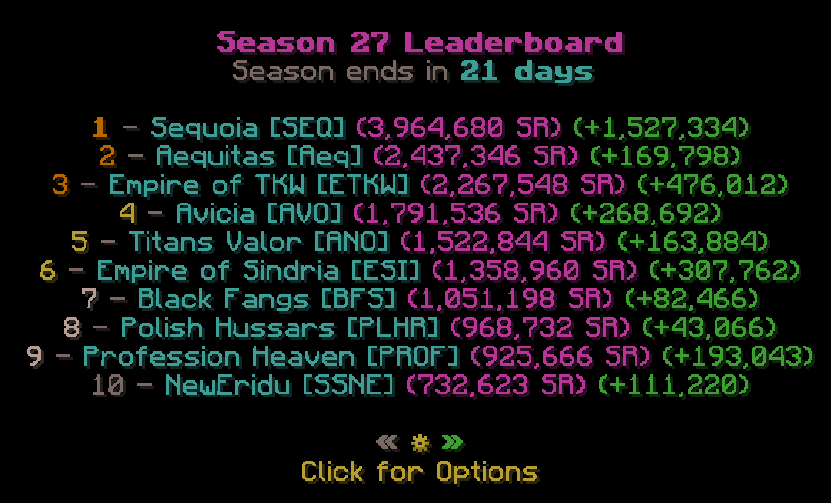
- Extended Season Leaderboard
- Send Territory Defenses
- Valuable Found

Utilities
- Auto Apply Resource Pack
- Auto Skip Cutscenes
- Character Selection Utilities
- Fix Crosshair Position
- Gammabright Keybind
- Valuables Protection
- Per Character Guild Contribution
- Silencer
- Skill Point Loadouts
- Transcribe Received Messages
- Translation
- XP Gain Messages
Wynntils
- Beta Warning
- Changelog
- Custom Wynntils Command
- Data Crowd Sourcing
- Download Progress
- Fix Packet Bugs
- Telemetry
- Updates
- Weekly Config Backup
- Wynntils Hint Messages

Cómo instalar Wynntils
With Millida Launcher
Install Millida Launcher
The launcher is free: download it at millida.net/launcher and sign in with any nickname.
Click “Install” on this page
The launcher opens and installs the mod for Minecraft 1.12.2–1.21.11 on Fabric, Forge or NeoForge automatically.
Launch the game
A profile with it appears in the launcher: click “Play”.
Manually
Install Fabric, Forge or NeoForge
The loader must match the game version of the mod file, for example Minecraft 1.21.11. After installing it, a separate profile appears in your launcher.
Download the file for your version
In the version list above, pick the file wynntils-4.2.16-neoforge+MC-1.21.11.jar (20 MB) for your game version and loader.
Put it in the mods folder
The folder is inside .minecraft (Windows: %appdata%\.minecraft\mods). If it does not exist, create it.
Launch the loader profile
Open “Mods” in the main menu: Wynntils should be in the list.
Wynntils works on the player’s side only: there is no need to install it on a server.
Minecraft 1.21.11 runs on Java 21: with a different Java version the game may close right after launch.
Versiones
Con dependencias
| Minecraft | Cargador | Archivo | Fecha | Acciones |
|---|---|---|---|---|
| 1.21.11 | NeoForge | 1.21.1120.2 MB | ||
| 1.21.11 | Fabric | 1.21.1120.4 MB | ||
| 1.21.11 | Fabric | 1.21.1120.3 MB | ||
| 1.21.11 | NeoForge | 1.21.1120.1 MB | ||
| 1.21.11 | Fabric | 1.21.1120.3 MB | ||
| 1.21.11 | NeoForge | 1.21.1120.1 MB | ||
| 1.21.11 | Fabric | 1.21.1120.3 MB | ||
| 1.21.11 | NeoForge | 1.21.1120.1 MB |
Qué necesita para funcionar
- Exordiumincompatible
- Chat Patchesincompatible
- Dependencyincompatible
Contenido que lo necesita
FAQ
Which Minecraft versions does Wynntils work on?
There are files for 1.21.11, 1.12.2. The newest is 1.21.11.
Is Wynntils for Forge or Fabric?
There are files for Fabric: 1.21.11, for Forge: 1.12.2 and for NeoForge: 1.21.11.
Does Wynntils need other mods?
The author lists no required dependencies: the Fabric, Forge or NeoForge loader is enough.
What is Wynntils incompatible with?
The author marks it as incompatible with Exordium, Chat Patches, Dependency: they will not run together.
Do I need to install Wynntils on a server?
No. Wynntils works on the player’s side only: there is no need to install it on a server.
Which Java does Wynntils need?
Minecraft 1.21.11 runs on Java 21. If the game closes right after launch, the usual cause is the wrong Java version in the profile settings.
Where can I download Wynntils safely?
On this page: the file wynntils-4.2.16-neoforge+MC-1.21.11.jar (20 MB) is stored on Millida’s server, with no link shorteners. SHA-1 checksum: 1a0b6f1fefb7b71cc259d89b221d8c2659910ab5.
Reseñas
Sé el primero en valorar Wynntils


