
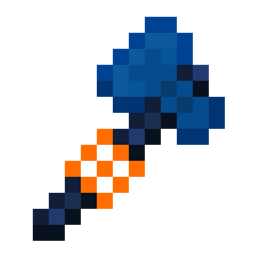
WorldEdit Items Mod para Minecraft 1.20.1, 1.18.2
¿Te molesta que WorldEdit use objetos nativos en Minecraft y arruine la experiencia de juego? este mod es justo para ti
 Fabric
 NeoForge
 Forge
ForgeAcerca del mod WorldEdit Items
Does it bother you that WorldEdit uses native objects in Minecraft and ruins the gaming experience? This mod is just for you! This mod adds three new items for use with WorldEdit so that you do not have to use vanilla items.
Requires WorldEdit
Available for Fabric (requires Fabric API), Quilt (Use the Fabric Version) (requires Quilt Standard Libraries) and Forge
Configuration
- Check if you have WorldEdit installed (if not the mod is useless)
- Put the .jar file in your mods folder
- In game, hold the Wand/NavWand/SuperPickaxe item, and type /tool selwand /tool selwand (for now, the SuperPickaxe option is not available I think, I will update you soon)
- After that, try to use the Wand Axe or Nav Wand and see the results
NOTE: if Commands i gived are not working, please report this to WorldEdit Devs
Cómo instalar WorldEdit Items
With Millida Launcher
Install Millida Launcher
The launcher is free: download it at millida.net/launcher and sign in with any nickname.
Click “Install” on this page
The launcher opens and installs the mod for Minecraft 1.18.2–26.1.2 on Fabric, Forge or NeoForge automatically.
Launch the game
A profile with it appears in the launcher: click “Play”.
Manually
Install Fabric, Forge or NeoForge
The loader must match the game version of the mod file, for example Minecraft 26.1.2. After installing it, a separate profile appears in your launcher.
Download the file for your version
In the version list above, pick the file worldedit_items-2.2-fabric-26.1.2.jar (47 KB) for your game version and loader.
Put it in the mods folder
The folder is inside .minecraft (Windows: %appdata%\.minecraft\mods). If it does not exist, create it.
Launch the loader profile
Open “Mods” in the main menu: WorldEdit Items should be in the list.
Versiones
Con dependencias
| Minecraft | Cargador | Archivo | Fecha | Acciones |
|---|---|---|---|---|
| 26.1.2 | Fabric | 26.1.2 - [Fabric] v2.247.2 KB 1 | ||
| 26.1.2 | NeoForge | 26.1.2 - [NeoForge] v2.216.8 KB | ||
| 1.20.1 | NeoForge, Forge | 1.20.1 - [Forge/NeoForge] v2.013.1 KB 29 | ||
| 1.18.2 | Forge | 1.18.2 - [Forge] v1.1.0334 KB |
FAQ
Which Minecraft versions does WorldEdit Items work on?
There are files for 26.1.2, 1.20.1, 1.18.2. The newest is 26.1.2.
Is WorldEdit Items for Forge or Fabric?
There are files for Fabric: 26.1.2, for Forge: 1.18.2–1.20.1 and for NeoForge: 1.20.1–26.1.2.
Does WorldEdit Items need other mods?
The author lists no required dependencies: the Fabric, Forge or NeoForge loader is enough.
Where can I download WorldEdit Items safely?
On this page: the file worldedit_items-2.2-fabric-26.1.2.jar (47 KB) is stored on Millida’s server, with no link shorteners. SHA-1 checksum: 2c3ff375baba90a6729706b85e1ee24f5897634a.
Reseñas
Sé el primero en valorar WorldEdit Items


