
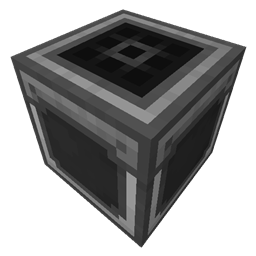
Step Crafter Mod para Minecraft 26.1.2
Añade un Step Crafter y un Step Requester que permiten la fabricación recursiva y mantener objetos en stock en Refined Storage
 Fabric
 NeoForge
THIS MOD REQUIRES REFINED STORAGE
If you want to put this mod in your modpack, feel free to use it :)
This mod adds a Step Crafter and Step Requester which allows recursive crafting and keeping items in-stock to Refined Storage
To use the Step Crafter, input a pattern and then Shift + Click it to set the minimum and maximum amounts. Whenever the network's stored amount of the output of the pattern drops below the defined minimum, it will automatically craft items until the maximum level is restored.
To use the Step Requester, select the resource you want to maintain and click to configure its minimum, maximum, and batch size. When the available amount of that resource falls below the minimum, the requester will request autocrafters to produce it in batches until the maximum amount is reached.
Planned upcoming features:
- Step Crafter Manager / Step Requester Manager
- Starting autocrafting tasks for the Step Crafter in the Grid
- Redstone Pulse to start crafts
Cómo instalar Step Crafter
With Millida Launcher
Install Millida Launcher
The launcher is free: download it at millida.net/launcher and sign in with any nickname.
Click “Install” on this page
The launcher opens and installs the mod for Minecraft 26.1.2 on Fabric or NeoForge automatically.
Launch the game
A profile with it appears in the launcher: click “Play”.
Manually
Install Fabric or NeoForge
The loader must match the game version of the mod file, for example Minecraft 26.1.2. After installing it, a separate profile appears in your launcher.
Download the file for your version
In the version list above, pick the file stepcrafter-fabric-26.1.2-1.0.3.jar (599 KB) for your game version and loader.
Put it in the mods folder
The folder is inside .minecraft (Windows: %appdata%\.minecraft\mods). If it does not exist, create it.
Launch the loader profile
Open “Mods” in the main menu: Step Crafter should be in the list.
Versiones
Con dependencias
| Minecraft | Cargador | Archivo | Fecha | Acciones |
|---|---|---|---|---|
| 26.1.2 | Fabric | stepcrafter-fabric-26.1.2-1.0.3.jar599 KB | ||
| 26.1.2 | NeoForge | stepcrafter-neoforge-26.1.2-1.0.3.jar603 KB |
FAQ
Which Minecraft versions does Step Crafter work on?
Only Minecraft 26.1.2: there are no files for other versions.
Is Step Crafter for Forge or Fabric?
There are files for Fabric: 26.1.2 and for NeoForge: 26.1.2. There are no files for Forge: a mod for another loader will not start.
Does Step Crafter need other mods?
The author lists no required dependencies: the Fabric or NeoForge loader is enough.
Where can I download Step Crafter safely?
On this page: the file stepcrafter-fabric-26.1.2-1.0.3.jar (599 KB) is stored on Millida’s server, with no link shorteners. SHA-1 checksum: 1ef0d1a8462b1adc294b81cd693caa1fb57fedf7.
Reseñas
Sé el primero en valorar Step Crafter


