

Sound Device Options Mod para Minecraft 1.17.1
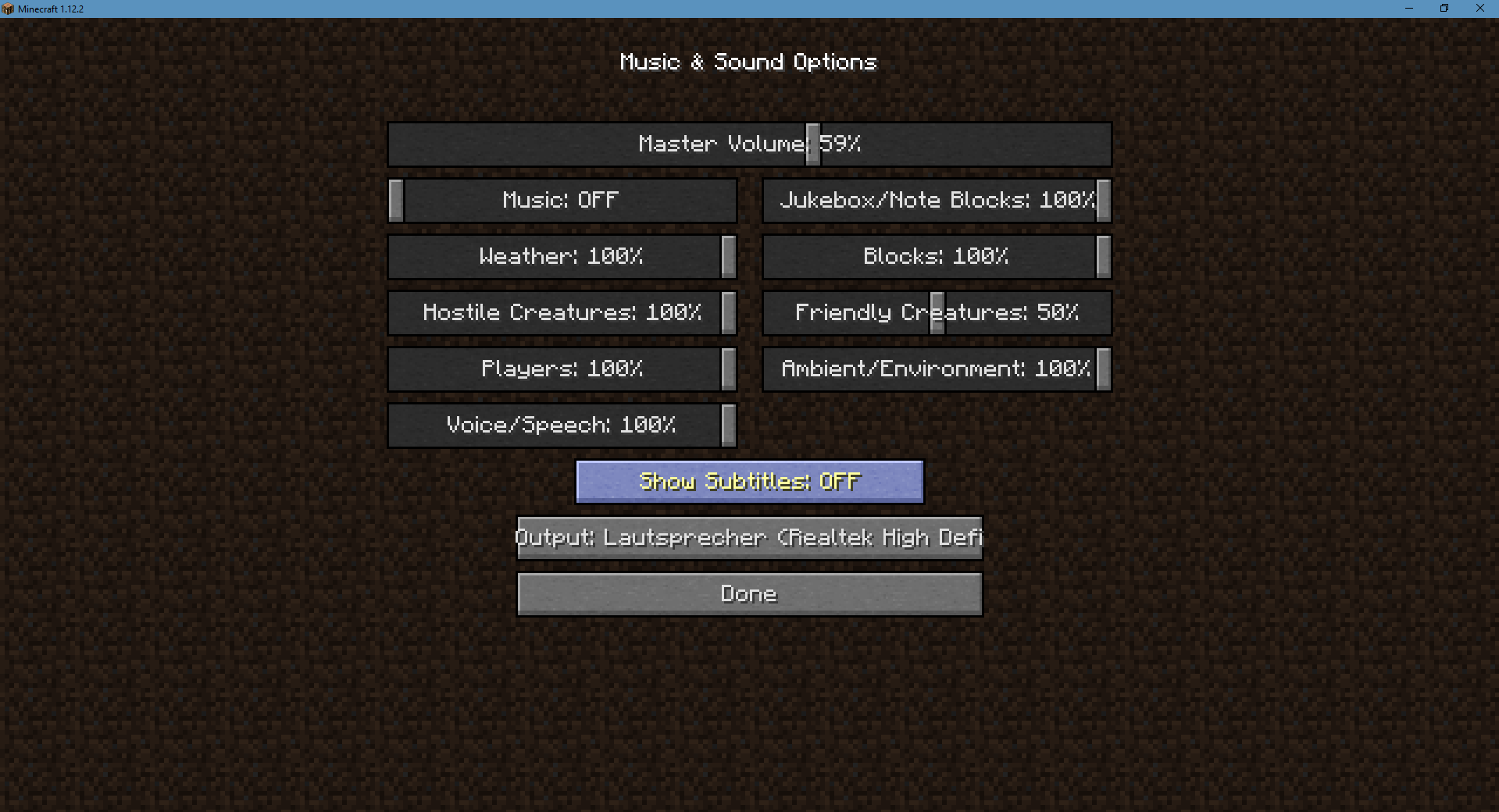
Un pequeño mod que añade una opción para cambiar el dispositivo de salida de sonido
- visualizaciones
- 42 visualizaciones
- Actualizado
- Actualizado 18.10.2026
- 1.13.2 — 1.17.1
 Forge
Acerca del mod Sound Device Options
Sound Device Options is a very small but handy mod. It allows you to switch the active sound output device while the game is running! This is useful for people who have a speaker and headphones attached to their PC and want to switch between them without needing to restart and chaning the primary sound device in your operating system.
The mod is very lightweight and does not cause any extra lag or startup time.
Project Logo is designed by Sirisako
Cómo instalar Sound Device Options
With Millida Launcher
Install Millida Launcher
The launcher is free: download it at millida.net/launcher and sign in with any nickname.
Click “Install” on this page
The launcher opens and installs the mod for Minecraft 1.13.2–1.17.1 on Forge automatically.
Launch the game
A profile with it appears in the launcher: click “Play”.
Manually
Install Forge
The loader must match the game version of the mod file, for example Minecraft 1.17.1. After installing it, a separate profile appears in your launcher.
Download the file for your version
In the version list above, pick the file sounddeviceoptions-1.5.0.jar (21 KB) for your game version.
Put it in the mods folder
The folder is inside .minecraft (Windows: %appdata%\.minecraft\mods). If it does not exist, create it.
Launch the loader profile
Open “Mods” in the main menu: Sound Device Options should be in the list.
Minecraft 1.17.1 runs on Java 16: with a different Java version the game may close right after launch.
Versiones
Con dependencias
| Minecraft | Cargador | Archivo | Fecha | Acciones |
|---|---|---|---|---|
| 1.17.1 | Forge | Sound Device Options 1.5.021.4 KB | ||
| 1.14.4 | — | Sound Device Options 1.2.020.4 KB | ||
| 1.13.2 | — | Sound Device Options 1.1.121 KB |
FAQ
Which Minecraft versions does Sound Device Options work on?
There are files for 1.17.1, 1.14.4, 1.14.3, 1.14.2, 1.13.2. The newest is 1.17.1.
Is Sound Device Options for Forge or Fabric?
Only for Forge: 1.17.1. There are no files for Fabric or NeoForge: a mod for another loader will not start.
Does Sound Device Options need other mods?
The author lists no required dependencies: the Forge loader is enough.
Which Java does Sound Device Options need?
Minecraft 1.17.1 runs on Java 16. If the game closes right after launch, the usual cause is the wrong Java version in the profile settings.
Where can I download Sound Device Options safely?
On this page: the file sounddeviceoptions-1.5.0.jar (21 KB) is stored on Millida’s server, with no link shorteners. SHA-1 checksum: 74f8a0a999888914937d06899cdfd49a42a86632.
Reseñas
Sé el primero en valorar Sound Device Options


