
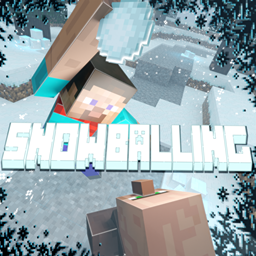
Snowballing Mod para Minecraft 1.19.2
Haz montones de bolas de nieve y ten peleas de bolas de nieve. Solo no te congeles.
 Forge
Forge Quilt
Quilt Fabric
Acerca del mod Snowballing
Snowballing was made for Curseforge Winterjam 2022
Make Snowball Piles!
- Right-click with a shovel to make snowball piles from layers.
- Crouch with a snowball in-hand to place snowballs back into a pile.
- Right-click, with an empty hand or tool, on a pile to take a snowball from the pile.
- Use silktouch to pickup whole piles!
Chill Others With a Well-aimed Snowball!
- Getting hit by a snowball causes a stacking 'Snowballed' debuff that could lead to painful freezing!
- Villagers could freeze you when it's time for a snowball fight!
Win Snowball Fights!
- The villagers are looking for a little fun! They might even be willing to reward you if you do well!
- Landing hits means you are doing better and getting hit means you are doing worse.
- Rewards scale with how good you do! They may give you emeralds, shovels, and even the Snow Sling!
Launch Snowballs with the Snow Sling!
- Throw snowballs with enough force to knock your opponents back!
- Try the Multishot Enchantment!
New ways to build with snow!
- Snowball Bricks and Snow Bricks to complement all your snowball forts and castles.
Cómo instalar Snowballing
With Millida Launcher
Install Millida Launcher
The launcher is free: download it at millida.net/launcher and sign in with any nickname.
Click “Install” on this page
The launcher opens and installs the mod for Minecraft 1.19.2 on Fabric, Forge or Quilt automatically.
Launch the game
A profile with it appears in the launcher: click “Play”.
Manually
Install Fabric, Forge or Quilt
The loader must match the game version of the mod file, for example Minecraft 1.19.2. After installing it, a separate profile appears in your launcher.
Download the file for your version
In the version list above, pick the file snowballing-1.1.2-forge.jar (3.5 MB) for your game version and loader.
Put it in the mods folder
The folder is inside .minecraft (Windows: %appdata%\.minecraft\mods). If it does not exist, create it.
Launch the loader profile
Open “Mods” in the main menu: Snowballing should be in the list.
Minecraft 1.19.2 runs on Java 17: with a different Java version the game may close right after launch.
Versiones
Con dependencias
| Minecraft | Cargador | Archivo | Fecha | Acciones |
|---|---|---|---|---|
| 1.19.2 | Forge | [Forge] Snowballing-1.1.23.5 MB | ||
| 1.19.2 | Quilt | [Fabric] Snowballing-1.1.23.5 MB | ||
| 1.19.2 | Fabric | [Fabric] Snowballing-1.1.13.5 MB | ||
| 1.19.2 | Quilt | [Quilt] Snowballing-1.1.03.5 MB | ||
| 1.19.2 | Fabric | [Fabric] Snowballing-1.1.03.5 MB | ||
| 1.19.2 | Forge | [Forge] Snowballing-1.1.03.5 MB |
FAQ
Which Minecraft versions does Snowballing work on?
Only Minecraft 1.19.2: there are no files for other versions.
Is Snowballing for Forge or Fabric?
There are files for Fabric: 1.19.2, for Forge: 1.19.2 and for Quilt: 1.19.2. There are no files for NeoForge: a mod for another loader will not start.
Does Snowballing need other mods?
The author lists no required dependencies: the Fabric, Forge or Quilt loader is enough.
Which Java does Snowballing need?
Minecraft 1.19.2 runs on Java 17. If the game closes right after launch, the usual cause is the wrong Java version in the profile settings.
Where can I download Snowballing safely?
On this page: the file snowballing-1.1.2-forge.jar (3.5 MB) is stored on Millida’s server, with no link shorteners. SHA-1 checksum: 30e8765d48c360cbc97b46091f89a381b44536ed.
Reseñas
Sé el primero en valorar Snowballing


