
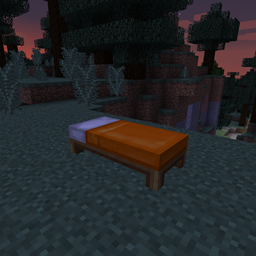
Sleep Sooner Mod para Minecraft 26.3
🛌 ¡También Sleep Later! Haz que los jugadores se vayan a la cama a una hora diferente.
 Fabric
 Forge
Forge NeoForge
 Quilt
QuiltAcerca del mod Sleep Sooner
Sleep Sooner is a minimalistic mod that adds a configurable functionality to change the time when a player can go to bed. A Minecraft day takes 24000 ticks to complete. The default time in ticks when you can sleep is 12540. The default value for the mod is 12000 ticks, but you may alter it to your liking. If you are in the grace period and right-click the bed, you'll do something (= a random message) to pass the time until dusk. After which you can sleep as normal.
Version 2.0 allows you to set the time higher than 12540 as well, forcing the player to sleep later.
All available config options:
enableSleepSooner default true Allows you to disable/enable the Sleep Sooner mod.
enablePreSleepMessage default true Allows you to disable/enable the message you receive before sleeping. You still need to click the bed twice if the current time is below 12540.
whenSleepIsPossibleInTicks default 12000, min 0, max 24000 The default time in ticks when you can sleep is ~12540. The default Sleep Sooner mod value is 12000.
You may freely use this mod in any modpack, as long as the download remains hosted within the CurseForge or Modrinth ecosystem.
Serilum.com contains an overview and more information on all mods available.
Comments are disabled as I'm unable to keep track of them across so many separate mod pages. For issues, ideas, suggestions or anything else there is the Github repo. Thanks!
Cómo instalar Sleep Sooner
With Millida Launcher
Install Millida Launcher
The launcher is free: download it at millida.net/launcher and sign in with any nickname.
Click “Install” on this page
The launcher opens and installs the mod for Minecraft 1.19.3–26.3 on Fabric, Forge, NeoForge or Quilt automatically.
Launch the game
A profile with it appears in the launcher: click “Play”.
Manually
Install Fabric, Forge, NeoForge or Quilt
The loader must match the game version of the mod file, for example Minecraft 26.3. After installing it, a separate profile appears in your launcher.
Download the file for your version
In the version list above, pick the file sleepsooner-26.3.0-5.0.jar (41 KB) for your game version and loader.
Put it in the mods folder
The folder is inside .minecraft (Windows: %appdata%\.minecraft\mods). If it does not exist, create it.
Launch the loader profile
Open “Mods” in the main menu: Sleep Sooner should be in the list.
Versiones
Con dependencias
| Minecraft | Cargador | Archivo | Fecha | Acciones |
|---|---|---|---|---|
| 26.3 | Fabric, Forge, NeoForge, Quilt | [Fabric/Forge/Neo] 26.3.0-5.0 | Sleep Sooner40.9 KB | ||
| 1.19.3 | Forge | sleepsooner_1.19.3-2.9.jar8.4 KB |
FAQ
Which Minecraft versions does Sleep Sooner work on?
There are files for 26.3, 1.19.3. The newest is 26.3.
Is Sleep Sooner for Forge or Fabric?
There are files for Fabric: 26.3, for Forge: 1.19.3–26.3, for NeoForge: 26.3 and for Quilt: 26.3.
Does Sleep Sooner need other mods?
The author lists no required dependencies: the Fabric, Forge, NeoForge or Quilt loader is enough.
Where can I download Sleep Sooner safely?
On this page: the file sleepsooner-26.3.0-5.0.jar (41 KB) is stored on Millida’s server, with no link shorteners. SHA-1 checksum: 77a25720e6467c16d7a0c425ec37255dff45ceb3.
Reseñas
Sé el primero en valorar Sleep Sooner


