
Simple Weather Mod para Minecraft 26.1.2
Ofrece una solución alternativa pero elegante para los efectos climáticos en Minecraft.
- visualizaciones
- 6 visualizaciones
- Actualizado
- Actualizado 18.10.2026
- 1.21.5 — 26.1.2
 NeoForge
Acerca del mod Simple Weather
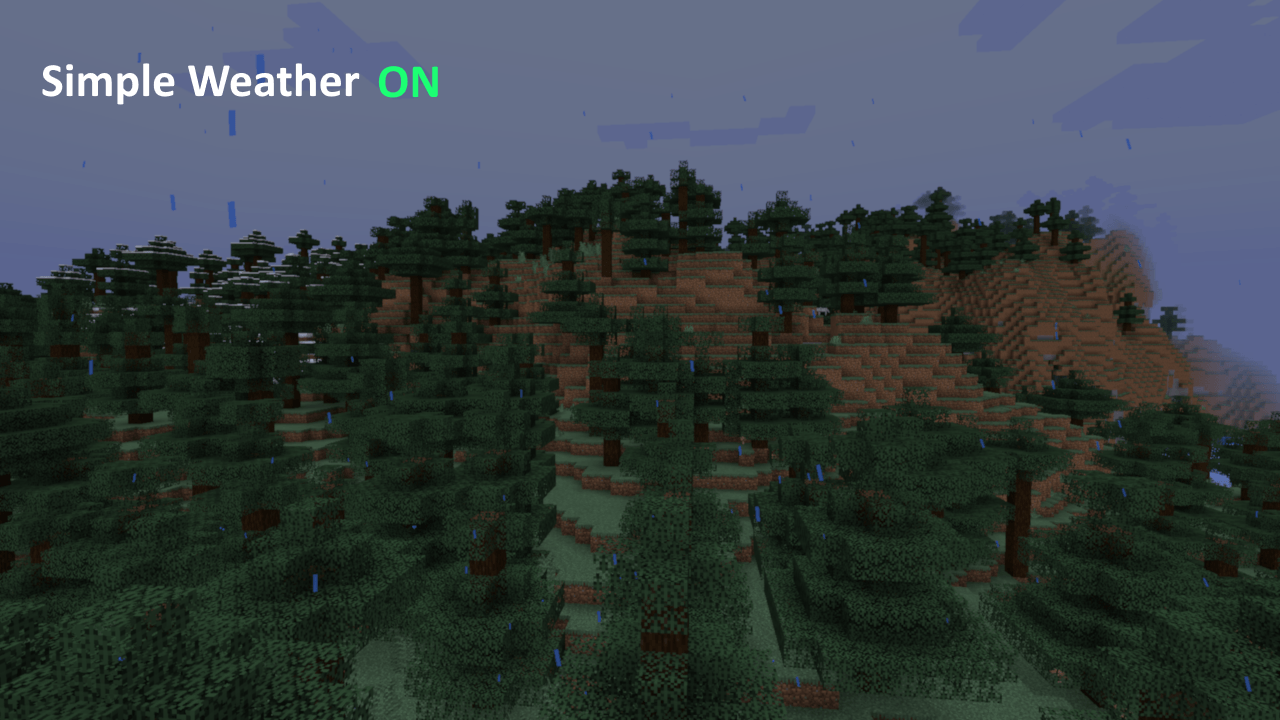
A menudo hay momentos en los que el clima resulta bastante elegante en Minecraft por su ambientación, pero también es durante esos momentos cuando se vuelve difícil ver. Esto intenta solucionar eso incorporando un sistema más basado en partículas para la lluvia y la nieve, similar a la edición Bedrock, en lugar del sistema plano que se ve en Java Minecraft. ¡Pruébalo! No es necesariamente mejor, pero ha sido preferido en Forgecraft.
[Vista previa en vídeo próximamente]
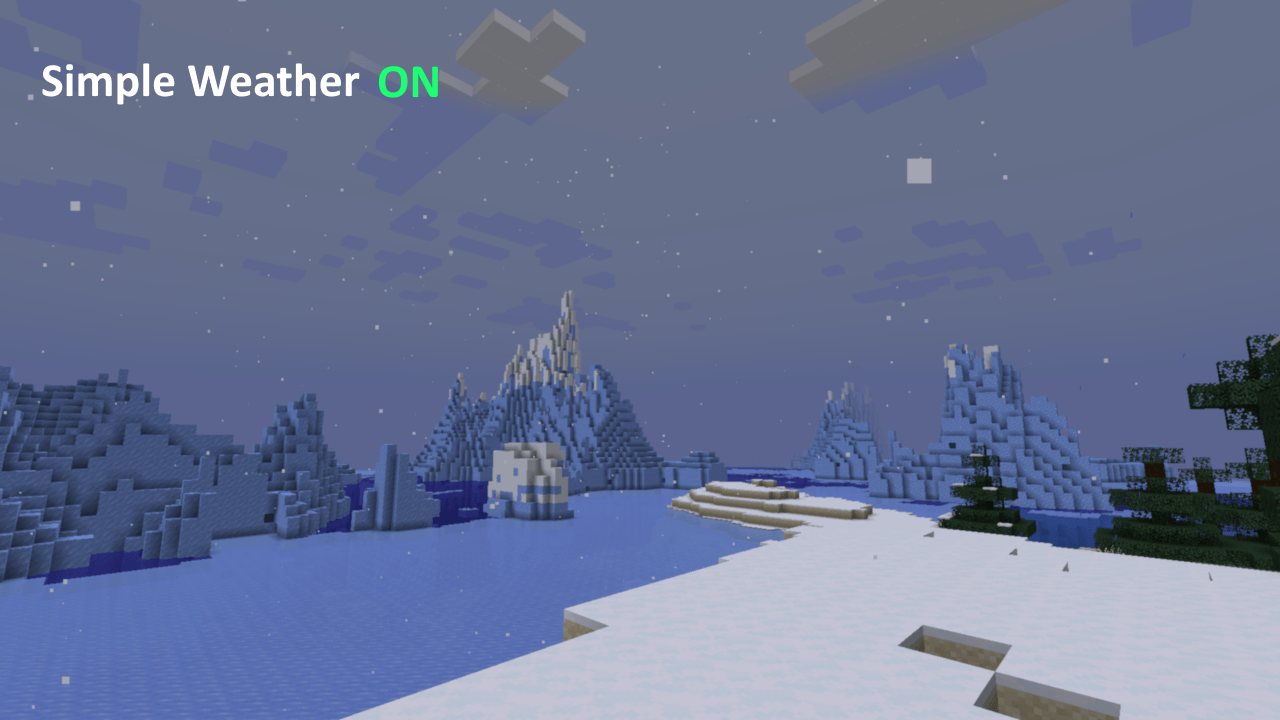
Streamers y creadores de contenido: ¡Esto fue diseñado para gente como tú y como yo! Si haces directos en Twitch, quizá hayas notado que cada vez que nieva, el codificador se las ve y se las desea para seguir el ritmo. Esto debería aliviar parte de esa carga, ya que toda la pantalla deja de ser bombardeada por ruido visual.
Originalmente formaba parte de XyCraft Override, pero resultó ser lo bastante útil por sí solo como para separarlo en su propio mod.
También hay algunas opciones para personalizar la apariencia en el archivo de configuración.
Puedes usar Simple Weather en tus paquetes, sí, Slowpoke101, esto incluye FTB 🙃
Cómo instalar Simple Weather
With Millida Launcher
Install Millida Launcher
The launcher is free: download it at millida.net/launcher and sign in with any nickname.
Click “Install” on this page
The launcher opens and installs the mod for Minecraft 1.21.5–26.1.2 on NeoForge automatically.
Launch the game
A profile with it appears in the launcher: click “Play”.
Manually
Install NeoForge
The loader must match the game version of the mod file, for example Minecraft 26.1.2. After installing it, a separate profile appears in your launcher.
Download the file for your version
In the version list above, pick the file simple_weather-1.1.15.jar (121 KB) for your game version.
Put it in the mods folder
The folder is inside .minecraft (Windows: %appdata%\.minecraft\mods). If it does not exist, create it.
Launch the loader profile
Open “Mods” in the main menu: Simple Weather should be in the list.
Versiones
Con dependencias
| Minecraft | Cargador | Archivo | Fecha | Acciones |
|---|---|---|---|---|
| 26.1.2 | NeoForge | Simple Weather 1.1.15121 KB | ||
| 1.21.5 | NeoForge | Simple Weather 1.1.0 for 1.21.5117 KB |
FAQ
Which Minecraft versions does Simple Weather work on?
There are files for 26.1.2, 1.21.5. The newest is 26.1.2.
Is Simple Weather for Forge or Fabric?
Only for NeoForge: 1.21.5–26.1.2. There are no files for Forge or Fabric: a mod for another loader will not start.
Does Simple Weather need other mods?
The author lists no required dependencies: the NeoForge loader is enough.
Where can I download Simple Weather safely?
On this page: the file simple_weather-1.1.15.jar (121 KB) is stored on Millida’s server, with no link shorteners. SHA-1 checksum: 2160bb5f5f0a91a8dbed35b74c04dfa5196e6601.
Reseñas
Sé el primero en valorar Simple Weather


