
Recipe Commands Mod para Minecraft 26.3
💬 Recibe el patrón y los ingredientes de la receta de cualquier objeto mediante comandos de chat.
 Fabric
 Forge
Forge NeoForge
 Quilt
QuiltAcerca del mod Recipe Commands
Recipe Commands is a mod which implements a non-intrusive way to find the ingredients and pattern of any recipe in the game. Just use the command /recipes (or /rec for short) followed with the item name. Auto-complete is supported to easily find the exact name. Useful for new players to learn about recipes without leaving the game, or for veterans who forgot that uncommon item recipe.
The underscore ( _ ) in the displayed pattern is an empty space.
/recipes <recipe> - Shows the ingredients and pattern of the recipe. /rec <recipe> - Shows the ingredients and pattern of the recipe.
The /recipes command with the autocompletable recipes:
The recipe of a piston:
The recipe of a redstone repeater:
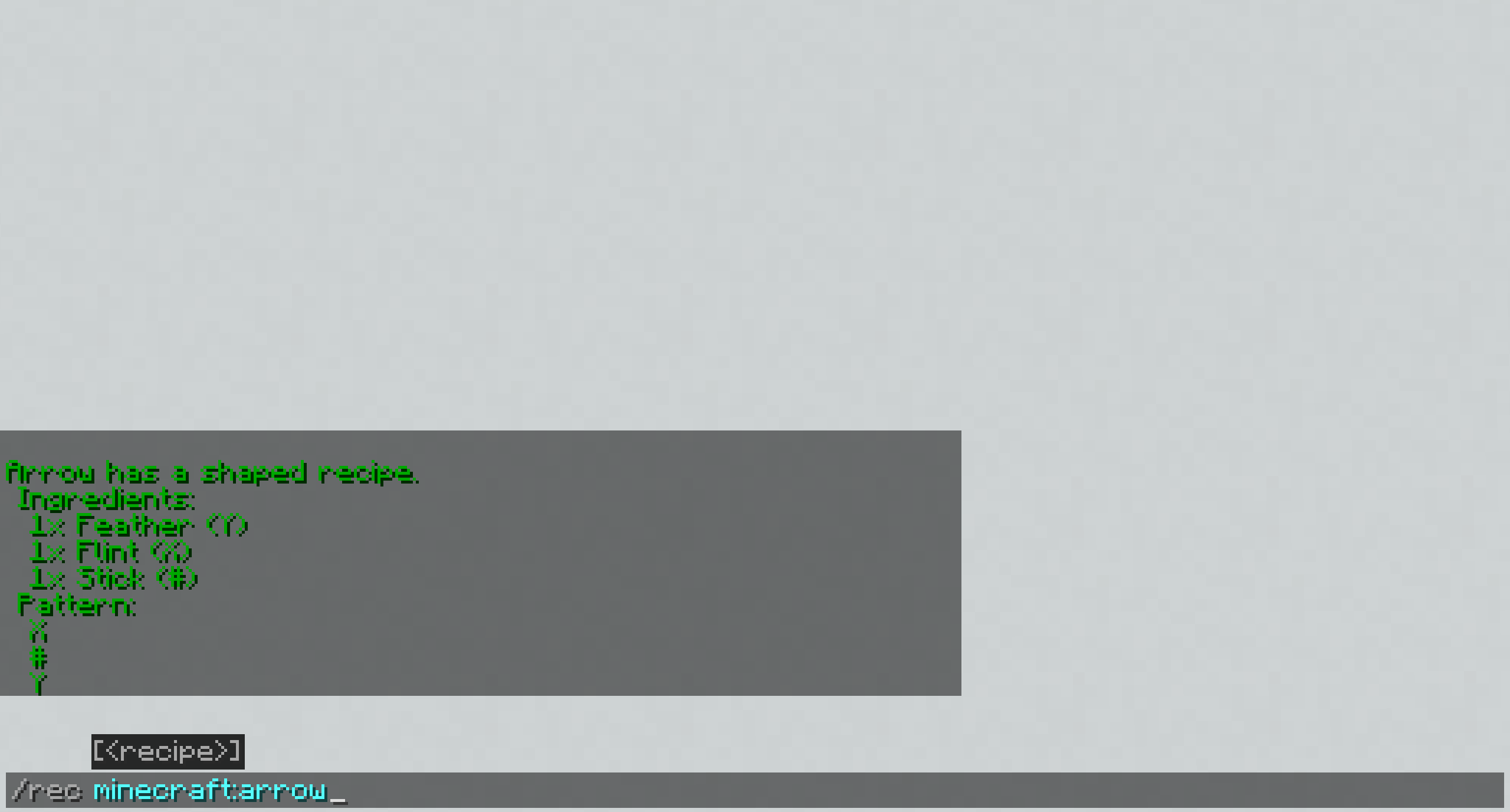
The recipe of an arrow:
The recipe of an ender chest:
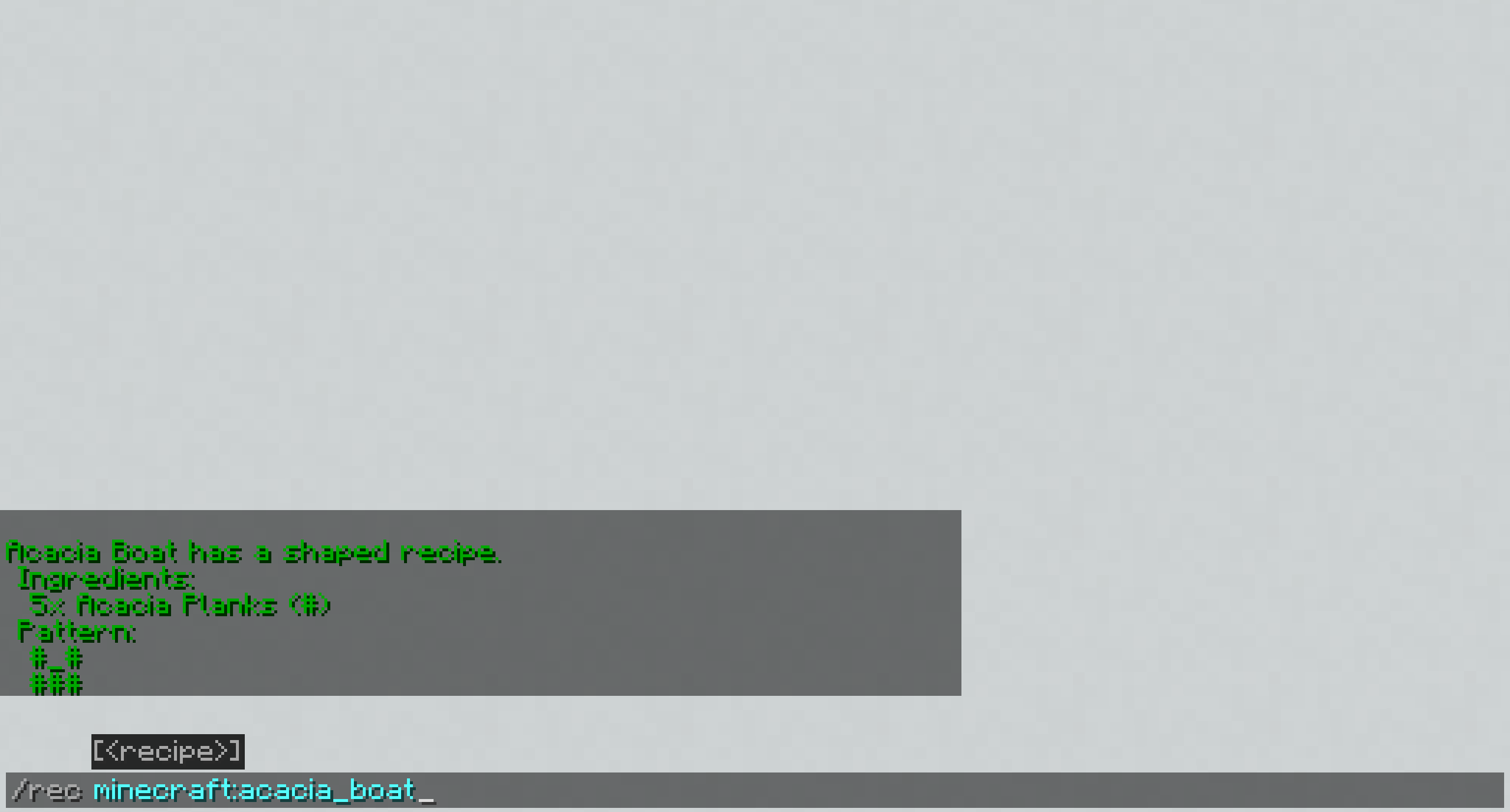
The recipe of an acacia boat:
The recipe of an armour stand:
You may freely use this mod in any modpack, as long as the download remains hosted within the CurseForge or Modrinth ecosystem.
Serilum.com contains an overview and more information on all mods available.
Comments are disabled as I'm unable to keep track of them across so many separate mod pages. For issues, ideas, suggestions or anything else there is the Github repo. Thanks!
Cómo instalar Recipe Commands
With Millida Launcher
Install Millida Launcher
The launcher is free: download it at millida.net/launcher and sign in with any nickname.
Click “Install” on this page
The launcher opens and installs the mod for Minecraft 1.19.3–26.3 on Fabric, Forge, NeoForge or Quilt automatically.
Launch the game
A profile with it appears in the launcher: click “Play”.
Manually
Install Fabric, Forge, NeoForge or Quilt
The loader must match the game version of the mod file, for example Minecraft 26.3. After installing it, a separate profile appears in your launcher.
Download the file for your version
In the version list above, pick the file recipecommands-26.3.0-3.7.jar (147 KB) for your game version and loader.
Put it in the mods folder
The folder is inside .minecraft (Windows: %appdata%\.minecraft\mods). If it does not exist, create it.
Launch the loader profile
Open “Mods” in the main menu: Recipe Commands should be in the list.
Versiones
Con dependencias
| Minecraft | Cargador | Archivo | Fecha | Acciones |
|---|---|---|---|---|
| 26.3 | Fabric, Forge, NeoForge, Quilt | [Fabric/Forge/Neo] 26.3.0-3.7 | Recipe Commands147 KB | ||
| 1.19.3 | Forge | recipecommands_1.19.3-1.7.jar46.1 KB |
FAQ
Which Minecraft versions does Recipe Commands work on?
There are files for 26.3, 1.19.3. The newest is 26.3.
Is Recipe Commands for Forge or Fabric?
There are files for Fabric: 26.3, for Forge: 1.19.3–26.3, for NeoForge: 26.3 and for Quilt: 26.3.
Does Recipe Commands need other mods?
The author lists no required dependencies: the Fabric, Forge, NeoForge or Quilt loader is enough.
Where can I download Recipe Commands safely?
On this page: the file recipecommands-26.3.0-3.7.jar (147 KB) is stored on Millida’s server, with no link shorteners. SHA-1 checksum: 84c71130277f9d3479b8b26912ff4cfd0031173d.
Reseñas
Sé el primero en valorar Recipe Commands


