

 Forge
Acerca del mod Realistic Torches
Realistic Torches
Minecraft Forum - Source Code - Issue Tracker
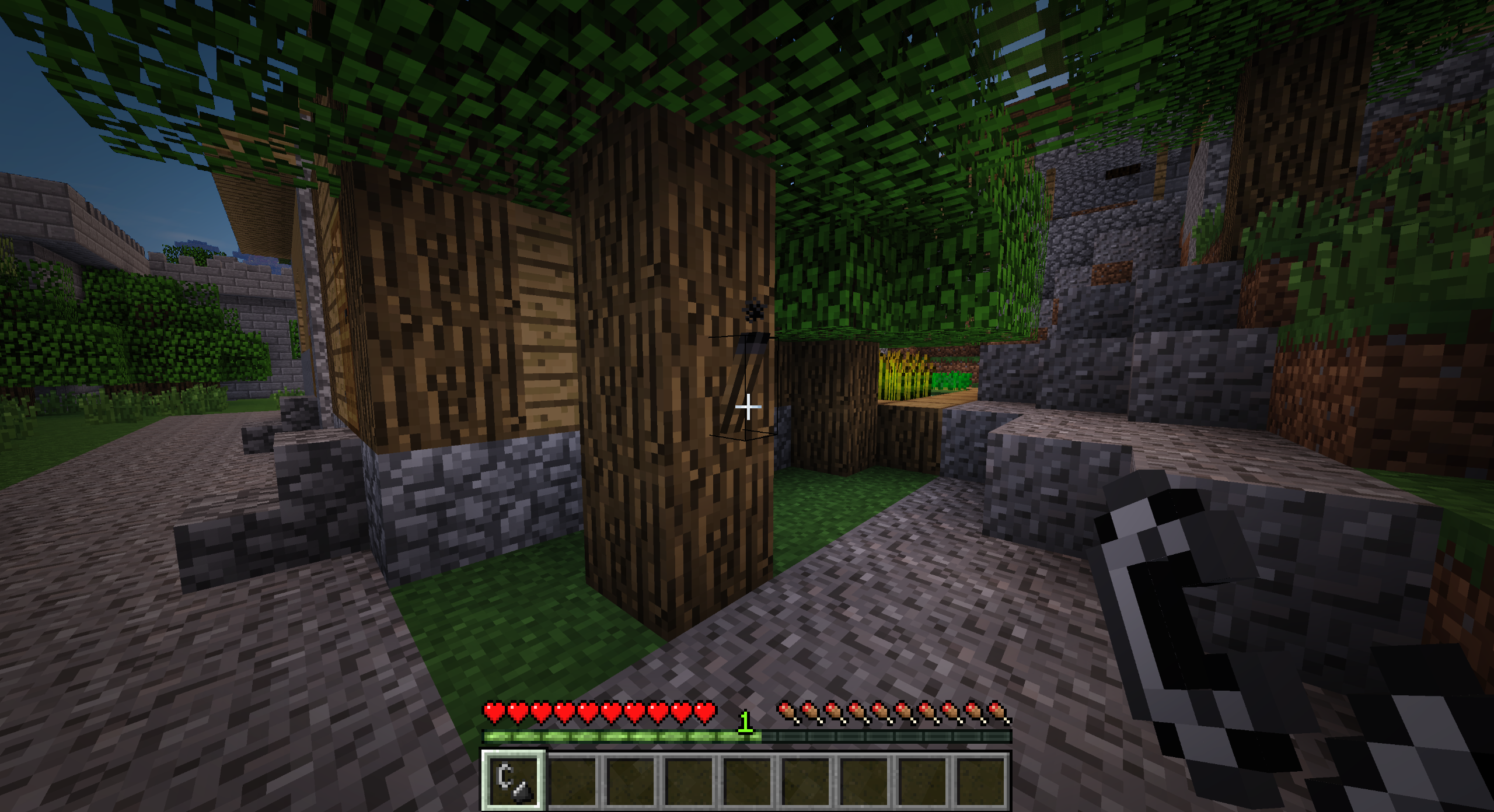
Realistic Torches hace que el juego temprano sea más difícil al hacer que las antorchas se apaguen después de un tiempo configurable, animando a los jugadores a avanzar hacia fuentes de luz más permanentes desde el principio.
Características
- Las antorchas ahora están apagadas después de fabricarlas, y deben encenderse con una caja de cerillas o pedernal y acero
- Las antorchas se apagarán después de un tiempo configurable (60 minutos de tiempo real por defecto)
- Las antorchas se apagan cuando les cae la lluvia
- Las antorchas generadas en estructuras vanilla serán reemplazadas por antorchas apagadas
- Se pueden fabricar antorchas encendidas permanentemente usando glowstone
- Los bloques y objetos que emiten luz de forma natural emitirán luz cuando se sostengan (pre-1.14.4)
Recetas
Antorcha apagada (carbón o carbón vegetal)
Caja de cerillas
Antorcha encendida (sin forma, la caja de cerillas recibe daño)
Cristal de glowstone (carbón o carbón vegetal)
Pasta de glowstone (sin forma)
Antorcha vanilla (cristal de glowstone)
Antorcha vanilla (pasta de glowstone)
Modpacks
Sí, puedes usar este mod en tu modpack.
Soporte
Si disfrutas del mod y te gustaría apoyar el proyecto, siéntete libre de dejar una donación en PayPal. ¡El apoyo es muy apreciado!
Patrocinador
Este proyecto está patrocinado por BisectHosting. Si buscas un servidor, echa un vistazo a sus planes de hosting y usa el código promocional Chaos al finalizar la compra para obtener un 25% de descuento en tu primer mes.
Cómo instalar Realistic Torches
With Millida Launcher
Install Millida Launcher
The launcher is free: download it at millida.net/launcher and sign in with any nickname.
Click “Install” on this page
The launcher opens and installs the mod for Minecraft 1.16.4–1.21.1 on Forge automatically.
Launch the game
A profile with it appears in the launcher: click “Play”.
Manually
Install Forge
The loader must match the game version of the mod file, for example Minecraft 1.21.1. After installing it, a separate profile appears in your launcher.
Download the file for your version
In the version list above, pick the file RealisticTorches-1.21.1-3.2.0.jar (55 KB) for your game version.
Put it in the mods folder
The folder is inside .minecraft (Windows: %appdata%\.minecraft\mods). If it does not exist, create it.
Launch the loader profile
Open “Mods” in the main menu: Realistic Torches should be in the list.
Minecraft 1.21.1 runs on Java 21: with a different Java version the game may close right after launch.
Versiones
Con dependencias
| Minecraft | Cargador | Archivo | Fecha | Acciones |
|---|---|---|---|---|
| 1.21.1 | Forge | RealisticTorches-1.21.1-3.2.0.jar55.1 KB 4 | ||
| 1.16.4 | — | RealisticTorches-1.16.4-3.1.1.jar57.4 KB 1 |
FAQ
Which Minecraft versions does Realistic Torches work on?
There are files for 1.21.1, 1.16.4. The newest is 1.21.1.
Is Realistic Torches for Forge or Fabric?
Only for Forge: 1.21.1. There are no files for Fabric or NeoForge: a mod for another loader will not start.
Does Realistic Torches need other mods?
The author lists no required dependencies: the Forge loader is enough.
Which Java does Realistic Torches need?
Minecraft 1.21.1 runs on Java 21. If the game closes right after launch, the usual cause is the wrong Java version in the profile settings.
Where can I download Realistic Torches safely?
On this page: the file RealisticTorches-1.21.1-3.2.0.jar (55 KB) is stored on Millida’s server, with no link shorteners. SHA-1 checksum: cb32cf296fe4c806c635a0ceb7cb23f29bc930a5.
Reseñas
Sé el primero en valorar Realistic Torches


