

Productive Trees Mod para Minecraft 1.20.1, 1.21.1
Especies de árboles reproducibles
 NeoForge
 Forge
ForgeAcerca del mod Productive Trees
Presentamos el mod 'Productive Trees' para Minecraft, un sucesor espiritual del minijuego de cultivo de árboles de Forestry. Con este mod, ahora puedes participar en el arte del cultivo de árboles, lo que te permite polinizar diferentes especies de árboles y cultivar variedades híbridas únicas. Quedaron atrás los días de construir con madera de los aburridos árboles vanilla con una colección de más de 160 nuevos conjuntos de madera únicos.
Con Productive Trees, tienes el poder de criar árboles estratégicamente para obtener hermosos tipos de madera. Experimenta con varias combinaciones para descubrir y desbloquear una plétora de posibilidades emocionantes. ¡Imagina cosechar un árbol que no solo proporciona madera rara sino que también da deliciosas frutas o nueces!
Mejora tus habilidades forestales, crea tus especies de árboles únicas y transforma tu mundo en el juego en un ecosistema próspero de maravillas cultivadas a medida. Descarga el mod Productive Trees hoy y embárcate en un viaje de innovación arbórea en los vastos paisajes pixelados de Minecraft.
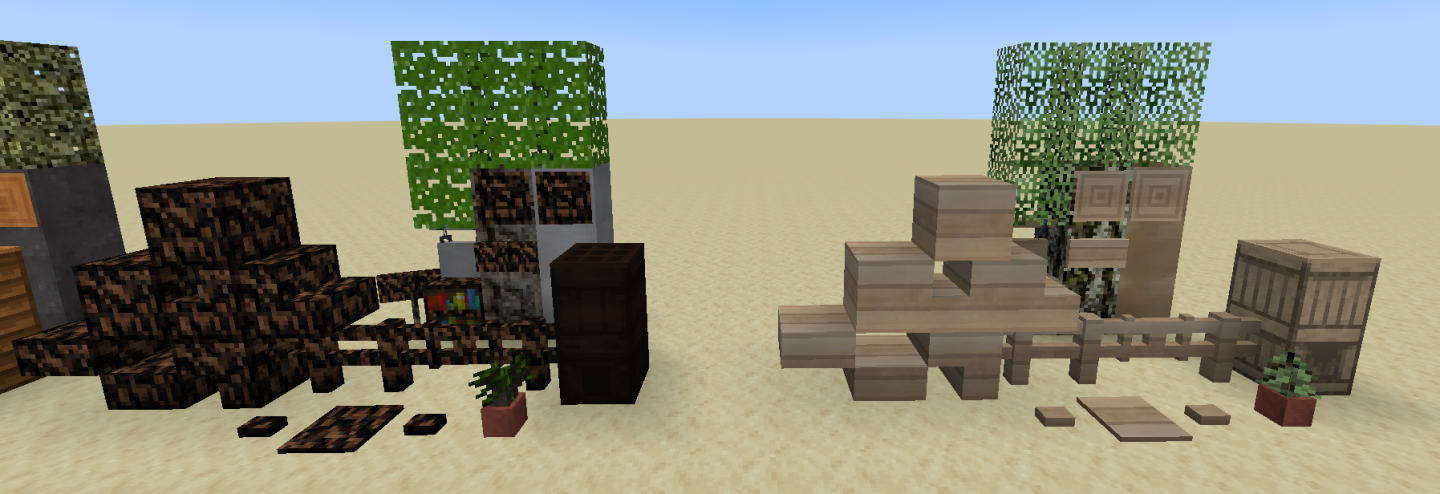
Este mod está en beta y aún no está completo. Cosas notables que faltan son las características de los árboles (cómo se ven cuando crecen).
Hay un servidor de discord si necesitas algo de ayuda o quieres pasar y elogiar las texturas.
"Tanta madera que buscarás atención médica" - anónimo
Cómo instalar Productive Trees
With Millida Launcher
Install Millida Launcher
The launcher is free: download it at millida.net/launcher and sign in with any nickname.
Click “Install” on this page
The launcher opens and installs the mod for Minecraft 1.20.1–1.21.1 on Forge or NeoForge automatically.
Launch the game
A profile with it appears in the launcher: click “Play”.
Manually
Install Forge or NeoForge
The loader must match the game version of the mod file, for example Minecraft 1.21.1. After installing it, a separate profile appears in your launcher.
Download the file for your version
In the version list above, pick the file productivetrees-1.21.1-1.1.1.jar (13 MB) for your game version and loader.
Put it in the mods folder
The folder is inside .minecraft (Windows: %appdata%\.minecraft\mods). If it does not exist, create it.
Launch the loader profile
Open “Mods” in the main menu: Productive Trees should be in the list.
Minecraft 1.21.1 runs on Java 21: with a different Java version the game may close right after launch.
Versiones
Con dependencias
| Minecraft | Cargador | Archivo | Fecha | Acciones |
|---|---|---|---|---|
| 1.21.1 | NeoForge | productivetrees-1.21.1-1.1.1.jar13.4 MB 2 | ||
| 1.21.1 | NeoForge | productivetrees-1.21.1-0.6.0.jar3.2 MB | ||
| 1.20.1 | NeoForge, Forge | productivetrees-1.20.1-0.2.6.jar14 MB | ||
| 1.20.1 | NeoForge, Forge | productivetrees-1.20.1-0.1.0.jar13.3 MB |
FAQ
Which Minecraft versions does Productive Trees work on?
There are files for 1.21.1, 1.20.1. The newest is 1.21.1.
Is Productive Trees for Forge or Fabric?
There are files for Forge: 1.20.1 and for NeoForge: 1.20.1–1.21.1. There are no files for Fabric: a mod for another loader will not start.
Does Productive Trees need other mods?
The author lists no required dependencies: the Forge or NeoForge loader is enough.
Which Java does Productive Trees need?
Minecraft 1.21.1 runs on Java 21. If the game closes right after launch, the usual cause is the wrong Java version in the profile settings.
Where can I download Productive Trees safely?
On this page: the file productivetrees-1.21.1-1.1.1.jar (13 MB) is stored on Millida’s server, with no link shorteners. SHA-1 checksum: 33b7f304e4e13297fdbbef4822f8b178d73868cc.
Reseñas
Sé el primero en valorar Productive Trees


