
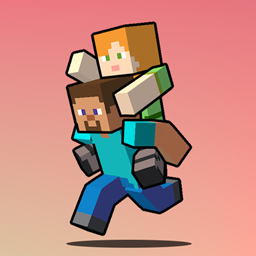
Piggyback Mod para Minecraft 26.2
Permite que los jugadores se monten unos sobre otros y sustituye la mecánica predeterminada de sentarse por un paseo a cuestas. ¡Lleva a tus amigos sobre tu espalda para divertirte, trabajar en equipo o por puro caos!
 Fabric
 Quilt
Quilt NeoForge
 Forge
Forge📑 Overview
Piggyback Rides is a fun and small mod that changes Minecraft's default sitting mechanic into a more natural piggyback-style ride. Instead of sitting on another player’s head, you now ride on their back, perfect for co-op adventures, silly roleplays, or chaotic situations!.

📦 Features
- Right-click a crouching player with an empty hand to hop on their back.
- Replaces the sitting position with a piggyback posture.
- Fully compatible with multiplayer.
- Supports player stacking (yes, you can build a human totem!).
- The rider can't turn around to look behind, similar to when riding a boat.
- Optional setting to slow down the carrier while they're carrying someone.
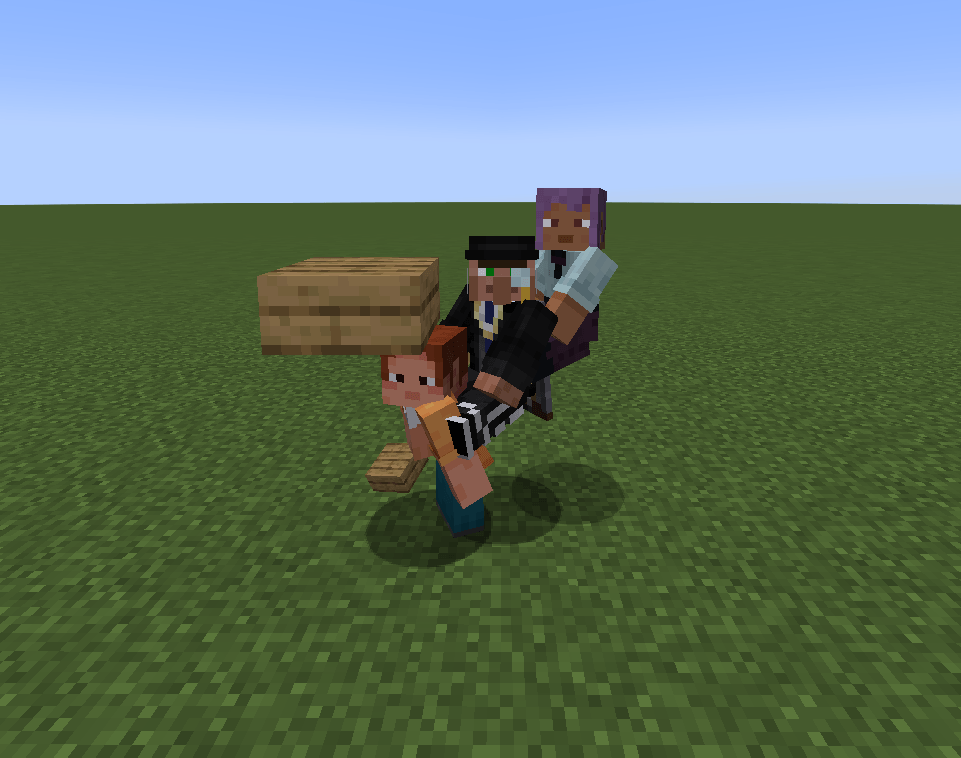
🎥 Showcases
- How to ride:
- Player tower
⚙️ Configs
The mod can be config via:
- Config file locates in config/piggyback.toml
- In-game config menu
⚠️ Required mods
- Fabric API
- Faewulfs Lib
🔗 Compatibility
Piggyback is designed to be compatible with other mods. If you encounter any issues, please report them on the mod's issues tracker.
💖 Support
For support, feature requests, or bug reports, please visit the mod's GitHub issues page. or join my Discord server: link
📜 License
You can use this mod in modpack as long as giving proper credits.
Cómo instalar Piggyback
With Millida Launcher
Install Millida Launcher
The launcher is free: download it at millida.net/launcher and sign in with any nickname.
Click “Install” on this page
The launcher opens and installs the mod for Minecraft 1.21.11–26.2 on Fabric, Forge, NeoForge or Quilt automatically.
Launch the game
A profile with it appears in the launcher: click “Play”.
Manually
Install Fabric, Forge, NeoForge or Quilt
The loader must match the game version of the mod file, for example Minecraft 26.2. After installing it, a separate profile appears in your launcher.
Download the file for your version
In the version list above, pick the file piggyback-fabric-26.2-1.1.1.jar (336 KB) for your game version and loader.
Put it in the mods folder
The folder is inside .minecraft (Windows: %appdata%\.minecraft\mods). If it does not exist, create it.
Launch the loader profile
Open “Mods” in the main menu: Piggyback should be in the list.
Versiones
Con dependencias
| Minecraft | Cargador | Archivo | Fecha | Acciones |
|---|---|---|---|---|
| 26.2 | Fabric, Quilt | [Fabric 26.2] Piggyback v1.1.1336 KB | ||
| 26.2 | NeoForge | [NeoForge 26.2] Piggyback v1.1.1335 KB | ||
| 1.21.11 | Forge | [Forge 1.21.11] Piggyback v1.1.1515 KB 1 |
FAQ
Which Minecraft versions does Piggyback work on?
There are files for 26.2, 1.21.11. The newest is 26.2.
Is Piggyback for Forge or Fabric?
There are files for Fabric: 26.2, for Forge: 1.21.11, for NeoForge: 26.2 and for Quilt: 26.2.
Does Piggyback need other mods?
The author lists no required dependencies: the Fabric, Forge, NeoForge or Quilt loader is enough.
Where can I download Piggyback safely?
On this page: the file piggyback-fabric-26.2-1.1.1.jar (336 KB) is stored on Millida’s server, with no link shorteners. SHA-1 checksum: 7d0944e21ab80c392d0b7ef17d9ddb8f29ccede6.
Reseñas
Sé el primero en valorar Piggyback


