

Jade 🔍 Mod para Minecraft 1.20.1, 1.21.1
Muestra información sobre lo que estás mirando. (fork de Hwyla/Waila para Minecraft 1.16+)
 NeoForge
 Fabric
 Quilt
 Forge
Jade 🔍
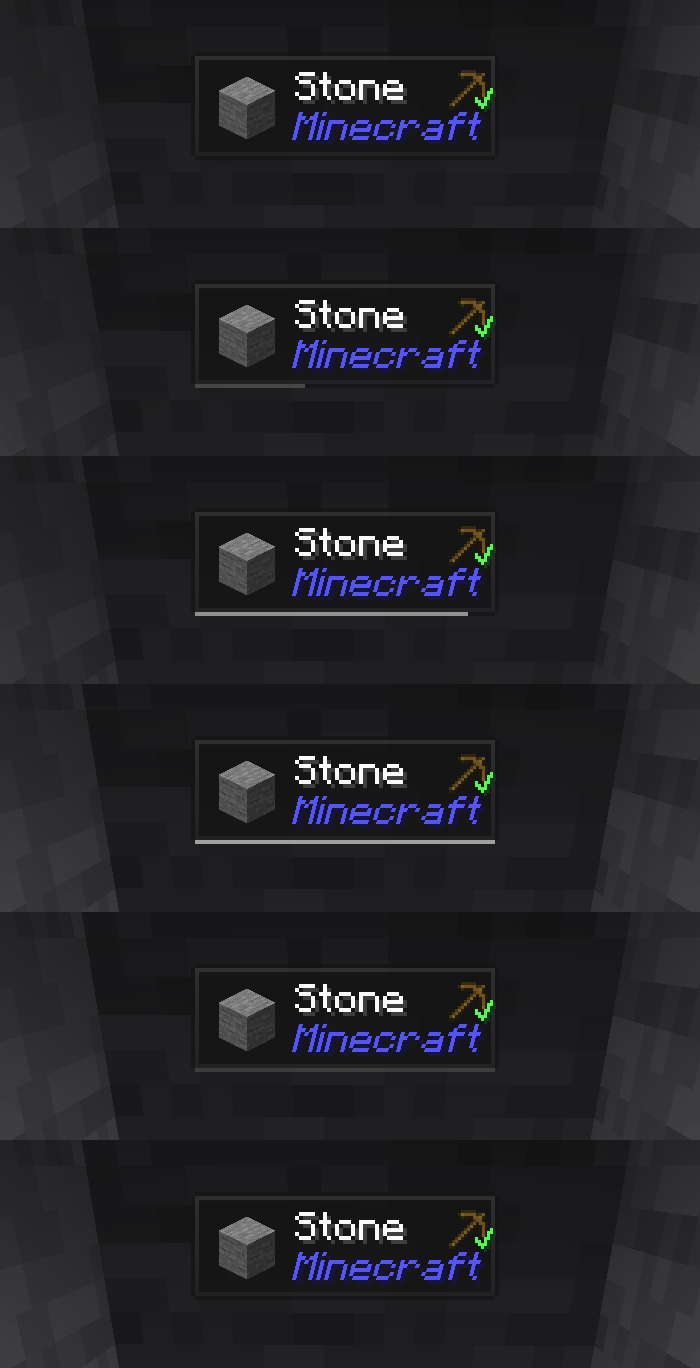
Jade es el mod de HUD de información - Hwyla/Waila para versiones modernas de Minecraft. Diseñado para una mejor experiencia de usuario y API.
Jade solo se puede instalar en el lado del cliente. Pero muchas funciones requieren Jade en el lado del servidor. (almacenamiento de objetos, cantidad de combustible del soporte de alquimia, abejas en la colmena...)
Para la integración de mods, prueba Jade Addons: NeoForge Fabric

Teclas (por defecto):
- Teclado numérico 0: Abrir la pantalla de configuración
- Teclado numérico 1: Alternar la superposición
- Teclado numérico 2: Alternar la visualización de líquidos
- Teclado numérico 3: Mostrar recetas (Requiere JEI)
- Teclado numérico 4: Mostrar usos (Requiere JEI)
- Teclado numérico 5: Narrar el objetivo

Cambios notables en comparación con Hwyla:
- Rediseño de la API
- Más complementos de vanilla
- Mayor configurabilidad
- Mejor accesibilidad
Tal como lo exige el proyecto original Hwyla, Jade utiliza la licencia Creative Commons Attribution-NonCommercial-ShareAlike 4.0 International (CC BY-NC-SA 4.0).
Cómo instalar Jade 🔍
With Millida Launcher
Install Millida Launcher
The launcher is free: download it at millida.net/launcher and sign in with any nickname.
Click “Install” on this page
The launcher opens and installs the mod for Minecraft 1.16–26.3 on Fabric, Forge, NeoForge or Quilt automatically, together with its dependencies: Fabric API.
Launch the game
A profile with it appears in the launcher: click “Play”.
Manually
Install Fabric, Forge, NeoForge or Quilt
The loader must match the game version of the mod file, for example Minecraft 26.3. After installing it, a separate profile appears in your launcher.
Download the file for your version
In the version list above, pick the file Jade-mc26.3-NeoForge-26.3.5.jar (1.0 MB) for your game version and loader.
Put it in the mods folder
The folder is inside .minecraft (Windows: %appdata%\.minecraft\mods). If it does not exist, create it. Required dependencies go there too: Fabric API.
Launch the loader profile
Open “Mods” in the main menu: Jade 🔍 should be in the list.
On a server
A server on Fabric, Forge, NeoForge or Quilt
The mod only works on a server with the same loader and game version, for example 26.3.
File goes into the server’s mods folder
Stop the server, put the mod file into the mods folder and start the server again.
Use the “To server” button
On Millida Hosting, the button at the top of the page uploads the file to your server and restarts it for you.
Versiones
Con dependencias
| Minecraft | Cargador | Archivo | Fecha | Acciones |
|---|---|---|---|---|
| 26.1.2 | NeoForge | 26.1.21005 KB 7 | ||
| 26.3 | NeoForge | 26.31 MB 22 | ||
| 26.3 | Fabric, Quilt | 26.31 MB 693 | ||
| 26.3 | NeoForge | 26.31 MB 1 | ||
| 26.3 | Fabric, Quilt | 26.31 MB | ||
| 26.3 | Fabric, Quilt | 26.31 MB | ||
| 26.3 | Fabric, Quilt | 26.31 MB | ||
| 26.3 | NeoForge | 26.31007 KB |
Qué necesita para funcionar
- Fabric APIobligatorio
- Just Enough Items (JEI)opcional
Contenido que lo necesita
Reseñas
Sé el primero en valorar Jade 🔍


