
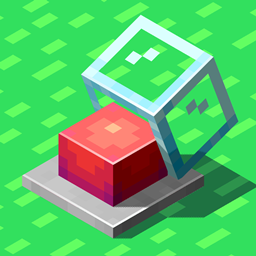
Infinity Buttons Mod para Minecraft 1.20.1
¡Un mod que añade nuevos y emocionantes botones!
 Forge
 Fabric
Infinity Buttons is a mod which adds exciting new buttons!
Ever felt like those pesky small buttons just aren't enough? Try Infinity Buttons! This mod adds a lot of new cool buttons to spice up your Minecraft experience. Keep missing the small button at your door while running? Try the Large Buttons! Want to set off some explosions? The emergency button has got you covered. Want to hide your base? Secret Buttons will do the trick! Those aren't the only buttons though, right beneath this text are some more buttons listed.

What buttons does this mod add?
- Large Buttons, which are bigger than normal buttons.
- Buttons from different materials. Each material has a different function.
- Emergency Buttons in all 16 colors, and a special rainbow variant. Available with or without glass casing! They also produce an alarm sound.
- Secret Buttons, which blend into walls. Containing bookshelves, bricks, planks and more. These buttons will even be hidden when using Jade!
- Torch Buttons and Levers. They also come in soul and redstone form.
- Lantern Buttons, which provide a redstone signal at the top of the Chain.
- A Doorbell!
- Special Buttons like Console Buttons, Letter Buttons and Lamp Buttons.
- Sand, Red Sand, Gravel and Concrete Powder Buttons which can only be pressed once.

Important! This mod has dependencies!
Install Every Compat (Wood Good) for modded wood compatibility!
Fabric:
- (1.19+) oωo lib is required!
- (1.18.2) Cloth Config API is required!
Can be played without, but has additional content with:
- Create (1.18.2 & 1.19.2)
- Nether's Delight (1.18.2 & 1.19.2)
- Carpenter (1.18.2)
Forge:
- Cloth Config API is required!
Can be played without, but has additional content with:
- Quark
- Create (1.18.2+)
- Nether's Delight
- Woodworks (1.18.2+)
- Carpenter (1.18.2)
- Environmental
- The Endergetic Expansion (1.16.5)
- Autumnity
- Abundance (1.16.5)
- Atmospheric
- Bamboo Blocks (1.16.5)
- Bayou Blues (1.16.5)
- Enhanced Mushrooms (1.16.5)
- Upgrade Aquatic
- Buzzier Bees
- Neapolitan
- Savage & Ravage
Cómo instalar Infinity Buttons
With Millida Launcher
Install Millida Launcher
The launcher is free: download it at millida.net/launcher and sign in with any nickname.
Click “Install” on this page
The launcher opens and installs the mod for Minecraft 1.20–1.20.1 on Fabric or Forge automatically.
Launch the game
A profile with it appears in the launcher: click “Play”.
Manually
Install Fabric or Forge
The loader must match the game version of the mod file, for example Minecraft 1.20.1. After installing it, a separate profile appears in your launcher.
Download the file for your version
In the version list above, pick the file infinitybuttons-1.20.1-4.0.7.jar (1.6 MB) for your game version and loader.
Put it in the mods folder
The folder is inside .minecraft (Windows: %appdata%\.minecraft\mods). If it does not exist, create it.
Launch the loader profile
Open “Mods” in the main menu: Infinity Buttons should be in the list.
Minecraft 1.20.1 runs on Java 17: with a different Java version the game may close right after launch.
Versiones
Con dependencias
| Minecraft | Cargador | Archivo | Fecha | Acciones |
|---|---|---|---|---|
| 1.20.1 | Forge | Infinity Buttons [FORGE] 4.0.7 - 1.20.11.6 MB 9 | ||
| 1.20.1 | Fabric | Infinity Buttons [FABRIC] 4.0.5 - 1.20.11.3 MB 4 |
FAQ
Does Infinity Buttons need other mods?
The author lists no required dependencies: the Fabric or Forge loader is enough.
Where can I download Infinity Buttons safely?
On this page: the file infinitybuttons-1.20.1-4.0.7.jar (1.6 MB) is stored on Millida’s server, with no link shorteners. SHA-1 checksum: f0e914b117049cfb545e39c58df890252ef2e72d.
Reseñas
Sé el primero en valorar Infinity Buttons


