
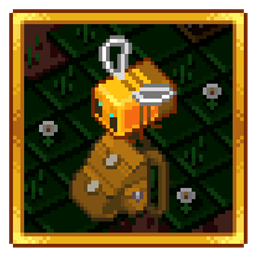
Improved Backpacks Mod para Minecraft 1.12.2, 1.16.5
Mochilas geniales que se pueden mejorar con hierro, oro, etc. ¡[Nuevo] Integración con Baubles!
- descargas
- 3 descargas
- visualizaciones
- 8 visualizaciones
- Actualizado
- Actualizado 21.10.2026
- 1.12 — 1.16.5
 Forge
Forge
¡Este mod añade mochilas que puedes mejorar, renombrar, pintar, colocar y llevar puestas!
Características:
- Pinta mochilas usando tintes
- Mejora mochilas usando bolsillos
- Renombra mochilas pulsando Agacharse + Usar (en el aire)
- Coloca la mochila en el suelo con Agacharse + Usar (sobre un bloque)
- Lleva la mochila en la ranura de peto/Baubles/Curios
- ¡Fuerte protección contra la duplicación de objetos en comparación con otros almacenamientos portátiles!
- ¡Abre la mochila situada en la ranura de peto/Baubles/Curios con una tecla de acceso rápido!
- ¡Abre la mochila situada en otras ranuras haciendo clic derecho sobre ella!
Integración:
- Quark
- Inventory Tweaks
- Baubles / Curios
- JEI / NEI
Nueva mesa de trabajo - Mesa de costura
Materiales
Mochila y bolsillos para mochila
Características extra
Versión heredada 1.12
Preguntas y respuestas:
- ¿Puedo usar este mod en mi modpack?
- Sí
- ¿Qué versiones de Minecraft tienen soporte activo en este momento?
- 1.16.5
Hola MMD, soy DreenDex2078 el 07.04.2020
Cómo instalar Improved Backpacks
With Millida Launcher
Install Millida Launcher
The launcher is free: download it at millida.net/launcher and sign in with any nickname.
Click “Install” on this page
The launcher opens and installs the mod for Minecraft 1.12–1.16.5 on Forge automatically.
Launch the game
A profile with it appears in the launcher: click “Play”.
Manually
Install Forge
The loader must match the game version of the mod file, for example Minecraft 1.16.5. After installing it, a separate profile appears in your launcher.
Download the file for your version
In the version list above, pick the file ImprovedBackpacks-1.6.2.1.jar (2.2 MB) for your game version.
Put it in the mods folder
The folder is inside .minecraft (Windows: %appdata%\.minecraft\mods). If it does not exist, create it.
Launch the loader profile
Open “Mods” in the main menu: Improved Backpacks should be in the list.
Minecraft 1.16.5 runs on Java 8: with a different Java version the game may close right after launch.
Versiones
Con dependencias
| Minecraft | Cargador | Archivo | Fecha | Acciones |
|---|---|---|---|---|
| 1.16.5 | Forge | ImprovedBackpacks - 1.6.2.12.2 MB 2 | ||
| 1.12.1 | — | ImprovedBackpacks - 1.4.0.0147 KB 1 |
FAQ
Which Minecraft versions does Improved Backpacks work on?
There are files for 1.16.5, 1.12.2, 1.12.1, 1.12. The newest is 1.16.5.
Is Improved Backpacks for Forge or Fabric?
Only for Forge: 1.16.5. There are no files for Fabric or NeoForge: a mod for another loader will not start.
Does Improved Backpacks need other mods?
The author lists no required dependencies: the Forge loader is enough.
Which Java does Improved Backpacks need?
Minecraft 1.16.5 runs on Java 8. If the game closes right after launch, the usual cause is the wrong Java version in the profile settings.
Where can I download Improved Backpacks safely?
On this page: the file ImprovedBackpacks-1.6.2.1.jar (2.2 MB) is stored on Millida’s server, with no link shorteners. SHA-1 checksum: 950951ecb73b4bf96488f9d54bdaea38a7d7d09c.
Reseñas
Sé el primero en valorar Improved Backpacks


