
Hostile Villages Mod para Minecraft 1.20.1, 1.21.1
¡Los mobs invaden las aldeas!
 Fabric
 NeoForge
 Forge
Acerca del mod Hostile Villages
Mobs overrun your villages! Instead of vanilla villages your world gets Hostile Villages, which are populated with various mobs.
- Amount of mobs spawning in Hostile Villages
- Set which mobs can populate a Hostile Village
- Extra loot chest generating in villages, also which loot they contain
- Chance for vanilla Villages spawn, by default it is all Hostile villages instead.
- Disallow Villager spawn, by default Villagers get replaced with mobs(turn on keeping villagers in config to prevent this)
If you enjoy this mod consider supporting the development, any support is greatly appreciated.
The development is an unpaid free-time activity, so any support helps being able to spend more time on it. You can support me on Patreon, or just spreading the word around.
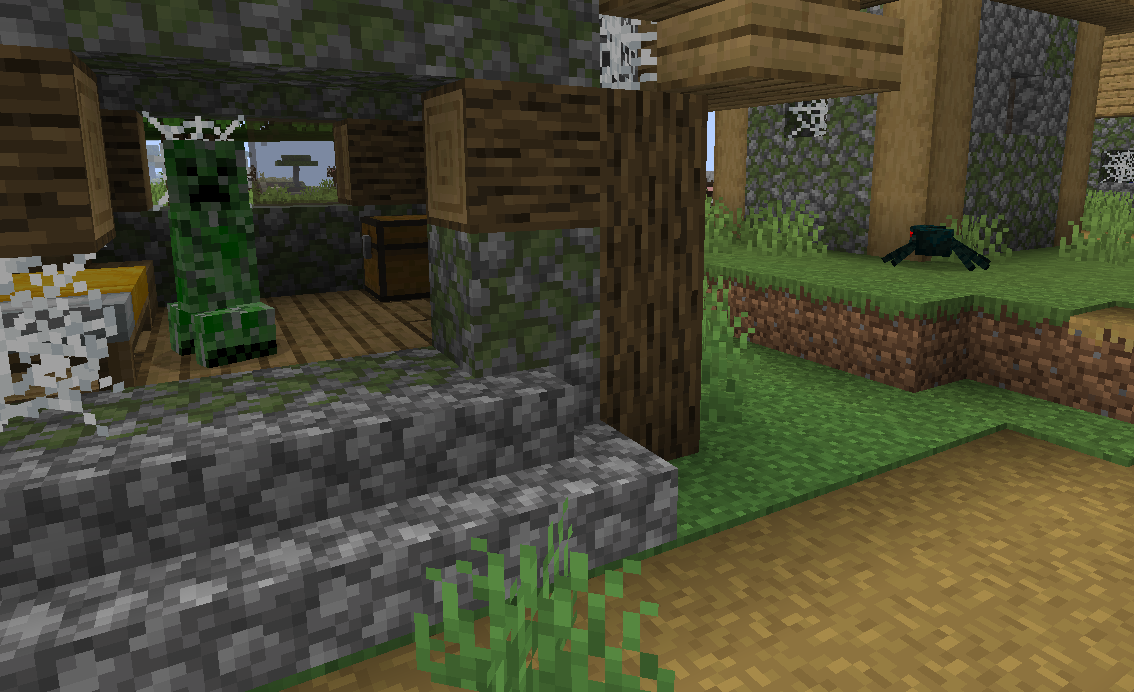
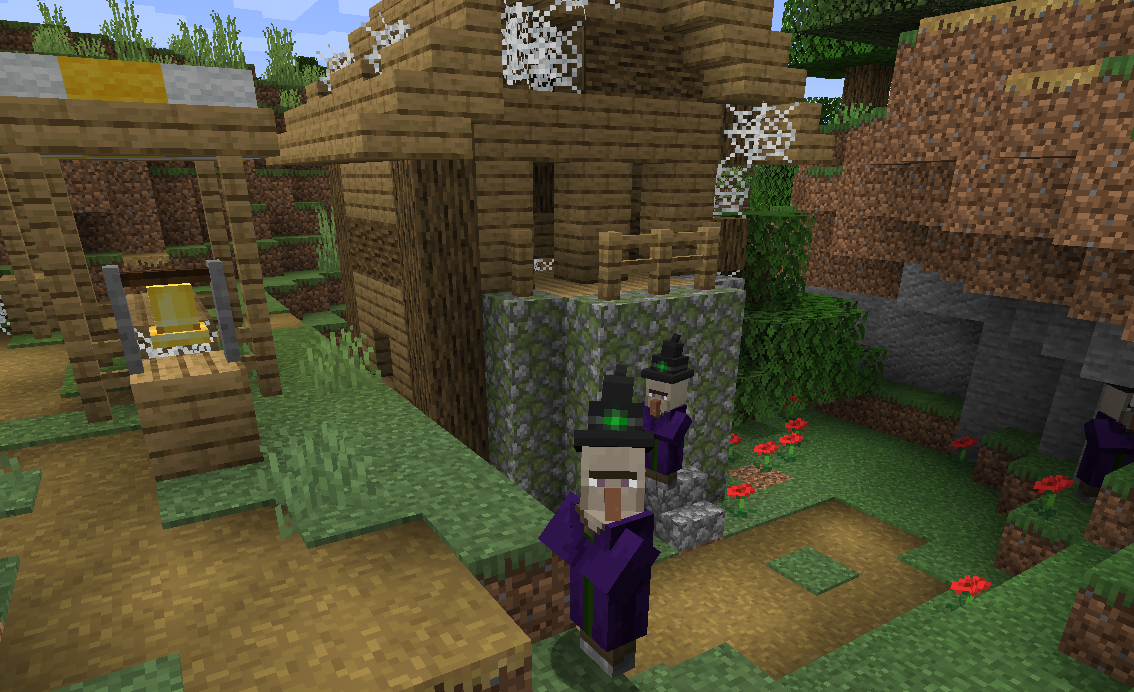
Screenshots:
Cómo instalar Hostile Villages
With Millida Launcher
Install Millida Launcher
The launcher is free: download it at millida.net/launcher and sign in with any nickname.
Click “Install” on this page
The launcher opens and installs the mod for Minecraft 1.14.4–1.21.1 on Fabric, Forge or NeoForge automatically.
Launch the game
A profile with it appears in the launcher: click “Play”.
Manually
Install Fabric, Forge or NeoForge
The loader must match the game version of the mod file, for example Minecraft 1.21.1. After installing it, a separate profile appears in your launcher.
Download the file for your version
In the version list above, pick the file hostilevillages-fabric-1.21-5.7.jar (30 KB) for your game version and loader.
Put it in the mods folder
The folder is inside .minecraft (Windows: %appdata%\.minecraft\mods). If it does not exist, create it.
Launch the loader profile
Open “Mods” in the main menu: Hostile Villages should be in the list.
Minecraft 1.21.1 runs on Java 21: with a different Java version the game may close right after launch.
Versiones
Con dependencias
| Minecraft | Cargador | Archivo | Fecha | Acciones |
|---|---|---|---|---|
| 1.21 | Fabric | hostilevillages-fabric-1.21-5.7.jar30.3 KB 1 | ||
| 1.21 | NeoForge | hostilevillages-1.21-5.7.jar29.6 KB 1 | ||
| 1.20.1 | NeoForge, Forge | hostilevillages-1.20.1-5.7.jar31.2 KB | ||
| 1.14.4 | — | hostilevillages-3.3-1.16.5.jar35.8 KB |
FAQ
Which Minecraft versions does Hostile Villages work on?
There are files for 1.21.1, 1.21, 1.20.1, 1.16.5, 1.15.2, 1.14.4. The newest is 1.21.1.
Is Hostile Villages for Forge or Fabric?
There are files for Fabric: 1.21–1.21.1, for Forge: 1.20.1 and for NeoForge: 1.20.1–1.21.1.
Does Hostile Villages need other mods?
The author lists no required dependencies: the Fabric, Forge or NeoForge loader is enough.
Which Java does Hostile Villages need?
Minecraft 1.21.1 runs on Java 21. If the game closes right after launch, the usual cause is the wrong Java version in the profile settings.
Where can I download Hostile Villages safely?
On this page: the file hostilevillages-fabric-1.21-5.7.jar (30 KB) is stored on Millida’s server, with no link shorteners. SHA-1 checksum: c4023ed6af5ff9ed833f02eb48eac0d15f4e56ba.
Reseñas
Sé el primero en valorar Hostile Villages


