
Game Discs Mod para Minecraft 1.20.1, 1.21.6
Juega a clásicos de los videojuegos dentro de Minecraft con la nueva Game Console
 NeoForge
 Fabric
 Forge
ForgeAcerca del mod Game Discs
🏆 CurseForge modjam - Modding madness WINNER 🏆
About the mod
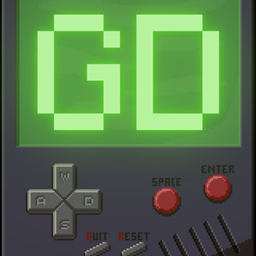
The GameDiscs Mod brings a whole new level of fun to Minecraft by adding a retro gaming console right into the game! Dive into the world of your favorite classic games without ever leaving Minecraft. Craft this awesome console and relive gaming history inside the blocky universe. Ready to power up and play? The adventure awaits!
GameDiscs Mod - Play the classics, craft the memories!
The Adventure begins...
You can obtain the gaming console by the following crafting recipes:
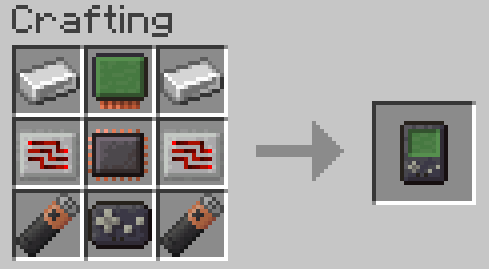
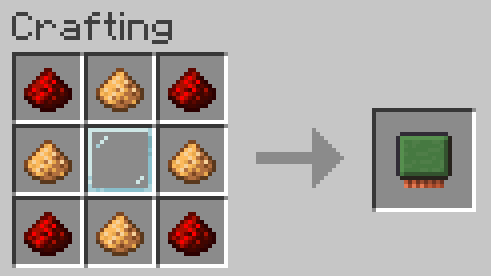
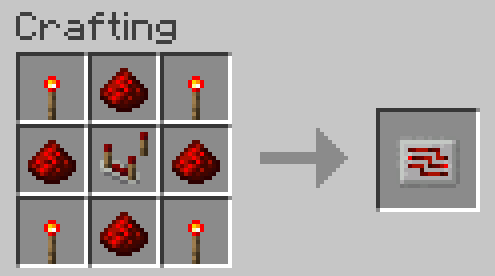

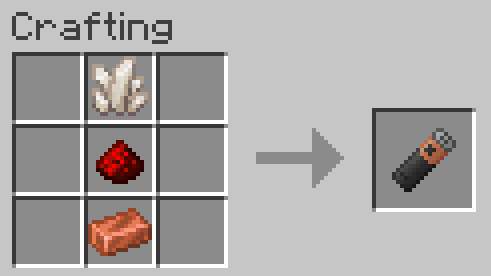
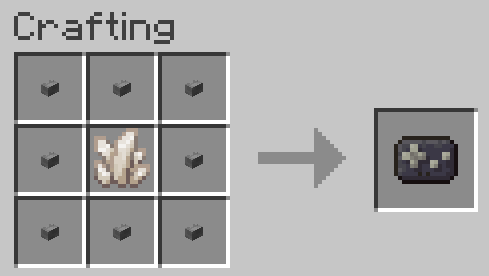
Games can be found in chests in the following structures
- Monster Room
- Stronghold
- End City
- Woodland Mansion
- Buired Treasure
- Bastion
- Ruined Portal
- Ancient City
- Mineshaft
- Jungle Pyramid
- Desert Pyramid
In each of these chest there is 10% chance for a Game Disc to generate
If a Bee, Slime, Frog or Rabbit is killed by a Skeleton, they have a 100% chance to drop their corresponding Game Disc
How to...
To play games with the gaming console you need to have the games in your inventory. Right click with the Gaming Console to open the menu and choose your favourite game with W and S keys, to enter the game press Space or Enter and start playing with the basic controls like W, S, A, D, SPACE, ENTER, or even with the Quit button (Q) or Reset button (R).
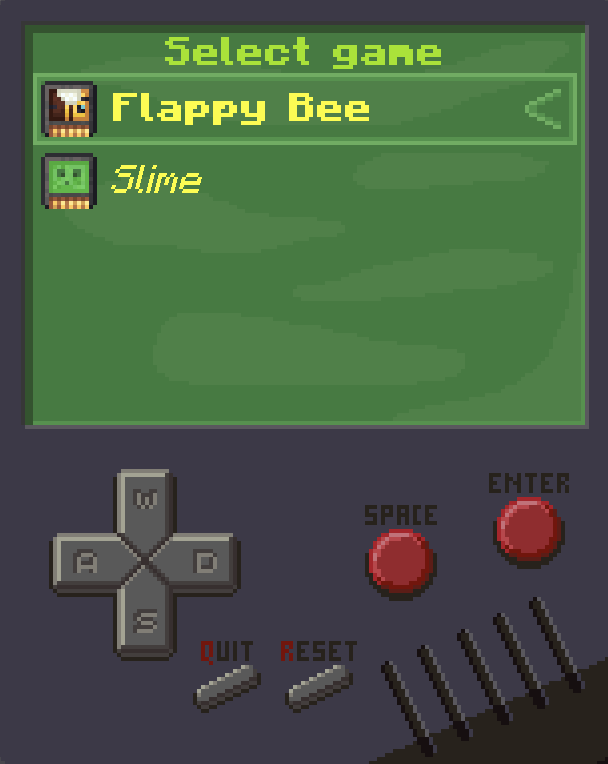
Current games (more in the furture):
Flappy Bee
Flap with your bee, and avoid the pipes
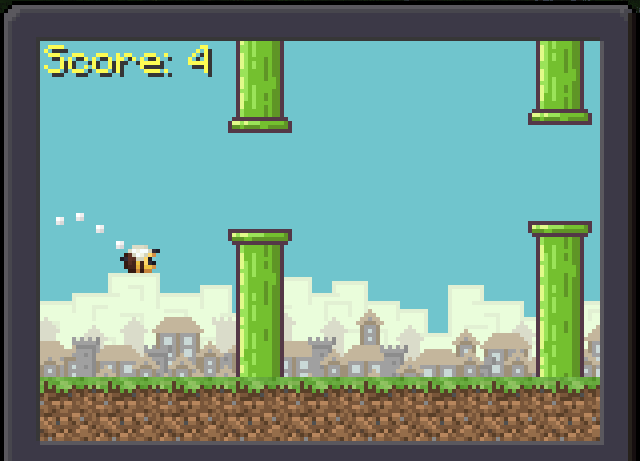
Flap with SPACE or ENTER
Slime
Control your long slimy body, and eat the apples
Don't break into yourself
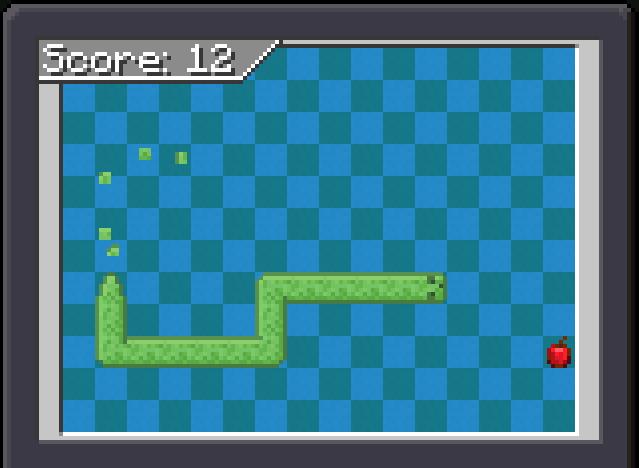
Change direction with W, S, A and D
Blocktris
Fit the pieces into small space, and fill lines to get points
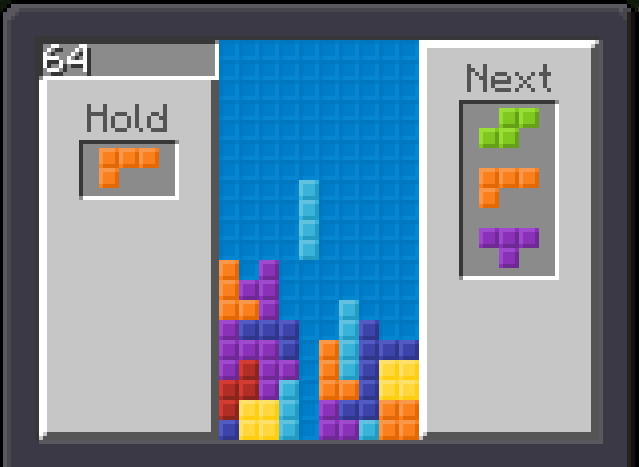
Move with A and D, rotate with W, move down with S, hard drop with SPACE, and hold with ENTER
TNTsweeper
Make this place safe again
Dig out safe tiles, and reveal underground TNTs by knowing how many of them are around digged out tiles. You win when all safe tiles are digged out, and all TNTs are marked with flags. Try to don't blow up yourself :)
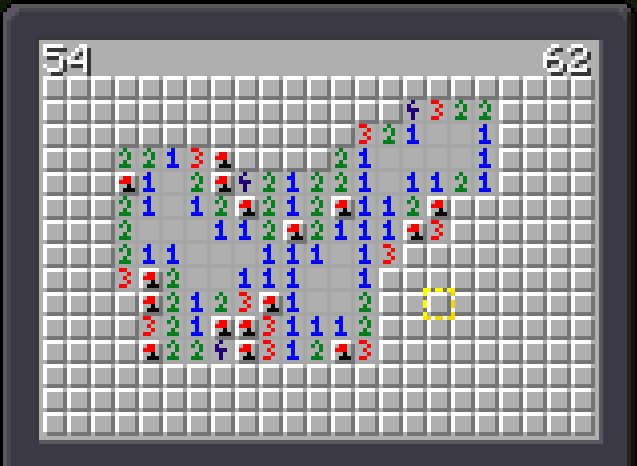
Move selection frame with W, S, A and D. Dig with SPACE, and place/remove flag with ENTER
Pong
Move your paddle, and don't let the ball get past you
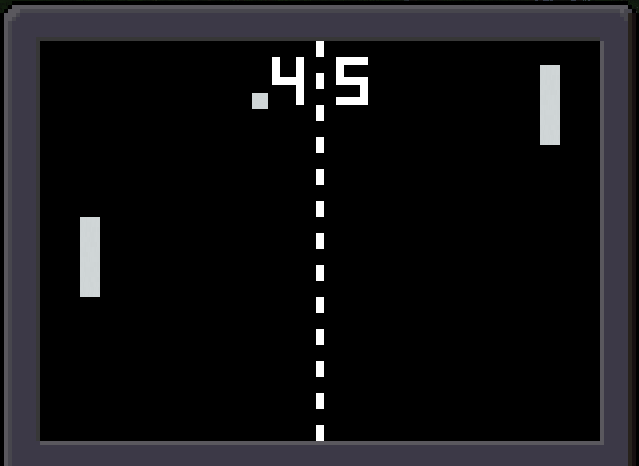
Move the paddle with W and S
Froggie
Make it all the way home with all five frogs
Cross the rails, don't get hit by a minecart, jump over the logs and turtles in the river
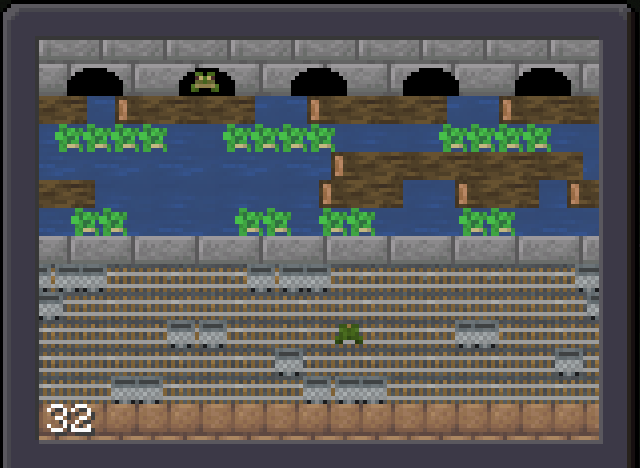
Jump with W, S, A and D
Rabbit
Travel the desert
Run, and avoid the cactus
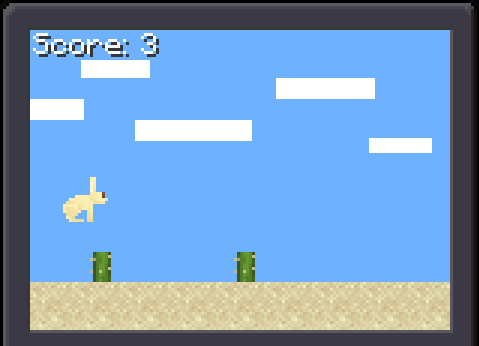
Jump with Enter or Space
Q: Will there be more games in future?
A: We are very small team, and we have lot of ideas for other mods. We would like to make more games, but it's not our priority now.
Q: What about other minecraft versions?
A: About newer versions of minecraft, we are planning to update all mods, including Game Discs. But it will take some time.
Q: Will there be Doom?
A: Most likely not. But if I will get lot of free time, it would be fun for me to make it. If you want you can support me on ko-fi, so I can more focus on improving my mods, and creating new ones
Got Feedback? We'd Love to Hear It!
Join our official [Discord] server and share your thoughts, bug reports, and suggestions! Be part of our community, connect with players, and have fun with new friends (and old ones too). See you there!
Translations
- English
- German by Theshadow_lp
- French by NooB20_0
- Russian by xaxilin
- Chinese (simplified) by MC-Nirvana
Developers
Tejty - Founder and Owner, Programmer, Artist
Theshadow_lp "Shadowbeast_lp" - Programmer
CrownSheep - Fabric version maintainer
Wolfieboy09 - NeoForge version maintainer
Contributors
Cebularz - Thinker of Ideas
A Wanderer - Thinker of Ideas
mckeith_1776 - Port to Fabric 1.21.4 and 1.21.5
This Mod was created by TejtyCraft-Mods team under control of Tejty for "CurseForge ModJam - Minecraft Modding Madness 2024"
Cómo instalar Game Discs
With Millida Launcher
Install Millida Launcher
The launcher is free: download it at millida.net/launcher and sign in with any nickname.
Click “Install” on this page
The launcher opens and installs the mod for Minecraft 1.20.1–1.21.6 on Fabric, Forge or NeoForge automatically.
Launch the game
A profile with it appears in the launcher: click “Play”.
Manually
Install Fabric, Forge or NeoForge
The loader must match the game version of the mod file, for example Minecraft 1.21.6. After installing it, a separate profile appears in your launcher.
Download the file for your version
In the version list above, pick the file GameDiscs-0.3.2-neoforge-1.21.6.jar (240 KB) for your game version and loader.
Put it in the mods folder
The folder is inside .minecraft (Windows: %appdata%\.minecraft\mods). If it does not exist, create it.
Launch the loader profile
Open “Mods” in the main menu: Game Discs should be in the list.
Minecraft 1.21.6 runs on Java 21: with a different Java version the game may close right after launch.
Versiones
Con dependencias
| Minecraft | Cargador | Archivo | Fecha | Acciones |
|---|---|---|---|---|
| 1.21.6 | NeoForge | Game Discs 1.21.6 NeoForge 0.3.2240 KB | ||
| 1.21.6 | Fabric | Game Discs 1.21.6 Fabric 0.3.2234 KB | ||
| 1.20.1 | Forge | Game Discs 1.20.1 Forge 0.3.2236 KB 2 | ||
| 1.20.1 | Forge | Game Discs 1.20.1 Forge 0.140.4 KB |
FAQ
Which Minecraft versions does Game Discs work on?
There are files for 1.21.6, 1.20.1. The newest is 1.21.6.
Is Game Discs for Forge or Fabric?
There are files for Fabric: 1.21.6, for Forge: 1.20.1 and for NeoForge: 1.21.6.
Does Game Discs need other mods?
The author lists no required dependencies: the Fabric, Forge or NeoForge loader is enough.
Which Java does Game Discs need?
Minecraft 1.21.6 runs on Java 21. If the game closes right after launch, the usual cause is the wrong Java version in the profile settings.
Where can I download Game Discs safely?
On this page: the file GameDiscs-0.3.2-neoforge-1.21.6.jar (240 KB) is stored on Millida’s server, with no link shorteners. SHA-1 checksum: f2e126065d6eaf8214d177d6834d6b9e56d5f491.
Reseñas
Sé el primero en valorar Game Discs


