
Explosion Overhaul Mod para Minecraft 1.21.1, 26.2
Un mod totalmente configurable que aumenta el impacto y la inmersión de las explosiones de TNT y otros explosivos con mejor física.
 NeoForge
 Fabric
Acerca del mod Explosion Overhaul

Cinematic, physics-enhanced explosions that feel powerful and dynamic
Explosion Overhaul re-imagines Minecraft's vanilla explosion system with immersive visual feedback — perfect for adventure, combat, realism-focused or even tech modpacks.
Features
- Works with every explosion: All vanilla and most modded explosives (such as creepers, TNT, crystals and fireballs) are all supported!
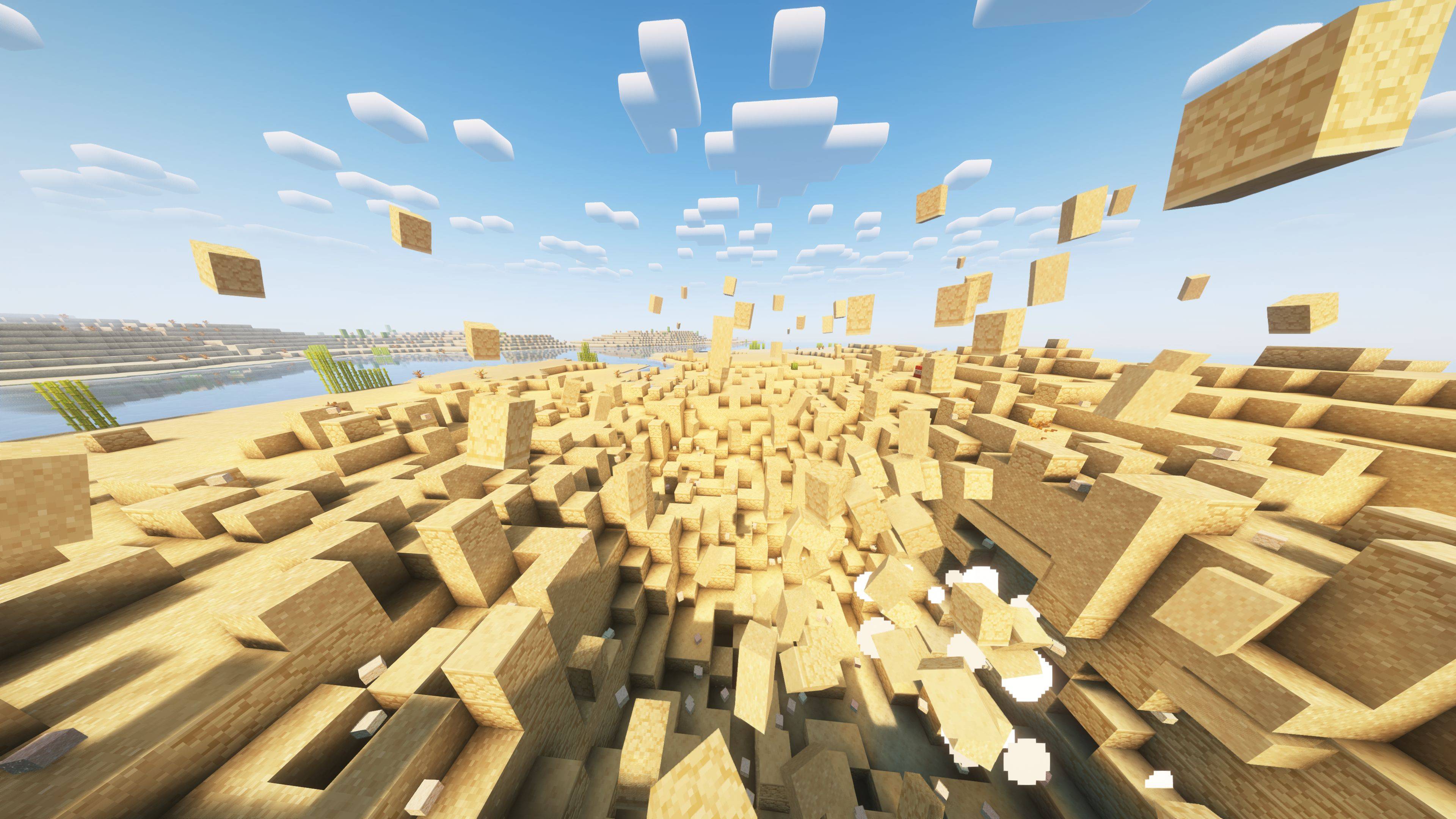
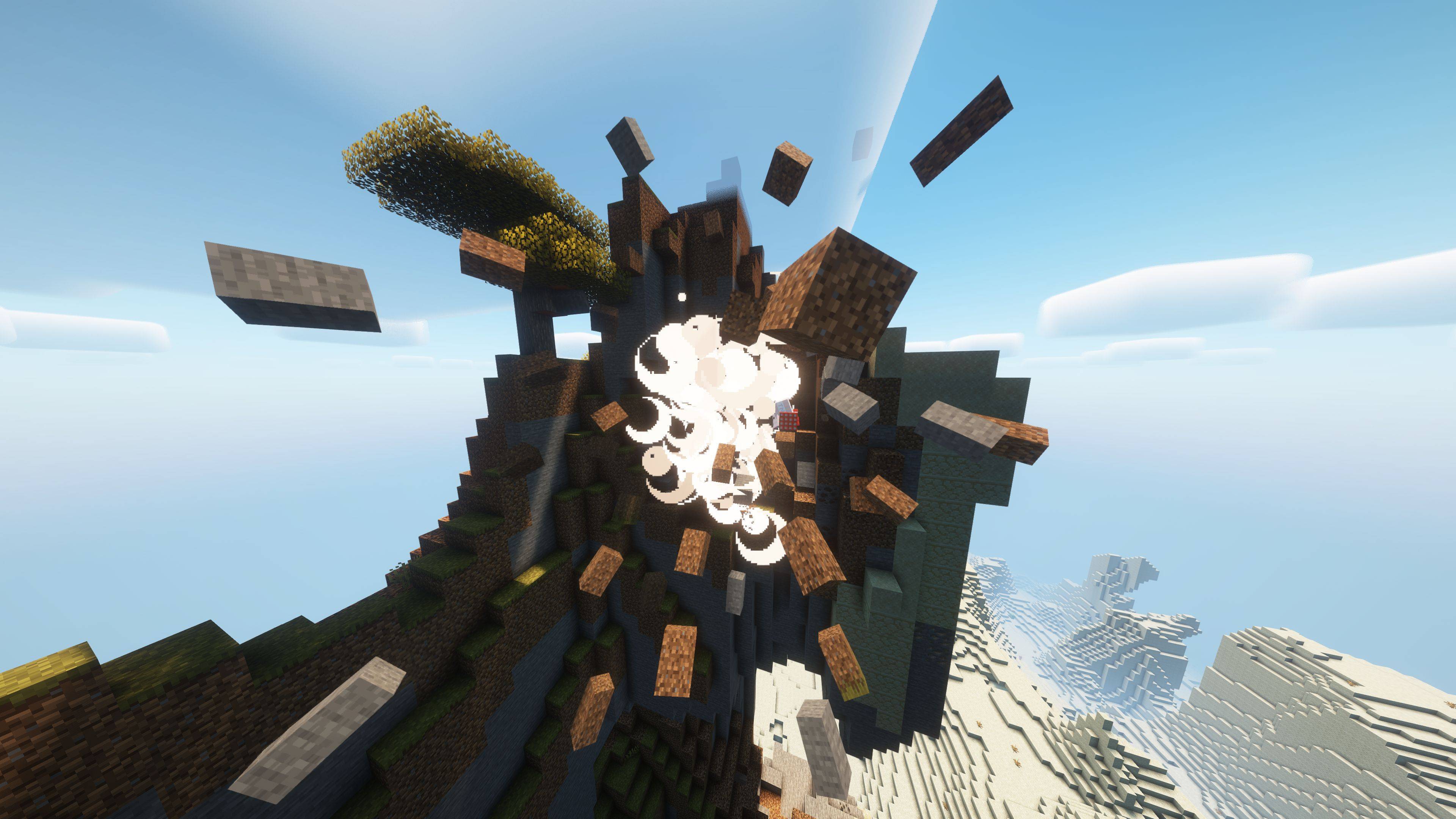
- Physics Based Debris: Explosions launch nearby blocks into the air as falling block entities with randomized speed, arc, and rotation.
- Smoke Trails: Exploded blocks have smoke trailing behind them that disperses into the environment.
- Sparks: TNT now releases sparks before it explodes!
- Fully Serverside: Vanilla clients are supported and get to enjoy all the benefits without even having to install the mod!
- Every Feature is Configurable: Alongside tweaking physics, customize all behavior via a config file or through tags.
Compatibility
Minecraft 1.21.1 Neoforge
(Fabric supported before the rewrite, but is no longer supported)
Recommended Mods
- Vectorientation Reforged: An in-house rewrite of Vectorientation to make launched rotate in the direction they are moving
- Vectorientation: Makes falling blocks rotate in the direction they are moving
- Supplementaries: Throwable bombs work well with the enhanced explosions
Legal
License
Apache License 2.0 — open source and ready for use in any project. View Source on GitHub
Credits
Iris, Vectorientation and Rethinking Voxels were used in the creation of some screenshots/promotional material.
Cómo instalar Explosion Overhaul
With Millida Launcher
Install Millida Launcher
The launcher is free: download it at millida.net/launcher and sign in with any nickname.
Click “Install” on this page
The launcher opens and installs the mod for Minecraft 1.21.1–26.2 on Fabric or NeoForge automatically.
Launch the game
A profile with it appears in the launcher: click “Play”.
Manually
Install Fabric or NeoForge
The loader must match the game version of the mod file, for example Minecraft 26.2. After installing it, a separate profile appears in your launcher.
Download the file for your version
In the version list above, pick the file explosionoverhaul-26.1-2.1.0.jar (188 KB) for your game version and loader.
Put it in the mods folder
The folder is inside .minecraft (Windows: %appdata%\.minecraft\mods). If it does not exist, create it.
Launch the loader profile
Open “Mods” in the main menu: Explosion Overhaul should be in the list.
Versiones
Con dependencias
| Minecraft | Cargador | Archivo | Fecha | Acciones |
|---|---|---|---|---|
| 26.1 | NeoForge | Explosion Overhaul 26.1-2.1.0188 KB | ||
| 1.21.1 | Fabric | Explosion Overhaul 1.2.0 Fabric235 KB 2 |
FAQ
Which Minecraft versions does Explosion Overhaul work on?
There are files for 26.2, 26.1.2, 26.1.1, 26.1, 1.21.1. The newest is 26.2.
Is Explosion Overhaul for Forge or Fabric?
There are files for Fabric: 1.21.1 and for NeoForge: 26.1–26.2. There are no files for Forge: a mod for another loader will not start.
Does Explosion Overhaul need other mods?
The author lists no required dependencies: the Fabric or NeoForge loader is enough.
Where can I download Explosion Overhaul safely?
On this page: the file explosionoverhaul-26.1-2.1.0.jar (188 KB) is stored on Millida’s server, with no link shorteners. SHA-1 checksum: 5a32071ff2d530ea23712f70bd52f8c9938b9803.
Reseñas
Sé el primero en valorar Explosion Overhaul


