

Expanded Equivalence Mod para Minecraft 1.12.2, 1.19.2
Añade EMC a los objetos de diferentes mods y mecánicas de fabricación para ProjectE.
- visualizaciones
- 3 visualizaciones
- Actualizado
- Actualizado 18.10.2026
- 1.12.2 — 1.19.2
 Forge
Forge
Acerca del mod Expanded Equivalence
This is an addon to ProjectE.
This addon requires HammerLib.
This addon adds integration for ProjectE and lots of other mods. It aims at registering EMC values for different crafting systems such as Draconic Evolution's Fusion Crafting, Avaritia's extreme crafting, and others.
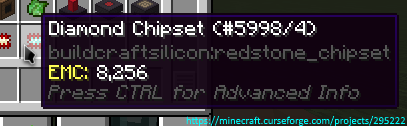
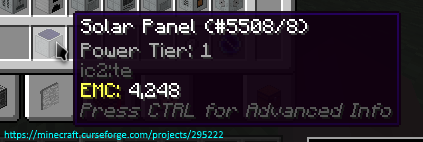
Here you can see all currently supported mods/plans
Permissions:
- You can use this mod in your mod pack.
- You are not allowed to re-publish this mod to other sites without providing a CurseForge download link and my permission (PM to
Zeitheron, or via Discord)
- You are not allowed to include this (or any other mods of DragonForge team) in your own mod. Building addons, however, is allowed, but a friendly PM would be good.
Note:
- The only supported version of Minecraft is the latest one that this mod exists for. DO NOT ASK TO DOWNGRADE!
Want to discuss anything? Need help with APIs?
Join the discord server and follow Zeitheron on Twitter!
If you would like to support my work, you can become a patron via Patreon.
Cómo instalar Expanded Equivalence
With Millida Launcher
Install Millida Launcher
The launcher is free: download it at millida.net/launcher and sign in with any nickname.
Click “Install” on this page
The launcher opens and installs the mod for Minecraft 1.12.2–1.19.2 on Forge automatically.
Launch the game
A profile with it appears in the launcher: click “Play”.
Manually
Install Forge
The loader must match the game version of the mod file, for example Minecraft 1.19.2. After installing it, a separate profile appears in your launcher.
Download the file for your version
In the version list above, pick the file ExpandedEquivalence-1.19.2-19.1.2.jar (87 KB) for your game version.
Put it in the mods folder
The folder is inside .minecraft (Windows: %appdata%\.minecraft\mods). If it does not exist, create it.
Launch the loader profile
Open “Mods” in the main menu: Expanded Equivalence should be in the list.
Minecraft 1.19.2 runs on Java 17: with a different Java version the game may close right after launch.
Versiones
Con dependencias
| Minecraft | Cargador | Archivo | Fecha | Acciones |
|---|---|---|---|---|
| 1.19.2 | Forge | [1.19.2] Expanded Equivalence - 19.1.287.1 KB | ||
| 1.19.2 | Forge | [1.19.2] Expanded Equivalence - 19.1.083 KB | ||
| 1.12.2 | — | [1.12.2] Expanded Equivalence - 12.3.1782.7 KB | ||
| 1.12.2 | — | [1.12.2] Expanded Equivalence - 1b61.5 KB |
FAQ
Which Minecraft versions does Expanded Equivalence work on?
There are files for 1.19.2, 1.12.2. The newest is 1.19.2.
Is Expanded Equivalence for Forge or Fabric?
Only for Forge: 1.19.2. There are no files for Fabric or NeoForge: a mod for another loader will not start.
Does Expanded Equivalence need other mods?
The author lists no required dependencies: the Forge loader is enough.
Which Java does Expanded Equivalence need?
Minecraft 1.19.2 runs on Java 17. If the game closes right after launch, the usual cause is the wrong Java version in the profile settings.
Where can I download Expanded Equivalence safely?
On this page: the file ExpandedEquivalence-1.19.2-19.1.2.jar (87 KB) is stored on Millida’s server, with no link shorteners. SHA-1 checksum: 4f30d2cb6779b8448ed1e30f118102a740a022af.
Reseñas
Sé el primero en valorar Expanded Equivalence


