
Exline's Candy Mod para Minecraft 1.21.1, 1.19.2
añade algunos nuevos alimentos dulces
 Fabric
 Forge
ForgeAcerca del mod Exline's Candy Mod
Candy Mod
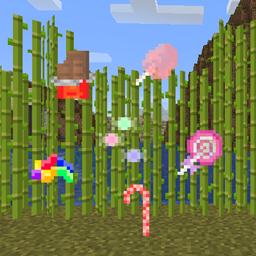
This mod adds several candies.
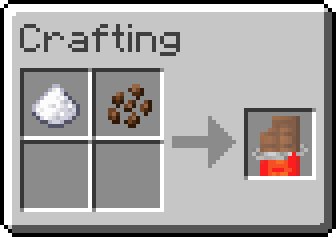
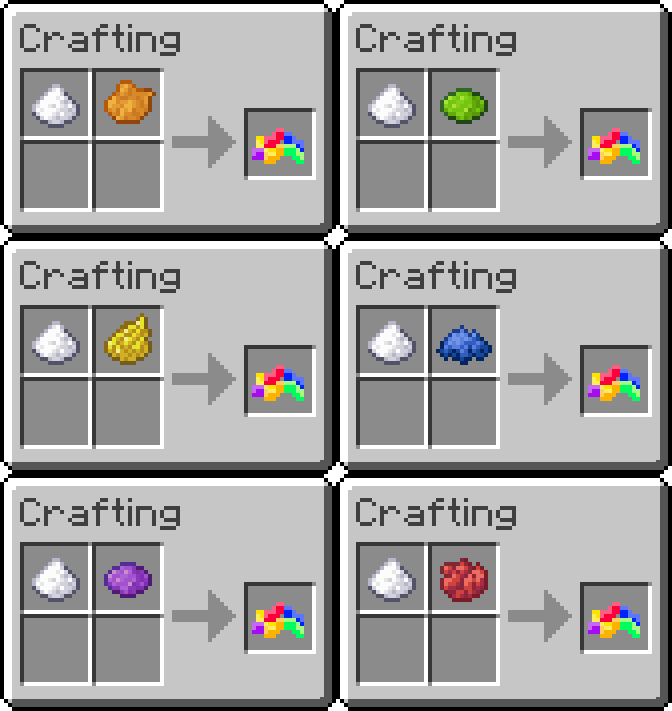
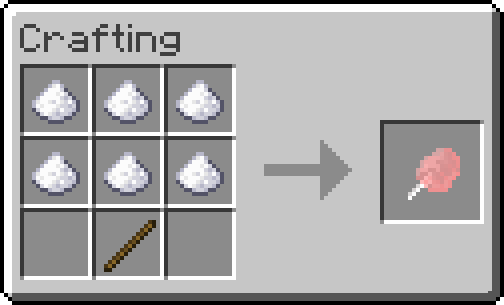
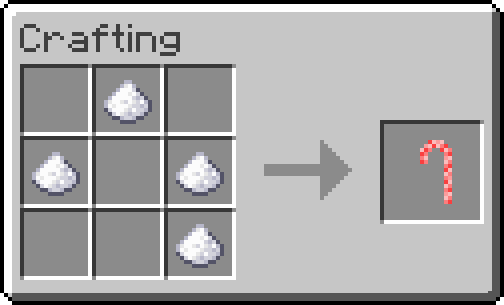
Chocolate bars, jelly-beans, lollipops, cotton candy and candy canes!
Food Nutrition and Saturation Values
<<< open spoiler on left to see values
Food - Nutrition - Saturation
Chocolate Bar - 3 - 0.3F
Jelly Beans - 2 - 0.2F
Lollipop, Candy Cane - 4 - 0.4F
Cotton Candy - 6 - 0.6F
Downloads

Forge Versions - 1.19, 1.18, 1.17.1, 1.16.5

Fabric Versions - 1.19, 1.18.2, 1.18, 1.17.1
Explore Exline Mods for top-notch gaming accessories and mods. Elevate your gaming experience with our high-quality products. Visit exlinemods.com now to gear up and enhance your gameplay!
Need Minecraft server hosting?
Look no further than Bisect Hosting.
I am now officially sponsored by Bisect Hosting and will make commissions from any purchases made with the link and code below.
Use code EXLINE to get 25% off your first purchase while supporting this mod as well! Thank you to all who sign up for a server with my link!
Thanks to bisect hosting, I can test out my mods on servers to make sure they work correctly for you!
Thank you for downloading this mod and supporting me to keep it updated!
Cómo instalar Exline's Candy Mod
With Millida Launcher
Install Millida Launcher
The launcher is free: download it at millida.net/launcher and sign in with any nickname.
Click “Install” on this page
The launcher opens and installs the mod for Minecraft 1.19.2–1.21.1 on Fabric or Forge automatically.
Launch the game
A profile with it appears in the launcher: click “Play”.
Manually
Install Fabric or Forge
The loader must match the game version of the mod file, for example Minecraft 1.21.1. After installing it, a separate profile appears in your launcher.
Download the file for your version
In the version list above, pick the file candymod-v1.0.0-fabric-1.21.jar (111 KB) for your game version and loader.
Put it in the mods folder
The folder is inside .minecraft (Windows: %appdata%\.minecraft\mods). If it does not exist, create it.
Launch the loader profile
Open “Mods” in the main menu: Exline's Candy Mod should be in the list.
Minecraft 1.21.1 runs on Java 21: with a different Java version the game may close right after launch.
Versiones
Con dependencias
| Minecraft | Cargador | Archivo | Fecha | Acciones |
|---|---|---|---|---|
| 1.21 | Fabric | v1.0.0 for Fabric 1.21.x111 KB | ||
| 1.19.2 | Forge | Candy Mod - [Forge] [1.19.2] [v1.0.4]110 KB |
FAQ
Which Minecraft versions does Exline's Candy Mod work on?
There are files for 1.21.1, 1.21, 1.19.2. The newest is 1.21.1.
Is Exline's Candy Mod for Forge or Fabric?
There are files for Fabric: 1.21–1.21.1 and for Forge: 1.19.2. There are no files for NeoForge: a mod for another loader will not start.
Does Exline's Candy Mod need other mods?
The author lists no required dependencies: the Fabric or Forge loader is enough.
Which Java does Exline's Candy Mod need?
Minecraft 1.21.1 runs on Java 21. If the game closes right after launch, the usual cause is the wrong Java version in the profile settings.
Where can I download Exline's Candy Mod safely?
On this page: the file candymod-v1.0.0-fabric-1.21.jar (111 KB) is stored on Millida’s server, with no link shorteners. SHA-1 checksum: 55726d3e9be03182268a51d14283ad141c38b77c.
Reseñas
Sé el primero en valorar Exline's Candy Mod


