

Essential Mod para Minecraft 1.20.1, 1.21.1
Mejora tu Minecraft con un simple mod. Aloja mundos gratis, chatea con amigos y mucho más.
 NeoForge
 Fabric
 Forge
Acerca del mod Essential Mod



Mejora tu Minecraft con un solo mod. Rápido, amigable y para todos.
[ ](https://essential.gg/downloads)

Aloja tu mundo de Minecraft gratis, invita a tus amigos y jueguen juntos, ¡en solo unos clics!

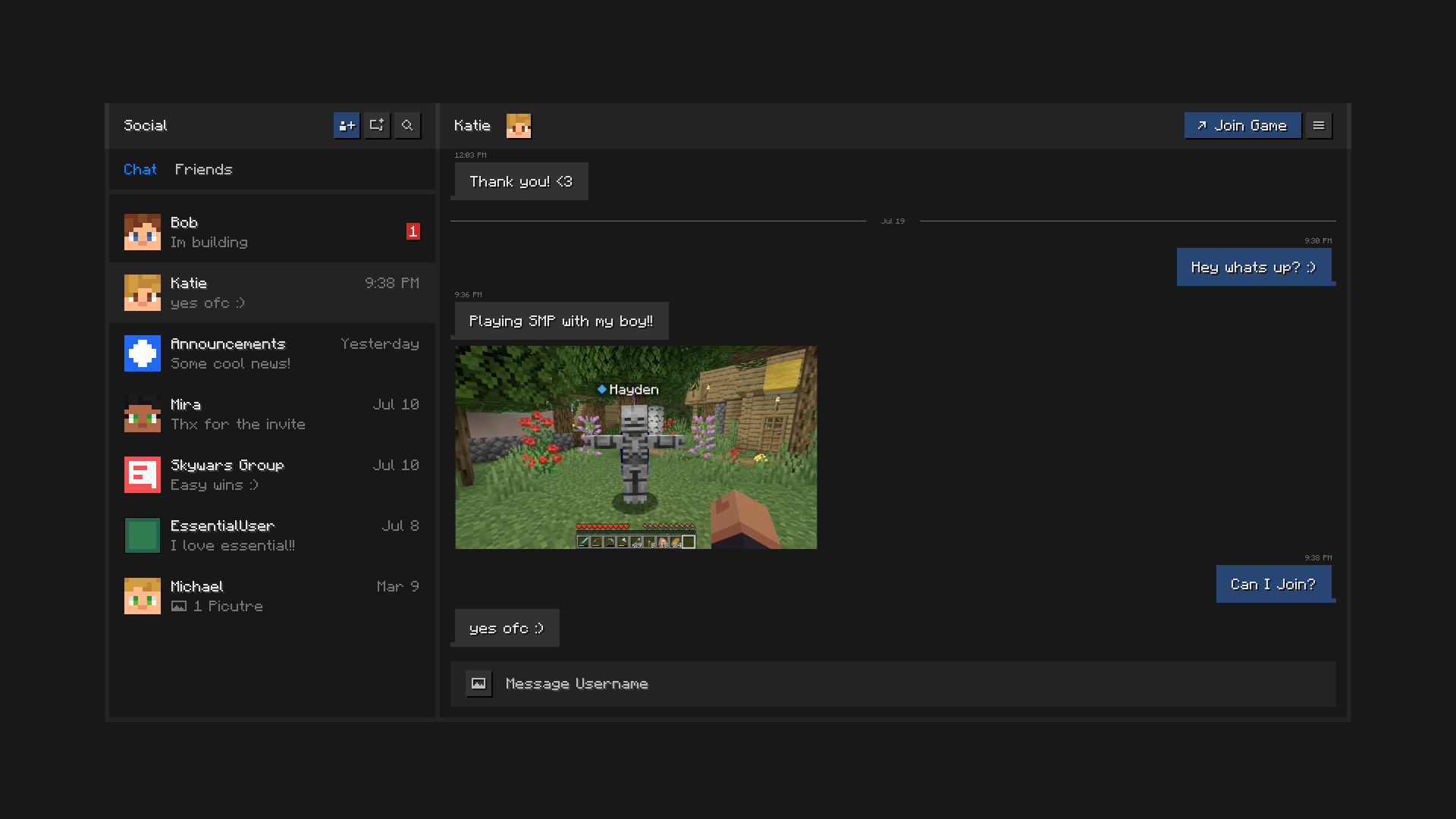
Mantente conectado con tus amigos, todo dentro de Minecraft. Chatea, crea grupos, comparte imágenes y envía invitaciones a mundos y servidores.

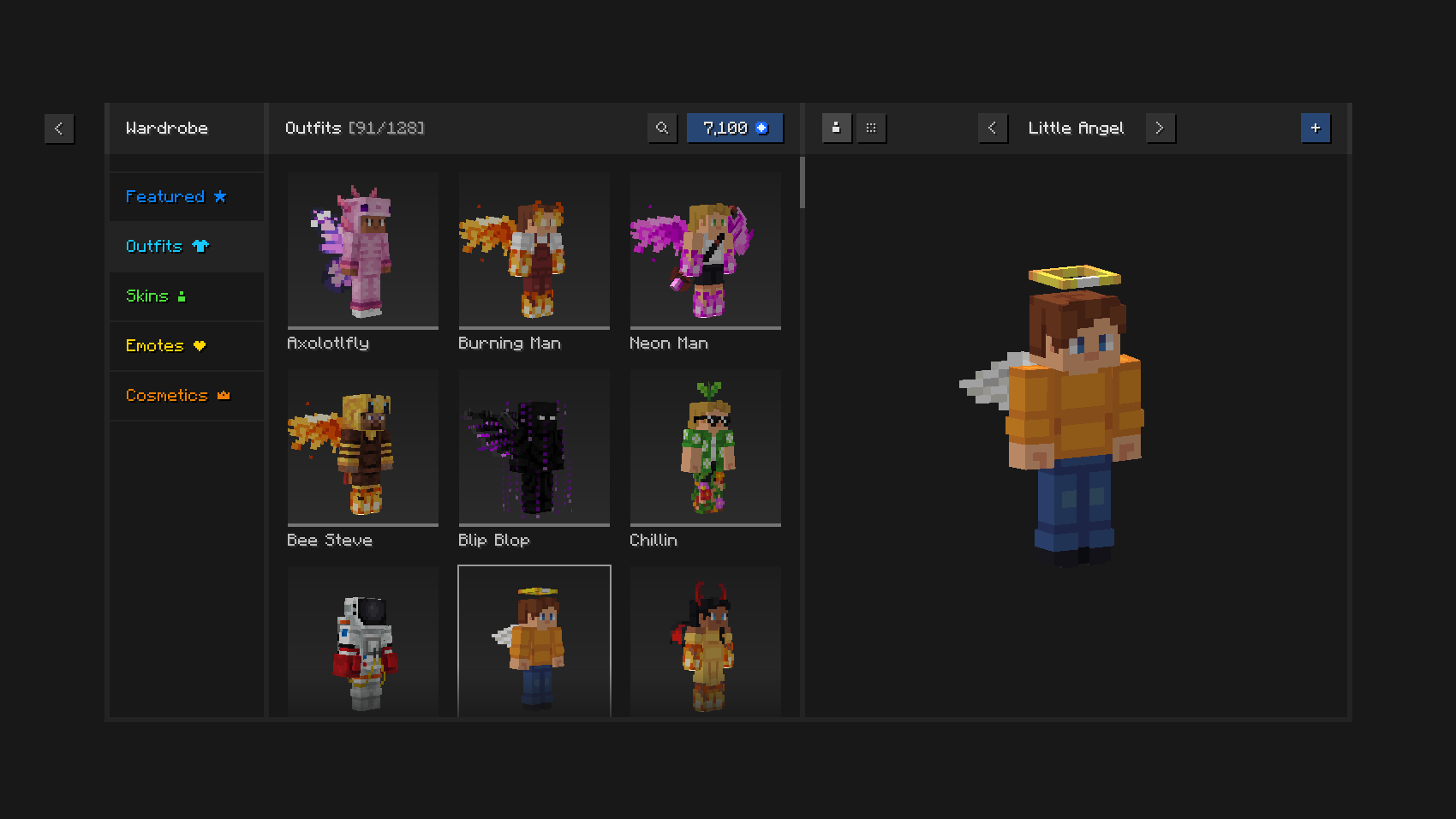
Juega con estilo con atuendos y cosméticos únicos, el gestor de skins del juego y emotes expresivos.

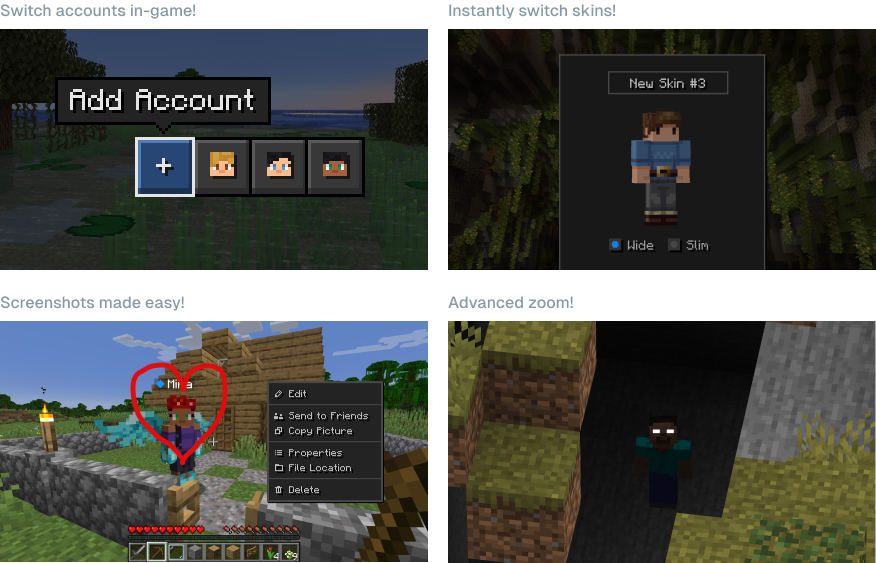
Ahorra tiempo y esfuerzo usando las potentes capacidades de Essential.

¿Puedo usar Essential con otros mods y modpacks? Sí, Essential es ampliamente compatible con otros mods y es una gran adición a tu modpack favorito. Puedes alojar fácilmente mundos con mods para ti y tus amigos, gratis, solo asegúrate de que tengan los mismos mods instalados.
¿Qué versiones de Minecraft soporta Essential? El mod Essential soporta las versiones más populares de Minecraft Java Edition (1.8, 1.12, 1.16 a 26.3) y ambos modloaders Fabric y Forge.

¿Cómo funciona el alojamiento de mundos de Essential? Essential usa tecnología peer-to-peer líder en la industria y la potencia del hardware de tu PC para permitirte alojar mundos de Minecraft e invitar a tus amigos con facilidad y gratis.
[ ](https://essential.gg/wiki)
© ModCore Inc, Spark Universe GmbH 2026

Cómo instalar Essential Mod
With Millida Launcher
Install Millida Launcher
The launcher is free: download it at millida.net/launcher and sign in with any nickname.
Click “Install” on this page
The launcher opens and installs the mod for Minecraft 1.8–26.3 on Fabric, Forge or NeoForge automatically.
Launch the game
A profile with it appears in the launcher: click “Play”.
Manually
Install Fabric, Forge or NeoForge
The loader must match the game version of the mod file, for example Minecraft 26.3. After installing it, a separate profile appears in your launcher.
Download the file for your version
In the version list above, pick the file Essential_1-5-2_neoforge_26-3.jar (49 MB) for your game version and loader.
Put it in the mods folder
The folder is inside .minecraft (Windows: %appdata%\.minecraft\mods). If it does not exist, create it.
Launch the loader profile
Open “Mods” in the main menu: Essential Mod should be in the list.
Essential Mod works on the player’s side only: there is no need to install it on a server.
Versiones
Con dependencias
| Minecraft | Cargador | Archivo | Fecha | Acciones |
|---|---|---|---|---|
| 1.21.1 | NeoForge | 1.21.149.1 MB 1 | ||
| 1.21.4 | NeoForge | 1.21.449.1 MB | ||
| 1.21.8 | NeoForge | 1.21.849.1 MB | ||
| 26.1.2 | NeoForge | 26.1.249.4 MB | ||
| 1.21.11 | NeoForge | 1.21.1149.4 MB | ||
| 26.3 | NeoForge | 26.349.3 MB | ||
| 26.2 | NeoForge | 26.249.4 MB | ||
| 1.12.2 | Forge | 1.12.253.2 MB 2 |
Contenido que lo necesita
FAQ
Which Minecraft versions does Essential Mod work on?
There are files for 1.8–26.3, 26 versions in total. The newest is 26.3.
Does Essential Mod need other mods?
The author lists no required dependencies: the Fabric, Forge or NeoForge loader is enough.
Do I need to install Essential Mod on a server?
No. Essential Mod works on the player’s side only: there is no need to install it on a server.
How do I download Essential Mod?
With Millida Launcher: it installs Essential Mod into a modpack by itself, for the right game version and loader. The launcher is free.
Reseñas
Sé el primero en valorar Essential Mod


