
Ender Crop Mod para Minecraft 1.20.1, 1.12.2
Un cultivo que produce perlas de ender
 Fabric
 NeoForge
 Forge
ForgeAcerca del mod Ender Crop
A simple mod that adds a crop which you can harvest to get ender pearls. MC Forums Post - Source Code - Issues Licence: GPLv3: you can include this mod in any modpack (Curse or not), credit is not necessary but always appreciated!
New in the long-awaited 1.16 version:
- New Tilled End Stone textures to match Vanilla's new Farmland textures.
- Proper seeds and crop tagging for better automation/tool interaction.
The Crop
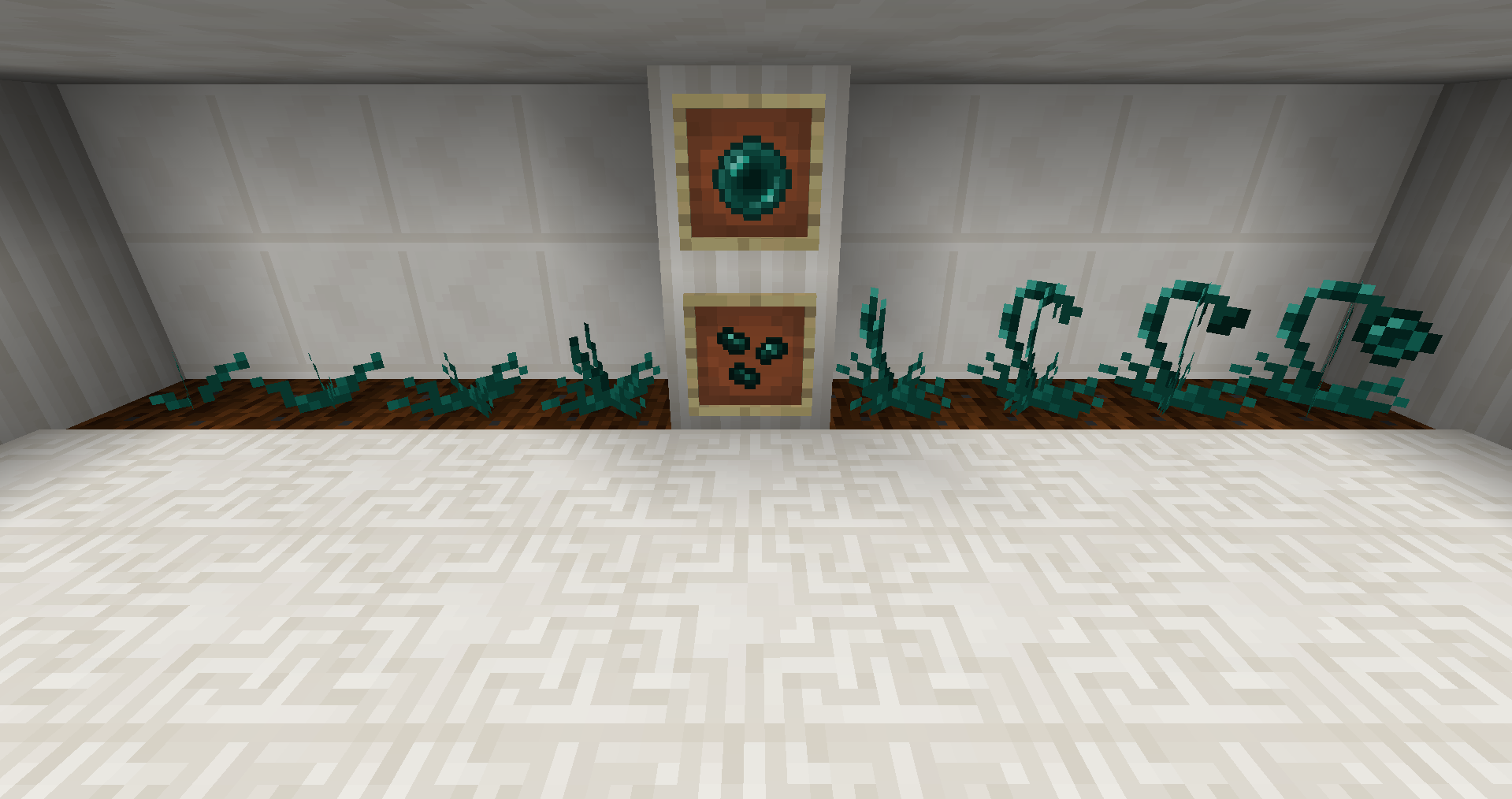
The ender crop has 8 growth stages. Harvesting it at any stage will drop Ender Seeds, at the 8th stage it will drop 1-2 Ender Pearls and sometimes an extra seed.
Growth
On farmland:
- Follows vanilla Minecraft growth rules but at 50% the rate of wheat.
- Requires light level < 7 to grow (redstone torch).
On tilled end stone:
- Follows vanilla Minecraft growth rules at the same rate as wheat.
- Requires any light level.
- 1 in 50 chance to spawn an endermite on harvest. (configurable)
The Seeds
- Ender seeds can be found in dungeons and are as rare as golden apples. (configurable)
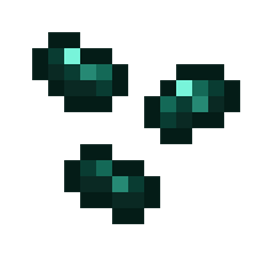
- They can also be crafted by surrounding wheat seeds with 4 ender pearls:
Tilled End Stone (configurable)
To obtain tilled end stone you simply right-click regular end stone with a hoe that has been enchanted with Unbreaking I or a hoe-like tool (AIOT, Kama, Scythe) with mining level 1 (Stone).
Waila/The One Probe integration:
Some Screenshots
Spotlight videos:
Zifiv Games (French)
Why I made the mod:
I came upon the idea while playing the RyRyPatPatPackPack (R2P4) for MC 1.8.9 which, at the time, didn’t have ExtraUtils2. Needing to go to the End I first tried hunting endermen, but there were few and the Progressive Mobs mod didn’t make it easy to survive at night. So out of frustration (mostly because I’m really good at getting killed) I made the Ender Crop mod.
Cómo instalar Ender Crop
With Millida Launcher
Install Millida Launcher
The launcher is free: download it at millida.net/launcher and sign in with any nickname.
Click “Install” on this page
The launcher opens and installs the mod for Minecraft 1.12–1.20.1 on Fabric, Forge or NeoForge automatically.
Launch the game
A profile with it appears in the launcher: click “Play”.
Manually
Install Fabric, Forge or NeoForge
The loader must match the game version of the mod file, for example Minecraft 1.20.1. After installing it, a separate profile appears in your launcher.
Download the file for your version
In the version list above, pick the file endercrop-1.20.1-2.0.0-alpha-fabric.jar (80 KB) for your game version and loader.
Put it in the mods folder
The folder is inside .minecraft (Windows: %appdata%\.minecraft\mods). If it does not exist, create it.
Launch the loader profile
Open “Mods” in the main menu: Ender Crop should be in the list.
Minecraft 1.20.1 runs on Java 17: with a different Java version the game may close right after launch.
Versiones
Con dependencias
| Minecraft | Cargador | Archivo | Fecha | Acciones |
|---|---|---|---|---|
| 1.20.1 | Fabric | endercrop-1.20.1-2.0.0-alpha-fabric.jar80 KB | ||
| 1.20.1 | NeoForge, Forge | endercrop-1.20.1-1.7.0.jar72.9 KB | ||
| 1.19.2 | Forge | endercrop-1.19.2-1.7.0-beta.jar66.7 KB | ||
| 1.12.1 | — | endercrop-1.12.2-1.6.0.jar72 KB |
Reseñas
Sé el primero en valorar Ender Crop


