
DarkTimer - RPG Clear Entity Lag Mod para Minecraft 26.3
Estilo RPG, limpia y elimina automáticamente los objetos soltados cada 10 minutos para reducir el lag del servidor
 NeoForge
 Forge
Forge Fabric
DarkTimer
DESCRIPTION
Clears dropped ground items to help reduce entity lag
Server side is supported. You can install this on the server and not need to have it installed on the client.
Created by the same authors who made DarkRPG (for a full RPG experience, get the DarkRPG modpack and enjoy quests and rpg gameplay)
Features
(Your vanilla experience will be further enhanced thanks to these features)
Modded servers can sometimes encounter an issue where dropped items do not despawn after 5 minutes. This results in unnecessary server lag due to entities. This simple mod aims to fix that by clearing dropped items every 10 minutes. This can be useful in a heavily modded environment where lots of players have dropped unwanted items on the ground that have not despawned and cause users to suffer entity lag. A warning message is displayed 10 minutes and 1 minute prior to clearing ground items. You can also change the duration of the timer and announcement message using the DarkTimer Datapack
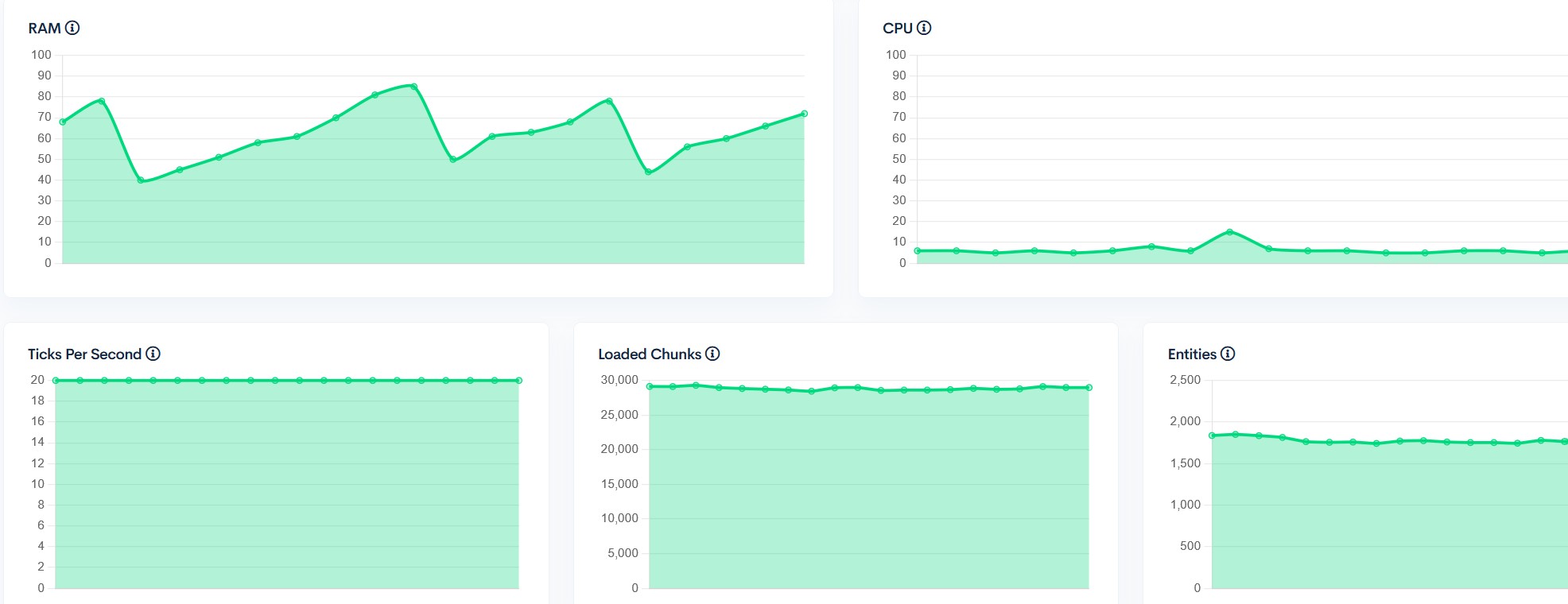
Server performance with 31 players on the Official DarkRPG server:-
Get a server today and play with your friends! Click HERE or below banner & Use Code GAMERPOTION to get 25 off!



Cómo instalar DarkTimer - RPG Clear Entity Lag
With Millida Launcher
Install Millida Launcher
The launcher is free: download it at millida.net/launcher and sign in with any nickname.
Click “Install” on this page
The launcher opens and installs the mod for Minecraft 26.3 on Fabric, Forge or NeoForge automatically.
Launch the game
A profile with it appears in the launcher: click “Play”.
Manually
Install Fabric, Forge or NeoForge
The loader must match the game version of the mod file, for example Minecraft 26.3. After installing it, a separate profile appears in your launcher.
Download the file for your version
In the version list above, pick the file darktimer-neoforge-26.1-1.2.7.jar (7 KB) for your game version and loader.
Put it in the mods folder
The folder is inside .minecraft (Windows: %appdata%\.minecraft\mods). If it does not exist, create it.
Launch the loader profile
Open “Mods” in the main menu: DarkTimer - RPG Clear Entity Lag should be in the list.
Versiones
Con dependencias
| Minecraft | Cargador | Archivo | Fecha | Acciones |
|---|---|---|---|---|
| 26.3 | NeoForge | darktimer-neoforge-26.1-1.2.7.jar6.8 KB 1 | ||
| 26.3 | Forge | darktimer-forge-26.1-1.2.7.jar5.5 KB 1 | ||
| 26.3 | Fabric | darktimer-fabric-26.1-1.2.7.jar9.9 KB 5 |
Reseñas
Sé el primero en valorar DarkTimer - RPG Clear Entity Lag


