
 NeoForge
 Forge
 Fabric
DarkRPG Main Menu - DarkMenu
DESCRIPTION
Main Menu from the DarkRPG Modpack
Features
(Your vanilla experience will be further enhanced thanks to these features)
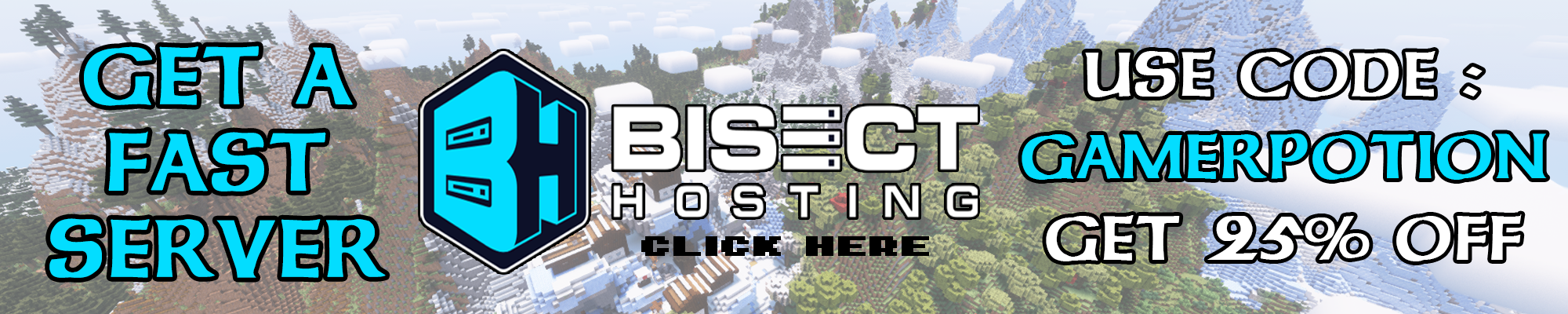
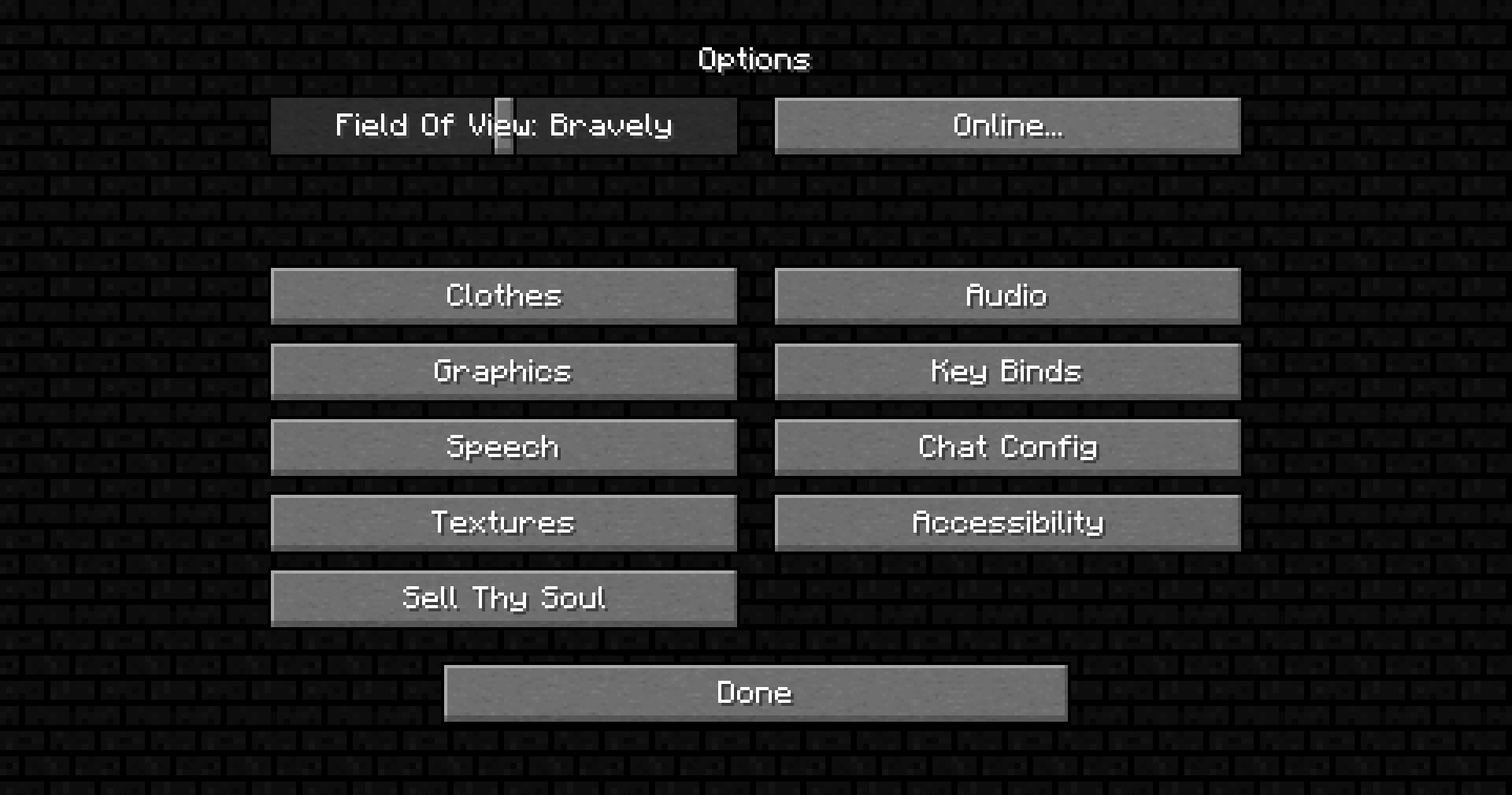
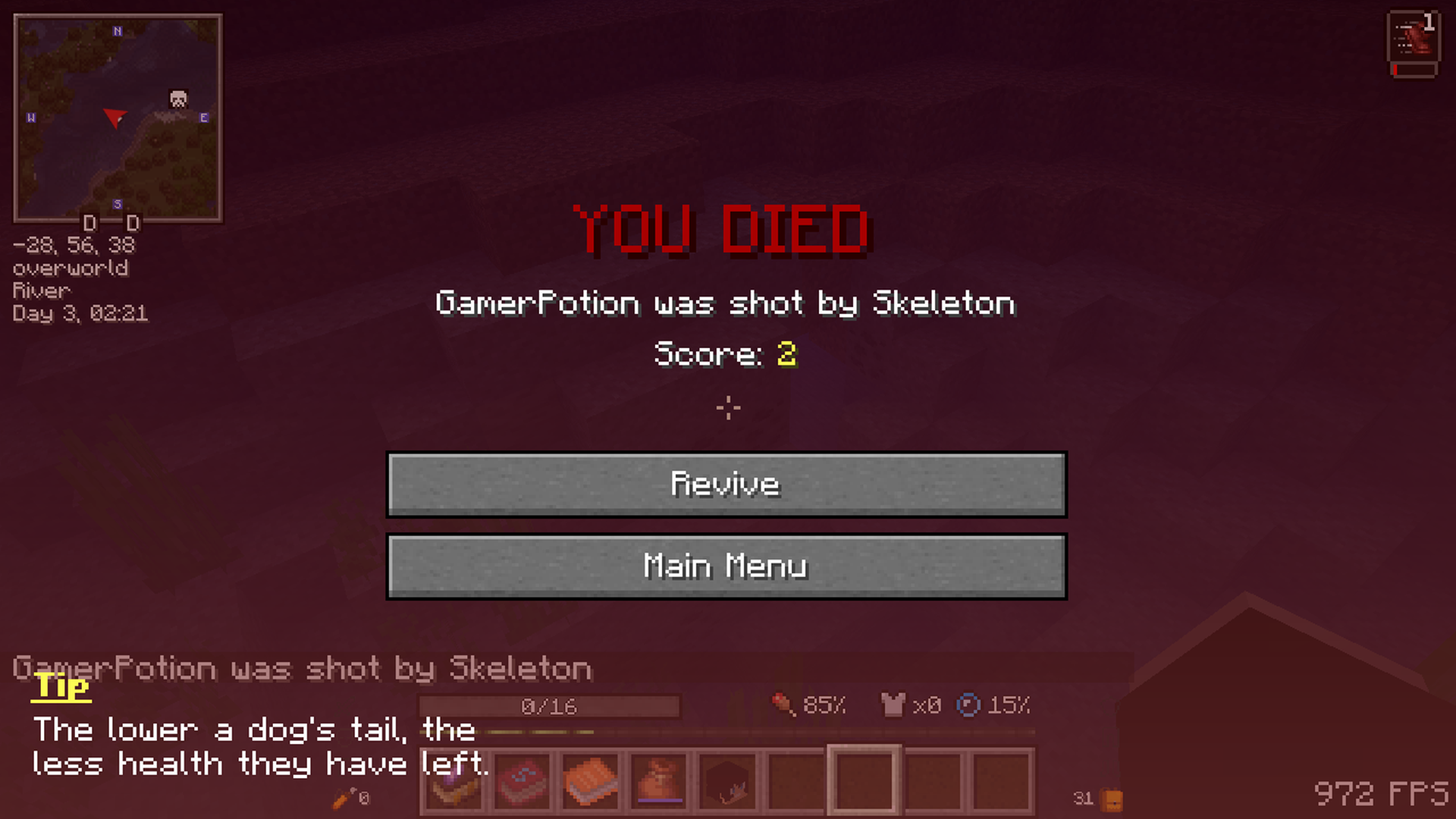
This is the main menu from the DarkRPG modpack. It was mainly used in the DarkRPG modpack but is now available for everyone to use. This changes the menu background, options background, and button text to give it a more RPG theme. Now comes with new Dark Souls inspired death screen.
Get a server today and play with your friends! Click HERE or below banner & Use Code GAMERPOTION to get 25 off!



Cómo instalar DarkRPG Menu - DarkMenu (RPG Theme)
With Millida Launcher
Install Millida Launcher
The launcher is free: download it at millida.net/launcher and sign in with any nickname.
Click “Install” on this page
The launcher opens and installs the mod for Minecraft 26.3 on Fabric, Forge or NeoForge automatically.
Launch the game
A profile with it appears in the launcher: click “Play”.
Manually
Install Fabric, Forge or NeoForge
The loader must match the game version of the mod file, for example Minecraft 26.3. After installing it, a separate profile appears in your launcher.
Download the file for your version
In the version list above, pick the file darkmenu-neoforge-26.1-1.2.7.jar (4.3 MB) for your game version and loader.
Put it in the mods folder
The folder is inside .minecraft (Windows: %appdata%\.minecraft\mods). If it does not exist, create it.
Launch the loader profile
Open “Mods” in the main menu: DarkRPG Menu - DarkMenu (RPG Theme) should be in the list.
Versiones
Con dependencias
| Minecraft | Cargador | Archivo | Fecha | Acciones |
|---|---|---|---|---|
| 26.3 | NeoForge | darkmenu-neoforge-26.1-1.2.7.jar4.3 MB 1 | ||
| 26.3 | Forge | darkmenu-forge-26.1-1.2.7.jar4.3 MB | ||
| 26.3 | Fabric | darkmenu-fabric-26.1-1.2.7.jar4.3 MB 4 |
Reseñas
Sé el primero en valorar DarkRPG Menu - DarkMenu (RPG Theme)


