
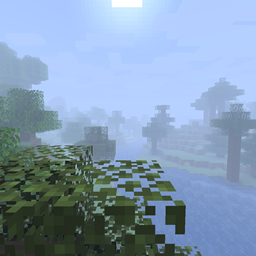
Custom Fog Mod para Minecraft 1.21.1, 1.21
¡Un mod que te da más control sobre la niebla!
- descargas
- 2 descargas
- visualizaciones
- 7 visualizaciones
- Actualizado
- Actualizado 19.10.2026
- 1.17 — 1.21.1
 Fabric
Acerca del mod Custom Fog
THIS MOD REQUIRES THE FABRIC API.
I might work on a Forge version in the future, but I make no promises.
This started out as just an effort to reproduce the Optifine "fog distance" toggle (which makes the fog start much closer to the camera like it did in older versions of the game), but now it also allows swapping to the other two fog types (EXP and EXP2) with customizable densities for all.
Note: with Sodium, to avoid chunks becoming invisible, you need to go to the Advanced tab in Sodium's video settings page and turn off Fog Occlusion.
Also, if you have any feature requests or bug reports, please report / ask for them on GitHub!
Or, alternatively, join the Discord Server here!
Cómo instalar Custom Fog
With Millida Launcher
Install Millida Launcher
The launcher is free: download it at millida.net/launcher and sign in with any nickname.
Click “Install” on this page
The launcher opens and installs the mod for Minecraft 1.17–1.21.1 on Fabric automatically.
Launch the game
A profile with it appears in the launcher: click “Play”.
Manually
Install Fabric
The loader must match the game version of the mod file, for example Minecraft 1.21.1. After installing it, a separate profile appears in your launcher.
Download the file for your version
In the version list above, pick the file custom-fog-2.2.1-1.21.jar (112 KB) for your game version.
Put it in the mods folder
The folder is inside .minecraft (Windows: %appdata%\.minecraft\mods). If it does not exist, create it.
Launch the loader profile
Open “Mods” in the main menu: Custom Fog should be in the list.
Minecraft 1.21.1 runs on Java 21: with a different Java version the game may close right after launch.
Versiones
Con dependencias
| Minecraft | Cargador | Archivo | Fecha | Acciones |
|---|---|---|---|---|
| 1.21 | Fabric | custom-fog-2.2.1-1.21.jar112 KB 2 | ||
| 1.17.1 | Fabric | custom-fog-1.6.0.jar133 KB |
FAQ
Which Minecraft versions does Custom Fog work on?
There are files for 1.21.1, 1.21, 1.17.1, 1.17. The newest is 1.21.1.
Is Custom Fog for Forge or Fabric?
Only for Fabric: 1.17–1.21.1. There are no files for Forge or NeoForge: a mod for another loader will not start.
Does Custom Fog need other mods?
The author lists no required dependencies: the Fabric loader is enough.
Which Java does Custom Fog need?
Minecraft 1.21.1 runs on Java 21. If the game closes right after launch, the usual cause is the wrong Java version in the profile settings.
Where can I download Custom Fog safely?
On this page: the file custom-fog-2.2.1-1.21.jar (112 KB) is stored on Millida’s server, with no link shorteners. SHA-1 checksum: 5288ad7b115497e9ac2bca29305c7281fa589da5.
Reseñas
Sé el primero en valorar Custom Fog


