
Create: Netherless ((Neo)Forge) Mod para Minecraft 1.20.1, 1.21.1
🚫Reúne y automatiza recursos del Nether sin necesitar nunca el Nether
 NeoForge
 Forge
ForgeAcerca del mod Create: Netherless ((Neo)Forge)
If you want the fabric version, click here
Create: Netherless is an Addon for the Create Mod;
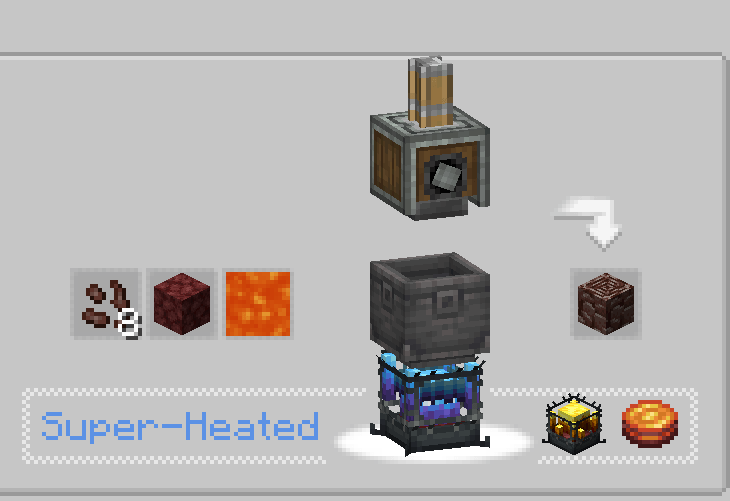
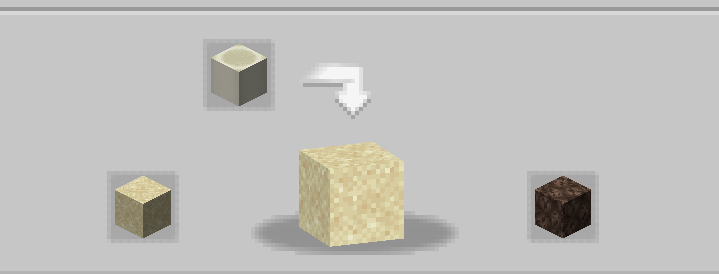
The goal of this mod is to provide players with the possibility of making and automating most Nether resources even without access to the Nether! This includes Blazes, Netherite, Netherrack, or anything else you can think of that is locked behind the Nether. If you think some recipes are unbalanced/not working/missing, let me know in the comments section💬!
Frequently Asked Questions (FAQ):
▶Q: How do i see the recipes? A: You can use recipe-viewing mods like JEI or EMI.
▶Q: will removing/adding this addon to an existing world causes problems? A: You can safely delete/add this mod from any world without issue.
▶Q: will this mod ever come on fabric? A: It is! just click here!
▶Q: Is this add-on available for 6.0.x? A: Yes it is!
▶Q: What next for the mod? A: The add-on is currently on pause as we are working on other projects. New content and balancing is planned, with the introduction of ectoplasm for example, but for now, you will need to wait!
▶Any others questions? You can join the Discord Server of the Honeycomb Studio and ask them there!
Sorry if i make mistakes, Im French.. if you see spelling mistakes, please let me know!
This mod does NOT disable the nether!
Cómo instalar Create: Netherless ((Neo)Forge)
With Millida Launcher
Install Millida Launcher
The launcher is free: download it at millida.net/launcher and sign in with any nickname.
Click “Install” on this page
The launcher opens and installs the mod for Minecraft 1.19.2–1.21.1 on Forge or NeoForge automatically.
Launch the game
A profile with it appears in the launcher: click “Play”.
Manually
Install Forge or NeoForge
The loader must match the game version of the mod file, for example Minecraft 1.21.1. After installing it, a separate profile appears in your launcher.
Download the file for your version
In the version list above, pick the file create_netherless-2.0.0-1.21.1.jar (30 KB) for your game version and loader.
Put it in the mods folder
The folder is inside .minecraft (Windows: %appdata%\.minecraft\mods). If it does not exist, create it.
Launch the loader profile
Open “Mods” in the main menu: Create: Netherless ((Neo)Forge) should be in the list.
Minecraft 1.21.1 runs on Java 21: with a different Java version the game may close right after launch.
Versiones
Con dependencias
| Minecraft | Cargador | Archivo | Fecha | Acciones |
|---|---|---|---|---|
| 1.21.1 | NeoForge | create_netherless-2.0.0-1.21.1.jar30.2 KB 59 | ||
| 1.20.1 | Forge | create_netherless-2.0.0-1.20.1.jar30.1 KB 15 | ||
| 1.19.2 | Forge | Create: Netherless 1.19.2-1.137.6 KB 1 |
FAQ
Which Minecraft versions does Create: Netherless ((Neo)Forge) work on?
There are files for 1.21.1, 1.20.1, 1.19.2. The newest is 1.21.1.
Is Create: Netherless ((Neo)Forge) for Forge or Fabric?
There are files for Forge: 1.19.2–1.20.1 and for NeoForge: 1.21.1. There are no files for Fabric: a mod for another loader will not start.
Does Create: Netherless ((Neo)Forge) need other mods?
The author lists no required dependencies: the Forge or NeoForge loader is enough.
Which Java does Create: Netherless ((Neo)Forge) need?
Minecraft 1.21.1 runs on Java 21. If the game closes right after launch, the usual cause is the wrong Java version in the profile settings.
Where can I download Create: Netherless ((Neo)Forge) safely?
On this page: the file create_netherless-2.0.0-1.21.1.jar (30 KB) is stored on Millida’s server, with no link shorteners. SHA-1 checksum: 2d3499b77c8bcbe8c7a301750271c3d2a0b35cbe.
Reseñas
Sé el primero en valorar Create: Netherless ((Neo)Forge)


