

Create: Dynamic Village Mod para Minecraft 1.20.1, 1.21.1
Expansión que añade un conjunto completo de profesiones de aldea del mod Create.
 NeoForge
 Forge
Forge Fabric
Acerca del mod Create: Dynamic Village
Mod Created by Aes Efficio
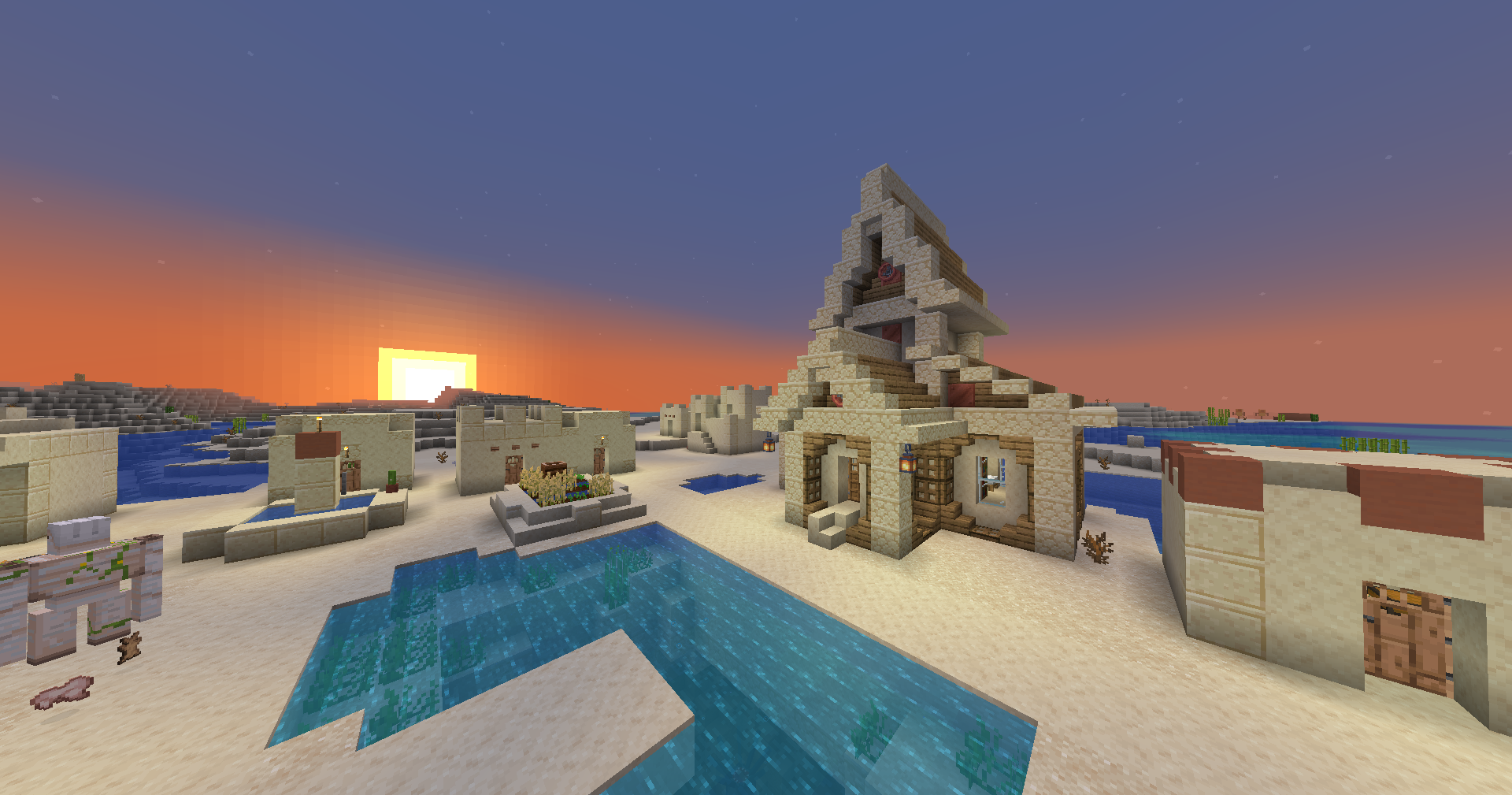
Dynamic Village adds a host of Create-mod village professions & structures.
List of Features
Mechanical Engineer
- Buys & sells Create contraption parts
- Key Block: Schematic Table
Hydraulic Engineer
- Buys & sells Create fluid management parts -- pipes, pumps, diving gear etc.
- Key Block: Item Drain
Train Mechanic
- Buys & sells Create train system parts
- Key Block: Train Station
Miner
- Buys & sells Create mining equipment, as well as minerals/metals
- Key Block: Mechanical Drill
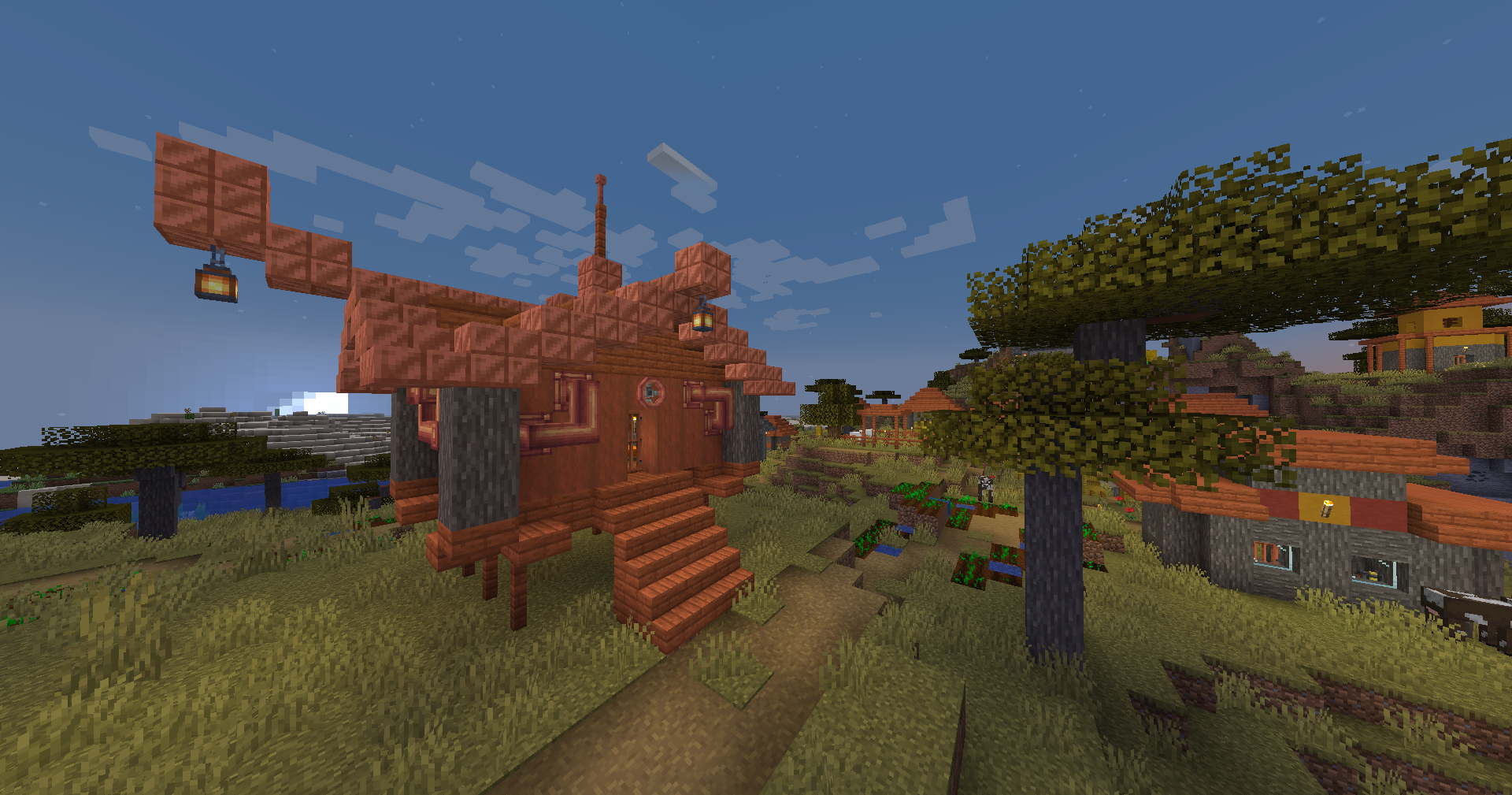
20 Total Plains, savanna, desert, taiga, and snowy village buildings
Contributing
Thanks to @Ben001109 for porting Dynamic Village to 1.20.1! 🎉
Bug reports, suggestions, and ideas
Bug reports, suggestions, and ideas are incredibly useful and much appreciated. A GitHub issue is a good way to get in contact.
Translating
Translation help is really appreciated. The best way to do so is to make a GitHub issue or pull request.
Thanks to @EDGW for translating Dynamic Village to Chinese (Simplified). 🎉
Thanks to Khao for translating Dynamic Village to Thai. 🎉
Thanks to @RemVan for translating Dynamic Village to Russian. 🎉
Find Dynamic Village on GitHub or Modrinth
Report Issues here
Mod created by Alexander Weimer - Website · GitHub · LinkedIn · Google Scholar · ResearchGate · ORCiD · Article
Cómo instalar Create: Dynamic Village
With Millida Launcher
Install Millida Launcher
The launcher is free: download it at millida.net/launcher and sign in with any nickname.
Click “Install” on this page
The launcher opens and installs the mod for Minecraft 1.19.2–1.21.1 on Fabric, Forge or NeoForge automatically.
Launch the game
A profile with it appears in the launcher: click “Play”.
Manually
Install Fabric, Forge or NeoForge
The loader must match the game version of the mod file, for example Minecraft 1.21.1. After installing it, a separate profile appears in your launcher.
Download the file for your version
In the version list above, pick the file dynamicvillage-0.9-1.21.1.jar (272 KB) for your game version and loader.
Put it in the mods folder
The folder is inside .minecraft (Windows: %appdata%\.minecraft\mods). If it does not exist, create it.
Launch the loader profile
Open “Mods” in the main menu: Create: Dynamic Village should be in the list.
Minecraft 1.21.1 runs on Java 21: with a different Java version the game may close right after launch.
Versiones
Con dependencias
| Minecraft | Cargador | Archivo | Fecha | Acciones |
|---|---|---|---|---|
| 1.20.1 | Forge | Dynamic Village v0.9-1.20.1274 KB 32 | ||
| 1.21.1 | NeoForge | Dynamic Village v0.9-1.21.1272 KB 109 | ||
| 1.20.1 | Fabric | Dynamic Village v0.5-1.20.1-fabric194 KB 10 | ||
| 1.19.2 | Forge | Dynamic Village v0.3-1.19.2199 KB 2 |
FAQ
Which Minecraft versions does Create: Dynamic Village work on?
There are files for 1.21.1, 1.20.1, 1.19.2. The newest is 1.21.1.
Does Create: Dynamic Village need other mods?
The author lists no required dependencies: the Fabric, Forge or NeoForge loader is enough.
Which Java does Create: Dynamic Village need?
Minecraft 1.21.1 runs on Java 21. If the game closes right after launch, the usual cause is the wrong Java version in the profile settings.
Where can I download Create: Dynamic Village safely?
On this page: the file dynamicvillage-0.9-1.21.1.jar (272 KB) is stored on Millida’s server, with no link shorteners. SHA-1 checksum: 334ceffc91199d2755d81acd57d42dd94412c4bf.
Reseñas
Sé el primero en valorar Create: Dynamic Village


