
- visualizaciones
- 47 visualizaciones
- Actualizado
- Actualizado 18.10.2026
- 1.21.4
 Forge
Acerca del mod CobbleForDays
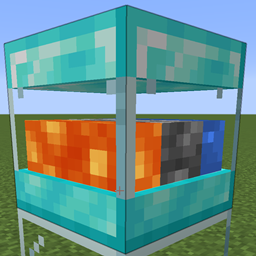
Aquí tienes un generador de adoquines sencillo. Hay 5 niveles disponibles por si alguien desea añadir varias versiones.
Esto se creó principalmente como un bloque independiente para ayudar a los servidores. Es mucho más eficiente tener un único TE con tick que un montón y la generación de adoquines en el mundo.
Pero siéntete libre de usarlo como quieras.
Cada nivel tiene ajustes que se pueden editar en el archivo de configuración del servidor.
[server.1]
La cantidad máxima de objetos que se pueden guardar en el búfer interno.
Rango: > 1
max = 64
La cantidad de objetos que se generan en cada actualización.
Rango: > 1
count = 1
La cantidad de ticks entre cada actualización de generación.
Rango: > 1 interval = 40
Establece en true para habilitar el empuje automático a los inventarios situados encima de este bloque.
pushes = true
Gracias a Drullkus por crear un modelo bonito para ellos.
Estas son las recetas predeterminadas, pero obviamente se pueden editar en los paquetes de datos.
Cómo instalar CobbleForDays
With Millida Launcher
Install Millida Launcher
The launcher is free: download it at millida.net/launcher and sign in with any nickname.
Click “Install” on this page
The launcher opens and installs the mod for Minecraft 1.21.4 on Forge automatically.
Launch the game
A profile with it appears in the launcher: click “Play”.
Manually
Install Forge
The loader must match the game version of the mod file, for example Minecraft 1.21.4. After installing it, a separate profile appears in your launcher.
Download the file for your version
In the version list above, pick the file CobbleForDays-1.14.1.jar (49 KB) for your game version.
Put it in the mods folder
The folder is inside .minecraft (Windows: %appdata%\.minecraft\mods). If it does not exist, create it.
Launch the loader profile
Open “Mods” in the main menu: CobbleForDays should be in the list.
Minecraft 1.21.4 runs on Java 21: with a different Java version the game may close right after launch.
Versiones
Con dependencias
| Minecraft | Cargador | Archivo | Fecha | Acciones |
|---|---|---|---|---|
| 1.21.4 | Forge | CobbleForDays-1.14.1.jar49.4 KB |
FAQ
Which Minecraft versions does CobbleForDays work on?
Only Minecraft 1.21.4: there are no files for other versions.
Is CobbleForDays for Forge or Fabric?
Only for Forge: 1.21.4. There are no files for Fabric or NeoForge: a mod for another loader will not start.
Does CobbleForDays need other mods?
The author lists no required dependencies: the Forge loader is enough.
Which Java does CobbleForDays need?
Minecraft 1.21.4 runs on Java 21. If the game closes right after launch, the usual cause is the wrong Java version in the profile settings.
Where can I download CobbleForDays safely?
On this page: the file CobbleForDays-1.14.1.jar (49 KB) is stored on Millida’s server, with no link shorteners. SHA-1 checksum: 5268375f91bf686fe063c4855c65317c92bc4555.
Reseñas
Sé el primero en valorar CobbleForDays


