
Calibrated Access Mod para Minecraft 1.20.1
Una solución equilibrada para la interacción remota con bloques
 Fabric
 Quilt
QuiltAcerca del mod Calibrated Access
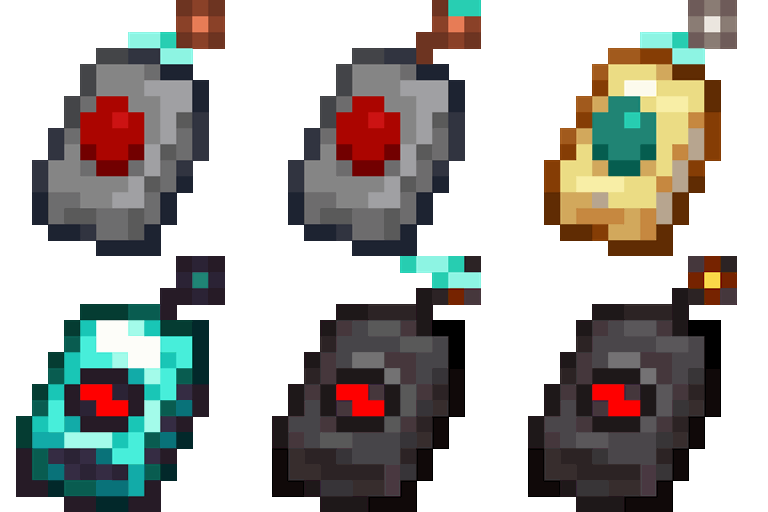
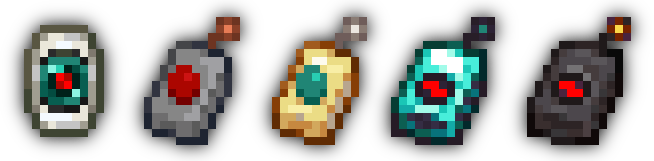
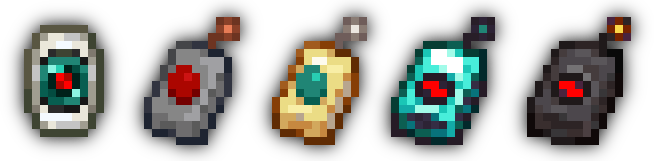
This mod adds four new Remote Accessor items that allow players to calibrate with a block and open its screen from anywhere; with higher tiers, even from different dimensions!
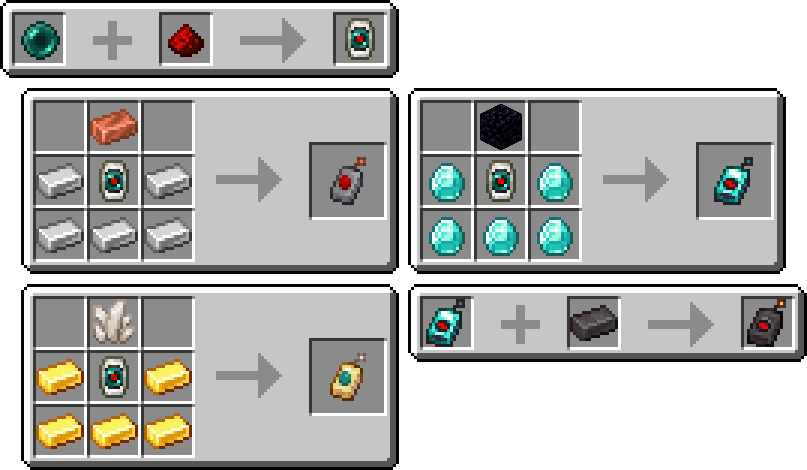
To get started, craft a Calibrator, the central component of all Accessors, by placing an Ender Pearl and some Redstone Dust in a Smithing Table. Craft an Accessor with some casing and antenna materials, sneak-interact with a functional block, and use the remote to open its screen from any distance!
Why?
This mod was created out of a need for an alternative to the keepInventory game rule. Simply put, dying in Minecraft is annoying! Keeping your inventory on death is great when the event was unintentional or unfair. However, it can be easily abused: what's stopping players from careening off a cliff so they can get back to base more easily?
Calibrated Access provides systems accessible to the early-game that, for example, could be used to "bank" items on-the-fly to prevent item loss in case disaster strikes. Concerned about balance? See the Balance section in the details below!
Details
Balance
The first tier of remote, the Novice Accessor, is simple to craft. Indeed, its recipe is designed for the early game. However, the lower tiers of Accessor are quite limited in their functionality. The most effective factor for balance is the number of accesses a specific remote has.
Upon using a calibrated remote, one access point is consumed. Players can only use a remote if it has at least one access point left. The only way to replenish the access counter is to recalibrate with another block. A Novice Accessor has three accesses; this amount is small enough that players will have to stop and think about whether they want to use the remote at a time. A Skilled Accessor has seven accesses; an Expert Accessor has fifteen; an Unlimited Accessor does not have an access counter.
There is also a 15-second grace period that begins when a remote is used. During this period, players can freely open and close the remote without losing another access point. Additionally, the remote will have a "zap" effect on its antenna while the grace period is active. However, an Unlimited Accessor's zap is merely visual.
Another balancing factor is the interdimensional capability of an Accessor. Only the Novice Accessor is unable to open blocks' screens from other dimensions. The second tier of remote, the Skilled Accessor, requires Quartz to craft, requiring players to first venture into a different dimension before they have that extra level of safety.
A final property is the number of remotes that can be used at once. This defaults to just one, though you can change this with a game rule described in the Additional Features section below. Go ahead and try to game the system; this is implemented with a "sessions" system that maps each calibration instance to a UUID. As a side-effect, this makes all calibrated Accessors per-player.
Additional Features
- Four new advancements in the Adventure tab
- An API to add custom behavior when accessing specific blocks. See the wiki for a brief overview
- maxRemoteSessions game rule to control the number of Accessors that a player can have calibrated at once
- allowSyncedIdMismatch game rule to control whether a remote can try to access a different block type at the same position it was calibrated to
License
MIT (c) spadeteam
Cómo instalar Calibrated Access
With Millida Launcher
Install Millida Launcher
The launcher is free: download it at millida.net/launcher and sign in with any nickname.
Click “Install” on this page
The launcher opens and installs the mod for Minecraft 1.20–1.20.1 on Fabric or Quilt automatically.
Launch the game
A profile with it appears in the launcher: click “Play”.
Manually
Install Fabric or Quilt
The loader must match the game version of the mod file, for example Minecraft 1.20.1. After installing it, a separate profile appears in your launcher.
Download the file for your version
In the version list above, pick the file calibrated-1.3.1-beta.11.20.jar (340 KB) for your game version and loader.
Put it in the mods folder
The folder is inside .minecraft (Windows: %appdata%\.minecraft\mods). If it does not exist, create it.
Launch the loader profile
Open “Mods” in the main menu: Calibrated Access should be in the list.
Minecraft 1.20.1 runs on Java 17: with a different Java version the game may close right after launch.
Versiones
Con dependencias
| Minecraft | Cargador | Archivo | Fecha | Acciones |
|---|---|---|---|---|
| 1.20.1 | Fabric, Quilt | 1.3.1 Fabric for 1.20-1.20.1340 KB |
FAQ
Which Minecraft versions does Calibrated Access work on?
There are files for 1.20.1, 1.20. The newest is 1.20.1.
Is Calibrated Access for Forge or Fabric?
There are files for Fabric: 1.20–1.20.1 and for Quilt: 1.20–1.20.1. There are no files for Forge or NeoForge: a mod for another loader will not start.
Does Calibrated Access need other mods?
The author lists no required dependencies: the Fabric or Quilt loader is enough.
Which Java does Calibrated Access need?
Minecraft 1.20.1 runs on Java 17. If the game closes right after launch, the usual cause is the wrong Java version in the profile settings.
Where can I download Calibrated Access safely?
On this page: the file calibrated-1.3.1-beta.11.20.jar (340 KB) is stored on Millida’s server, with no link shorteners. SHA-1 checksum: 7e60ddef2acd8b7488e88113a46d41f9a031acf7.
Reseñas
Sé el primero en valorar Calibrated Access


