
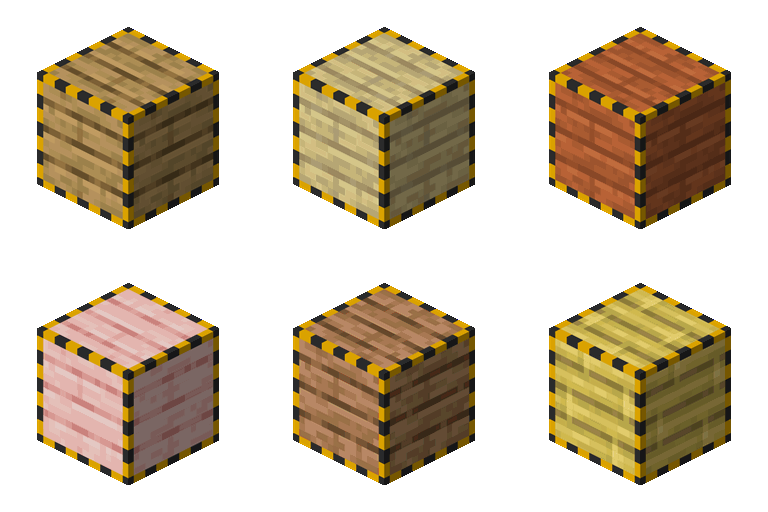
Cable Facades Mod para Minecraft 1.20.1, 1.18.2
¡Soporte de fachadas para todos los cables y bloques del juego!
 NeoForge
 Forge
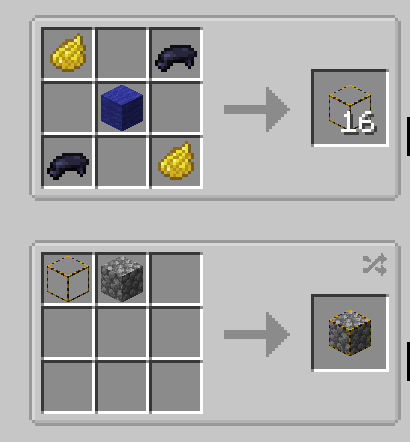
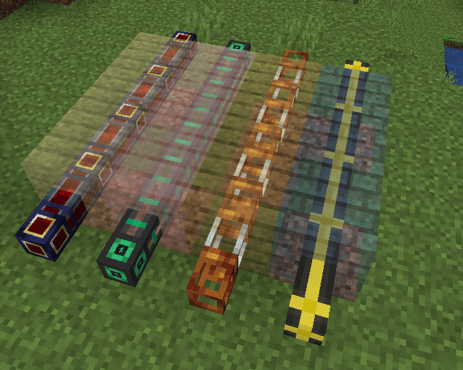
ForgeThis mod allows you to cover up pretty much any cable/pipe from any mod!
v2.0.0 adds directional facades !
You can manually add entries in the config file at cable_facades-common.toml
#List of blocks that are allowed to be covered. Supports '*' as a wildcard. blocks = ["pipez:*_pipe", "mekanism:*_cable", "etc.."]
Tag is also available for blocks #cable_facades:supports_facade
Share your configs in our Discord so that we can expand support !
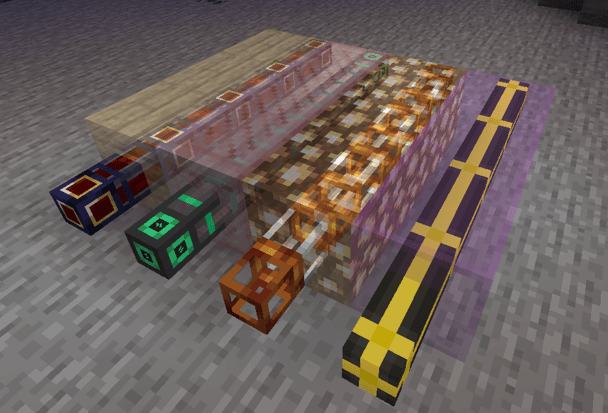
The mod also has built-in support for connected-texture facades as well as light emitting facades
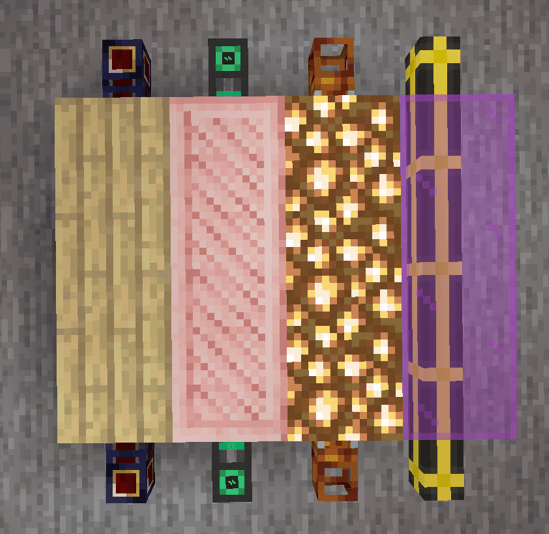
When holding a wrench:
Pre-Supported Mods
- Applied Energistics 2
- Computer Craft
- Create
- Cyclic
- Elemental Craft
- Embers
- EnderIO
- GregTechCEu Modern
- LaserIO
- Mekanism
- Mekanism Extras
- Modern Industrialization
- Pipez
- Pneumatic Craft Repressurized
- Powah
- Pretty Pipes
- Pretty Pipes Fluids
- Thermal Series
- Refined Storage
- And more !!
Looking for a server?
Hey, if you are looking for a way to play modded minecraft with your friends and also want to support me, I highly recommend using Bisect Hosting. They provide amazing 24/7 support, fast response times and affordable prices! In fact, they even provided a discount code to get 25% off your first purchase.
Cómo instalar Cable Facades
With Millida Launcher
Install Millida Launcher
The launcher is free: download it at millida.net/launcher and sign in with any nickname.
Click “Install” on this page
The launcher opens and installs the mod for Minecraft 1.18.2–26.1.2 on Forge or NeoForge automatically.
Launch the game
A profile with it appears in the launcher: click “Play”.
Manually
Install Forge or NeoForge
The loader must match the game version of the mod file, for example Minecraft 26.1.2. After installing it, a separate profile appears in your launcher.
Download the file for your version
In the version list above, pick the file cable_facades-26.1.2-NeoForge-2.1.4.jar (288 KB) for your game version and loader.
Put it in the mods folder
The folder is inside .minecraft (Windows: %appdata%\.minecraft\mods). If it does not exist, create it.
Launch the loader profile
Open “Mods” in the main menu: Cable Facades should be in the list.
Versiones
Con dependencias
| Minecraft | Cargador | Archivo | Fecha | Acciones |
|---|---|---|---|---|
| 26.1.2 | NeoForge | cable_facades-26.1.2-NeoForge-2.1.4.jar288 KB | ||
| 1.18.2 | Forge | cable_facades-1.18.2-Forge-2.1.3.jar908 KB | ||
| 1.20.1 | NeoForge, Forge | cable_facades-1.20.1-Forge-1.0.5.jar62.1 KB |
FAQ
Which Minecraft versions does Cable Facades work on?
There are files for 26.1.2, 1.20.1, 1.18.2. The newest is 26.1.2.
Is Cable Facades for Forge or Fabric?
There are files for Forge: 1.18.2–1.20.1 and for NeoForge: 1.20.1–26.1.2. There are no files for Fabric: a mod for another loader will not start.
Does Cable Facades need other mods?
The author lists no required dependencies: the Forge or NeoForge loader is enough.
Where can I download Cable Facades safely?
On this page: the file cable_facades-26.1.2-NeoForge-2.1.4.jar (288 KB) is stored on Millida’s server, with no link shorteners. SHA-1 checksum: 9cd37c5a24f7ad9240d66b00c13b4aa78cfa948c.
Reseñas
Sé el primero en valorar Cable Facades


